Deleting Template Versions
Bizmetry offers two deletion modes for template versions: individual delete and cascade delete. Both operations are irreversible and protected by a two-step confirmation mechanism.
The default template version can never be deleted
The default template version (v1.0) is permanently protected and cannot be deleted under any circumstance — neither individually nor via cascade delete. This version represents the foundational baseline of the profile and is required for the profile to function correctly.
If your goal is to remove the profile entirely, you must do so through the Profile Wizard. There is no workaround to delete the default version directly.
Individual Delete
The standard delete action removes a single template version from the tree.
Constraints
| Constraint | Detail |
|---|---|
| Environment assignment | Versions currently assigned to any active environment cannot be deleted. |
| Default version | The default template version (v1.0) can never be deleted. To remove the profile, use the Profile Wizard. |
| Previously published versions | Must be Retired before deletion. Retirement is a prerequisite for deleting any version that has previously reached Published state. |
When any constraint applies, the delete icon appears disabled with a tooltip explaining the reason.
Two-Step Confirmation
- First click → the icon turns red, indicating a pending action.
- Second click → a confirmation dialog appears before the deletion is executed.
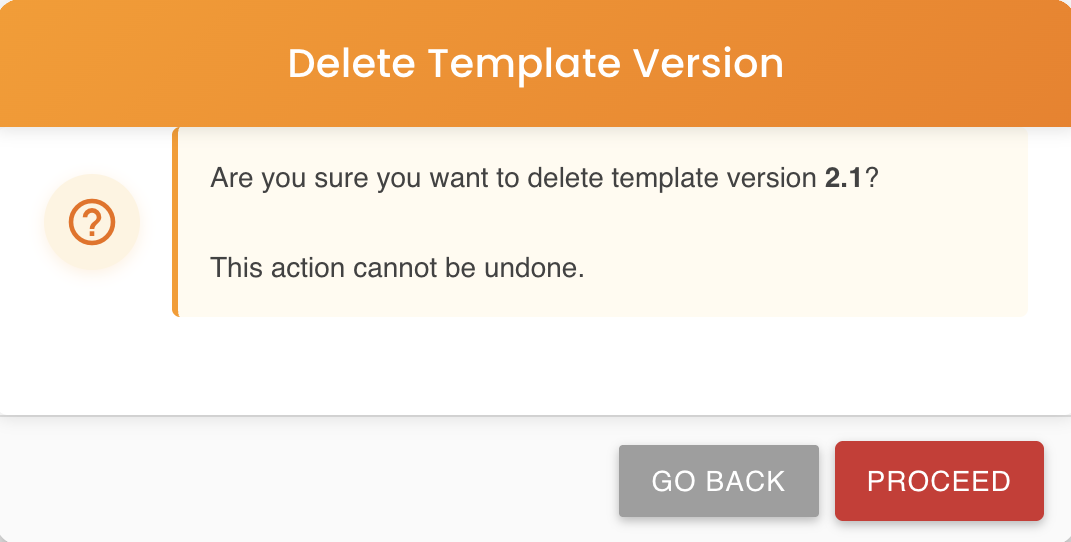
Deletion is irreversible
Once confirmed, the version is permanently destroyed and cannot be recovered. Use with caution.
Cascade Delete
The Cascade Delete action removes a parent template version and all of its descendants in a single operation — the entire subtree rooted at the selected node.
This is designed for scenarios where a branch of the version tree is no longer needed and all related child versions should be cleaned up at once.
How It Works
When cascade delete is triggered on a version node:
- Bizmetry collects the full subtree rooted at the selected version — the target node, all its children, grandchildren, and any further descendants at any depth.
- The entire subtree is validated against active environment assignments. If any version within the subtree is currently assigned to an environment, the operation is blocked and a detailed error message is shown listing the conflicting versions and their assigned environments.
- If validation passes, versions are deleted in bottom-up order — leaves first, parent last — to preserve referential integrity throughout the process.
When the Button Is Enabled
The Cascade Delete icon is only visible and enabled when all of the following conditions are met:
| Condition | Requirement |
|---|---|
| The node has children | The selected version must have at least one child version in the tree. |
| No subtree version is assigned to an environment | None of the versions in the subtree (including the selected node itself) can be currently assigned to any environment. |
| The node is not the default version | The default template version (v1.0) can never be deleted — this restriction is absolute and cannot be bypassed. |
If any version in the subtree is assigned to an environment, the button is disabled and a tooltip explains the reason.
Example
Given the following version tree:
v1.0  (Published — default)
└── v1.1  (Published)
    ├── v1.2  (Draft)
    └── v2.0  (Draft)
        └── v2.1  (Draft)
Triggering cascade delete on v1.1 would remove: v1.1, v1.2, v2.0, and v2.1 — provided none of those versions are assigned to any environment.
Triggering cascade delete on v2.0 would remove: v2.0 and v2.1 only.
Cascade deletion is irreversible
All versions in the subtree are permanently destroyed and cannot be recovered. Verify the tree structure carefully before confirming.