Template Tab
The Template tab within the Profile dialog is the central hub for managing the telemetry template associated with a profile. It provides full visibility into version history, lifecycle governance, branching management, and structured change control.
Bizmetry implements a hierarchical versioning model combined with a controlled lifecycle and version diff mechanism to ensure safe, traceable, and enterprise-ready template evolution.
Accessing the Template Tab
There are two ways to access template information for a profile:
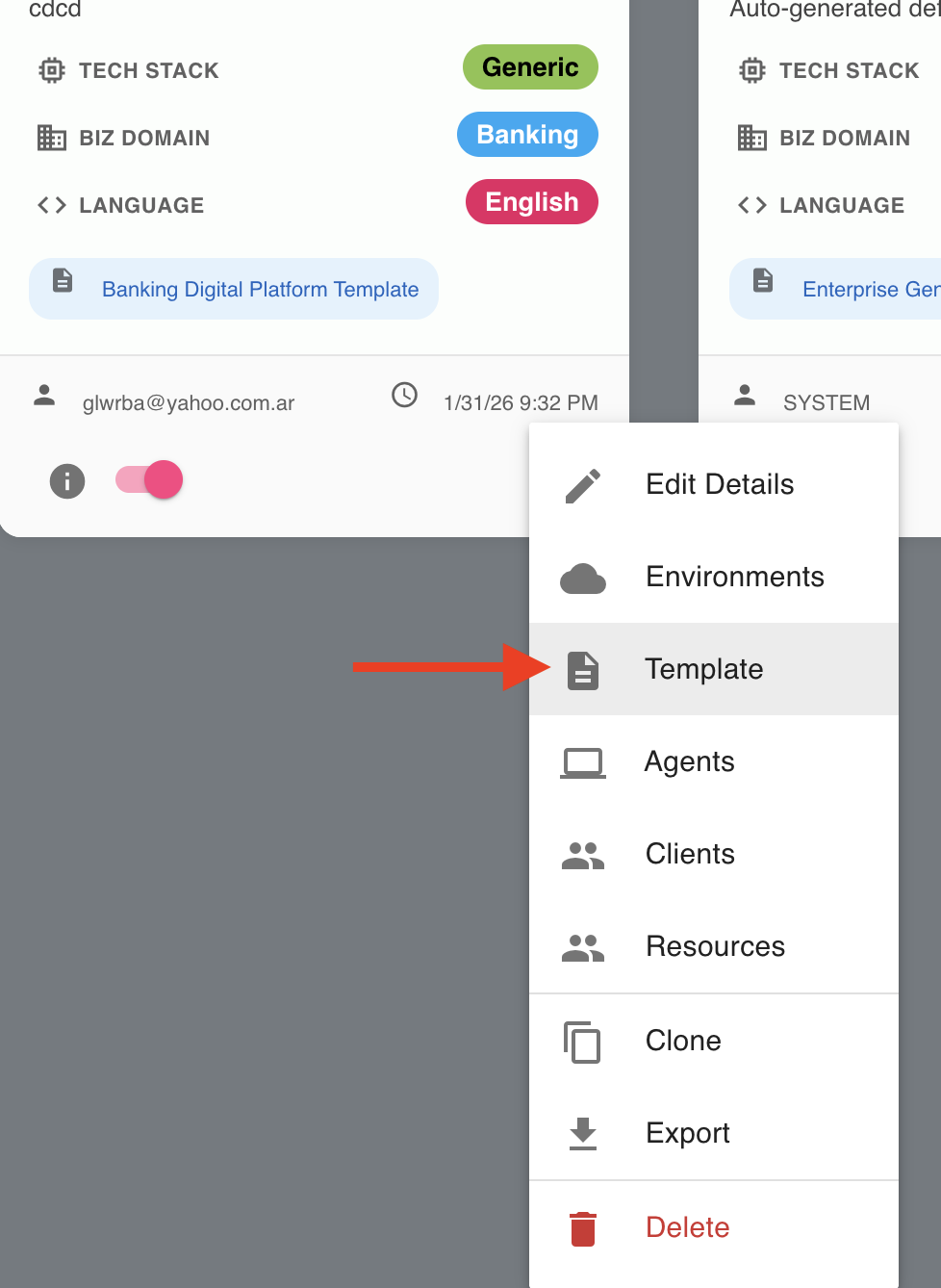
Option 1 — Via the contextual menu
- Locate the profile in the Profile Canvas.
- Click the ellipsis icon (three dots) in the bottom-right corner of the profile tile.
- Select Template from the contextual menu.
Option 2 — Via the Profile Dialog
- Open the Profile Dialog for the desired profile.
- Click the Template tab in the navigation bar.
In both cases, the Profile Dialog opens directly on the Template tab.
What You Can Do Here
| Capability | Description |
|---|---|
| Version Tree | Visualize all template versions in a hierarchical branching tree, tracking lineage and evolution over time. |
| Lifecycle Management | Move versions through a governed state machine: Draft → Review → Published → Retired. |
| Semantic Versioning | Automatic major/minor version calculation based on the nature of changes. |
| Version Actions | Edit, submit, approve, publish, retire, delete, and compare versions — all from within the tree. |
| Change Log | Perform a structured diff between any version and its direct parent to understand exactly what changed. |
| Environment Restrictions | Enforce governance rules that control which lifecycle states can be assigned to which environment types. |
| Template Explorer | Navigate the full hierarchical structure of any template version for inspection and analysis. |
In This Section
- Version Tree View — Navigating and filtering the hierarchical version tree.
- Version Lifecycle — States, transitions, branching, and semantic versioning.
- Version Actions — Per-version action controls, Change Log, and Template Explorer.
- Environment Assignment Restrictions — Governance rules for environment eligibility by lifecycle state.
- Retiring a Version — Formal decommissioning of published versions.
- Deleting Versions — Individual and cascade deletion with constraints and examples.