Deleting a Resource
Resources can be deleted individually from their row action, or in bulk using the Delete Selected toolbar button.
Deleting a Single Resource
Deletion uses a two-step process with a confirmation dialog.
Step 1 — First click: Click the trash icon in the ACTIONS column.
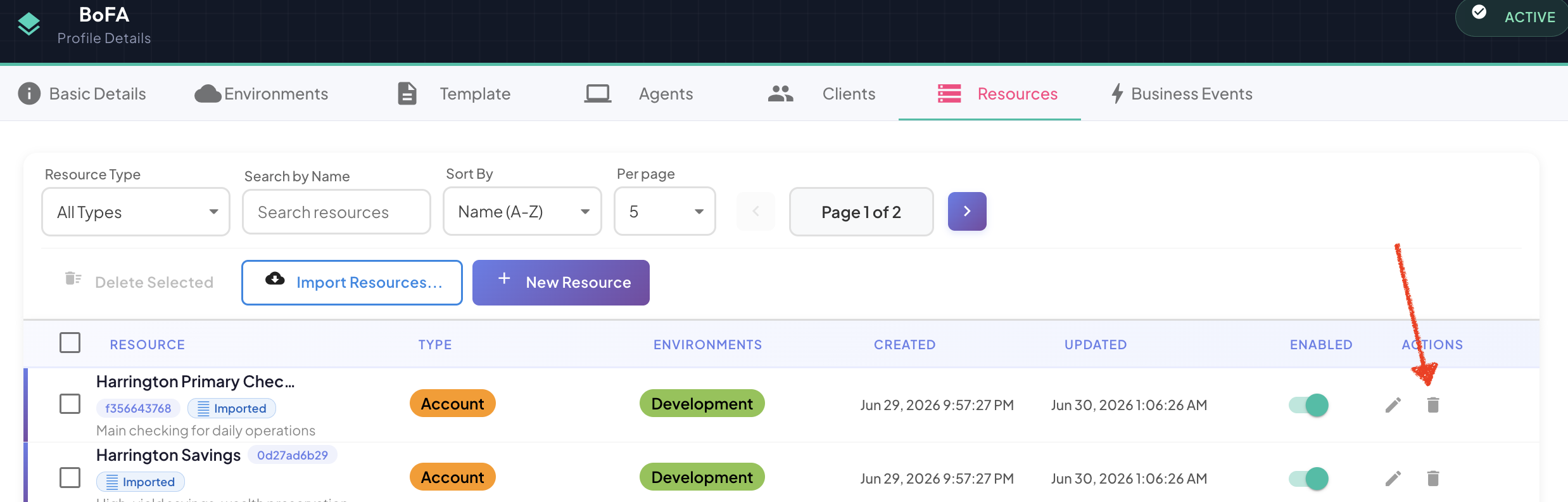
The icon turns red, indicating the row is pending deletion.
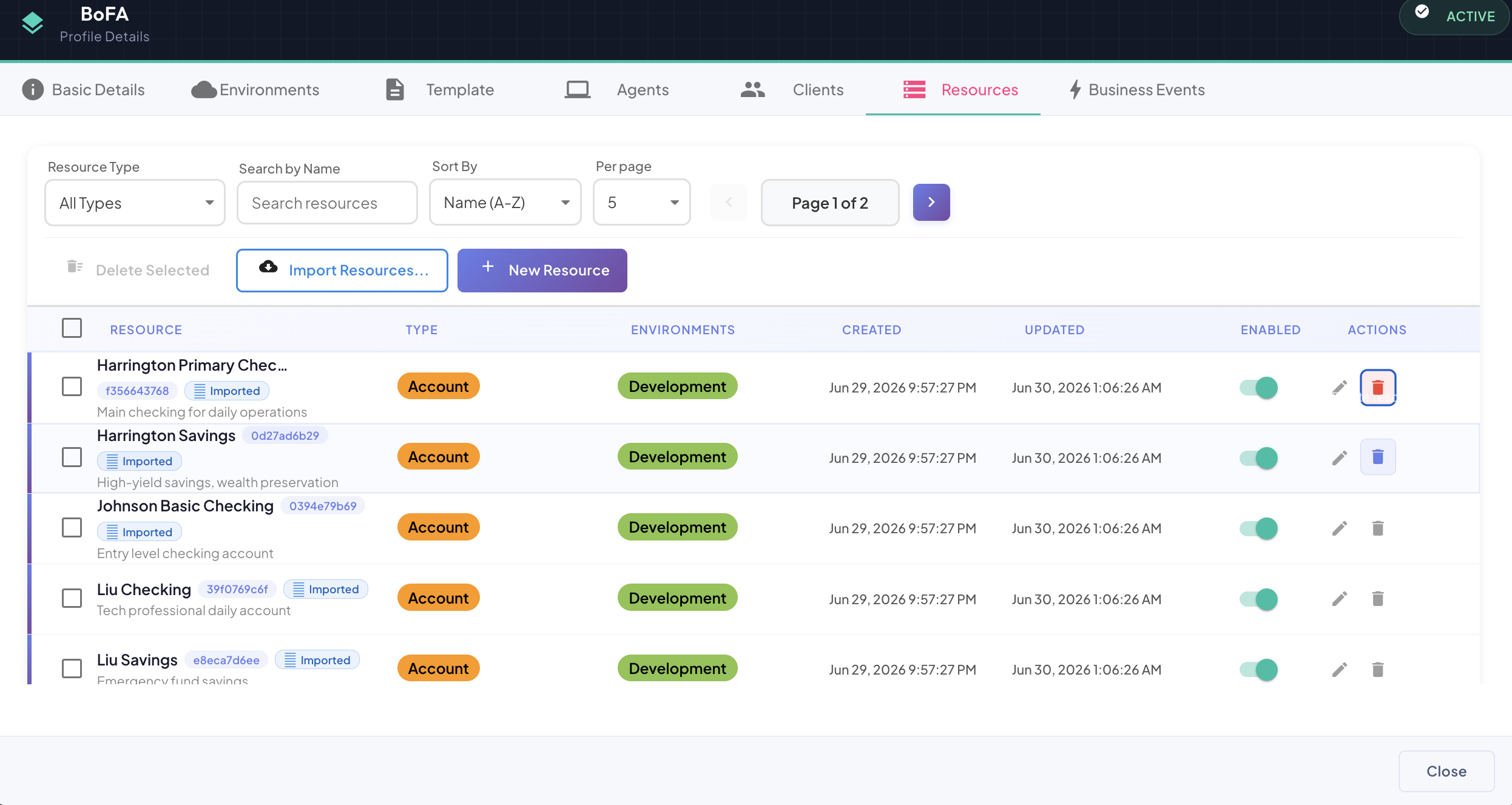
Step 2 — Second click: Click the now-red icon again. A Confirm Delete dialog appears with the resource name:
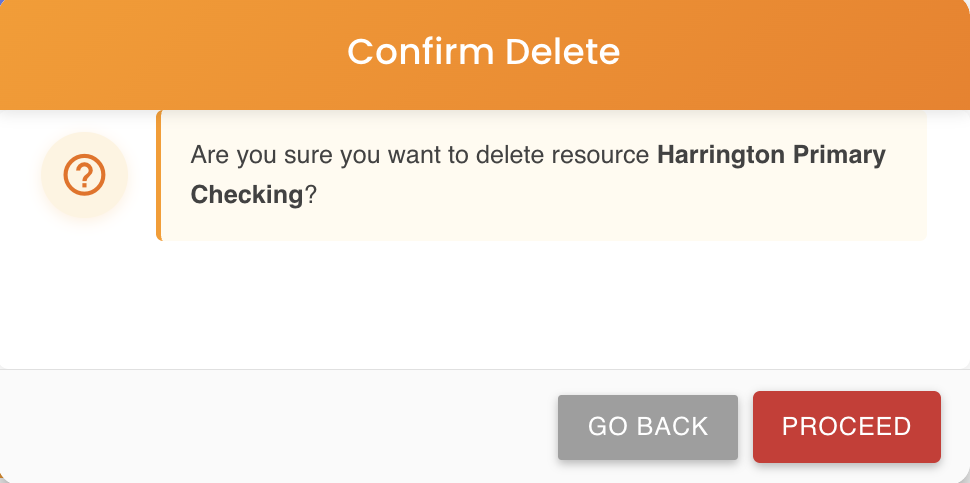
| Button | Action |
|---|---|
| GO BACK | Cancels the deletion and returns to the Resources tab |
| PROCEED | Permanently deletes the resource |
4-second timeout
If you do not click a second time within a few seconds, the pending state is automatically cancelled and the icon returns to its default appearance. You will need to click again to restart the process.
Bulk Deletion
Step 1: Check the checkbox on each row you want to delete. The Delete Selected button activates and shows the count of selected resources (e.g., Delete Selected (2)).
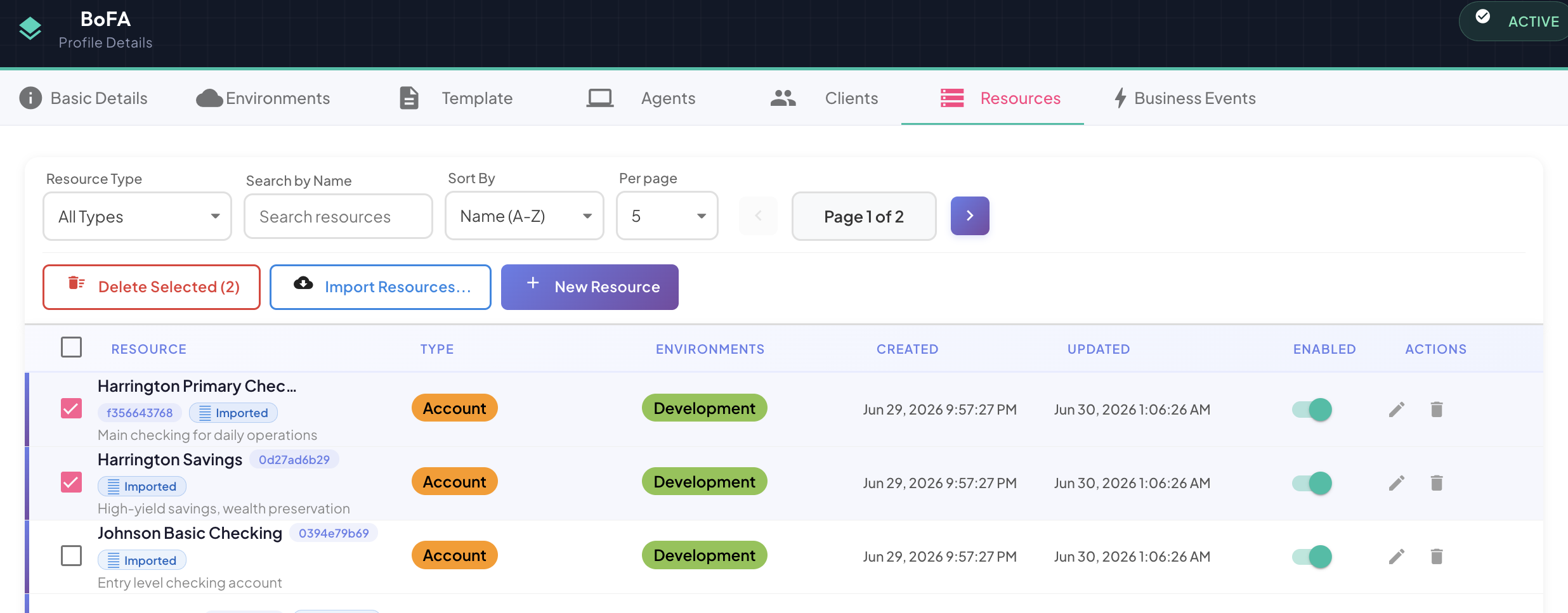
Step 2: Click Delete Selected (n). A Confirm Bulk Delete dialog appears:
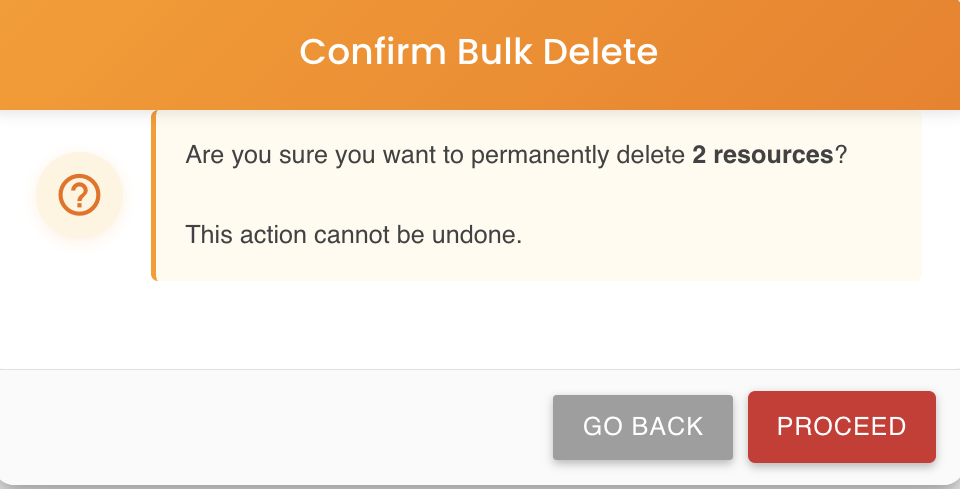
| Button | Action |
|---|---|
| GO BACK | Cancels and returns to the Resources tab with selections intact |
| PROCEED | Permanently deletes all selected resources |
What Gets Deleted
When a resource is deleted:
- The resource instance and all its environment mappings are removed
- Active agents stop collecting telemetry for this resource immediately
- Historical telemetry data already captured is preserved in the platform but no longer associated with an active resource
Permanent action
Deletion cannot be undone. If you want to pause collection without losing the resource configuration, use the ENABLED toggle on the resource row instead.