Reading the Release Pipeline
Use the read-only workflow to inspect template assignments, environment order and agent status.
When you open the Environments tab, the Template Release Pipeline Overview is displayed in read-only mode. This workflow provides a visual representation of how different versions of the telemetry template are distributed across environments.
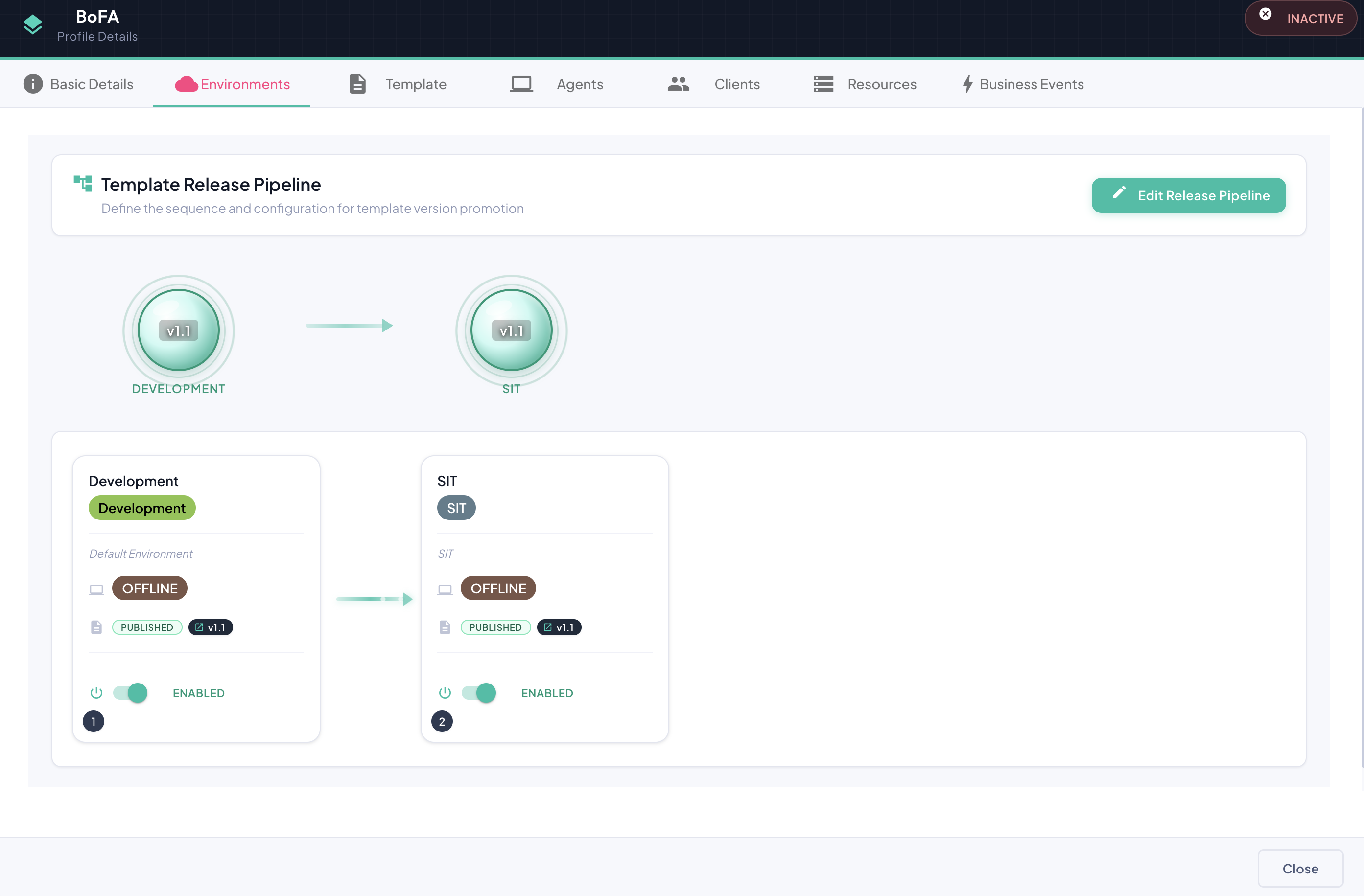
The workflow is composed of two sections:
Sequence Diagram (Top)
A visual diagram of circles connected by arrows, representing the template promotion pipeline — i.e., the sequence in which template versions progress from lower environments (e.g., Development) toward production.
Environment Cards (Bottom)
A detailed view of the workflow, where each environment is represented by a card displaying:
| Field | Description |
|---|---|
| Name | The unique name identifying the environment. |
| Environment Type | The stage this environment represents (e.g., DEV, QA, UAT, Production). |
| Template Version | The version of the telemetry template currently associated with this environment. |
| Telemetry Status | Whether metric collection is enabled or disabled for this environment. |
| Agent Status | The associated agent's runtime state, such as STARTING, ONLINE, STOPPING or OFFLINE. |
| Sequence Number | A numeric indicator (1, 2, 3 … N) representing the logical order of this environment within the promotion pipeline. Lower numbers receive newer template versions first. |
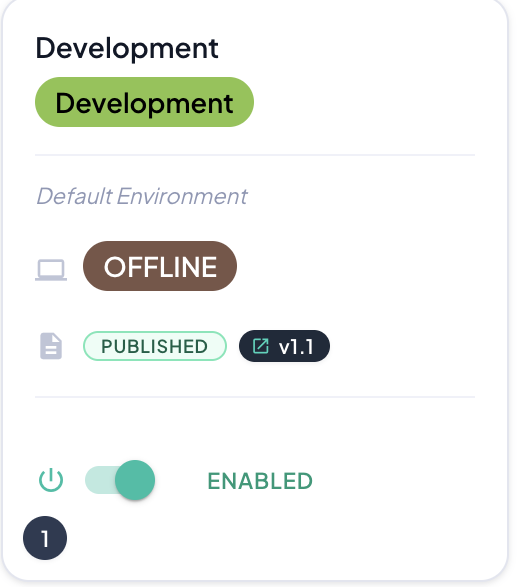
Clicking on the version number
Click the version number to open Template Explorer for that version without first switching to the Template tab.