Biz Interceptor Live Endpoints
Click the icon on any row of the Biz Interceptor Summary to open Live Endpoints — the list of specific API operations this interceptor is actively capturing traffic for right now, one live environment at a time.
REST API only
This action only appears for interceptors using the REST API transport type — see Step 1 — Transport Type.
What "Live" Means Here
Whether a given operation shows up in this list depends on every one of the following being true at once — it spans several BizMetry components, not just the interceptor itself, so a missing endpoint is often explained by one gate elsewhere rather than anything wrong with the interceptor's own configuration:
- The Profile the interceptor belongs to is enabled.
- The specific environment is enabled and running.
- The interceptor itself is enabled (the master switch on its Summary row).
- The interceptor is actually Online for that environment — which in turn means the business application hosting it is up and running and successfully heartbeating. See Environment Status for the full state model.
- The Business Event sourcing that operation is one of the ones selected on this interceptor's own Biz Instrumentation tab — unless the interceptor is unrestricted (the default, nothing ever configured on that tab), in which case every Business Event on the Profile counts.
- That Business Event is itself enabled.
- That Business Event's version is specifically in PUBLISHED status — not just enabled. A Business Event can be enabled and still sit in Draft or Deprecated; only a Published version actually sources live traffic. See Business Events for that status lifecycle.
Any one of these being false is enough to keep an otherwise-correctly-configured endpoint out of this list entirely — configure the interceptor perfectly but leave its Business Event un-published, for instance, and the list stays empty exactly as if nothing had been configured at all.
Scoping is per-interceptor, not per-Profile
Condition 5 means a Business Event that's live and published everywhere else can still be invisible to this specific interceptor while showing up perfectly fine on a different interceptor of the same Profile that does have it selected — see Biz Instrumentation for why that scoping exists.
Layout
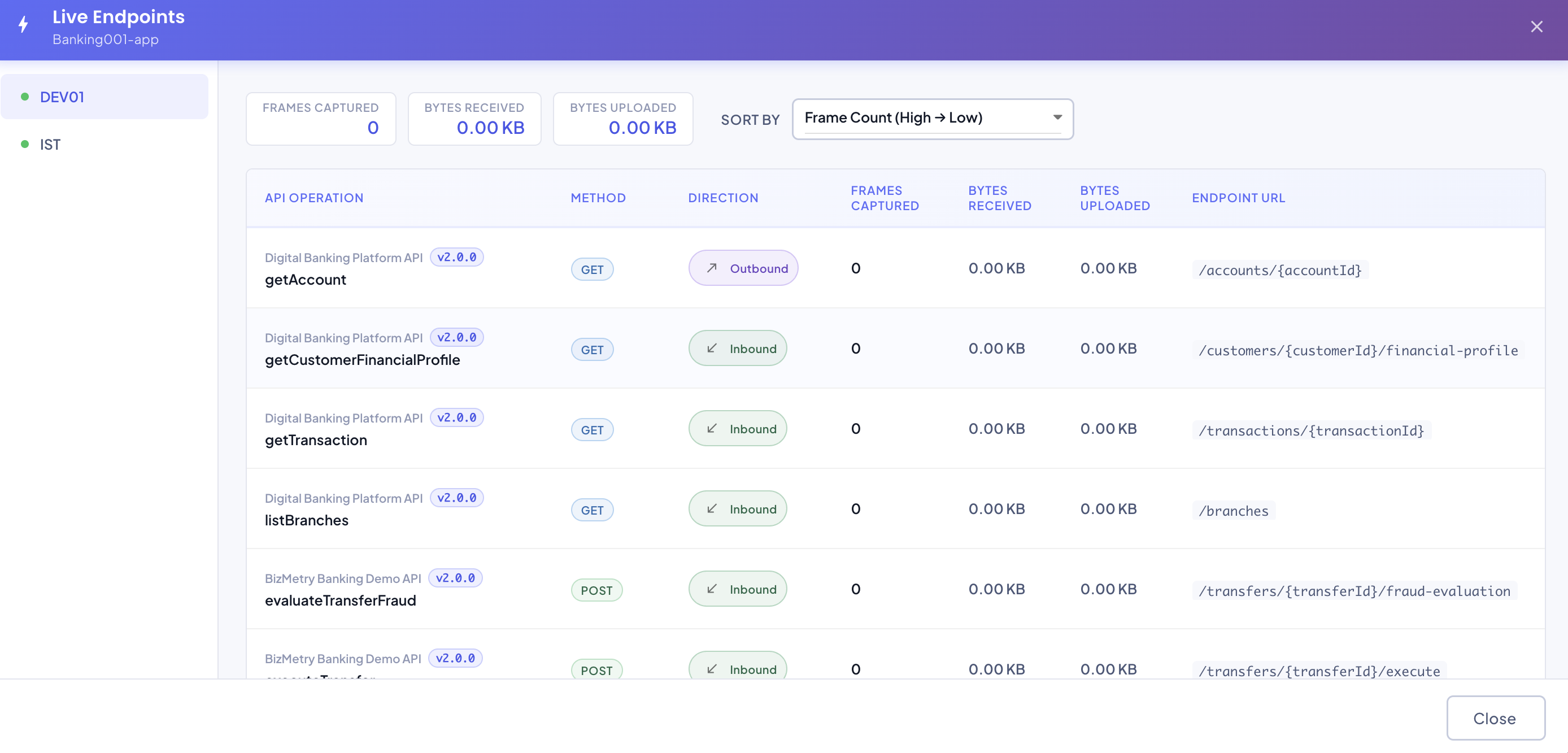
The vertical nav on the left lists every environment this interceptor is currently live in — click one to see its endpoints. An interceptor with no live environments at all shows a single empty state instead of the nav.
Totals
Along the top of the selected environment's panel:
- Frames Captured — total frames captured across every live endpoint in this environment.
- Bytes Received / Bytes Uploaded — total payload size, received and uploaded.
Endpoint Table
| Column | Description |
|---|---|
| API Operation | The source API Collection (with version) and the specific operation name. |
| Method | HTTP method (GET, POST, ...). |
| Direction | Inbound, Outbound, or both — the union of every live Business Event's interception mode sourcing this operation. |
| Frames Captured | Frames captured for this specific operation. |
| Bytes Received / Bytes Uploaded | Payload size for this operation. |
| Endpoint URL | The operation's path, including any path parameters (e.g. /accounts/{accountId}). |
Sorting
Use Sort By to reorder the endpoint list:
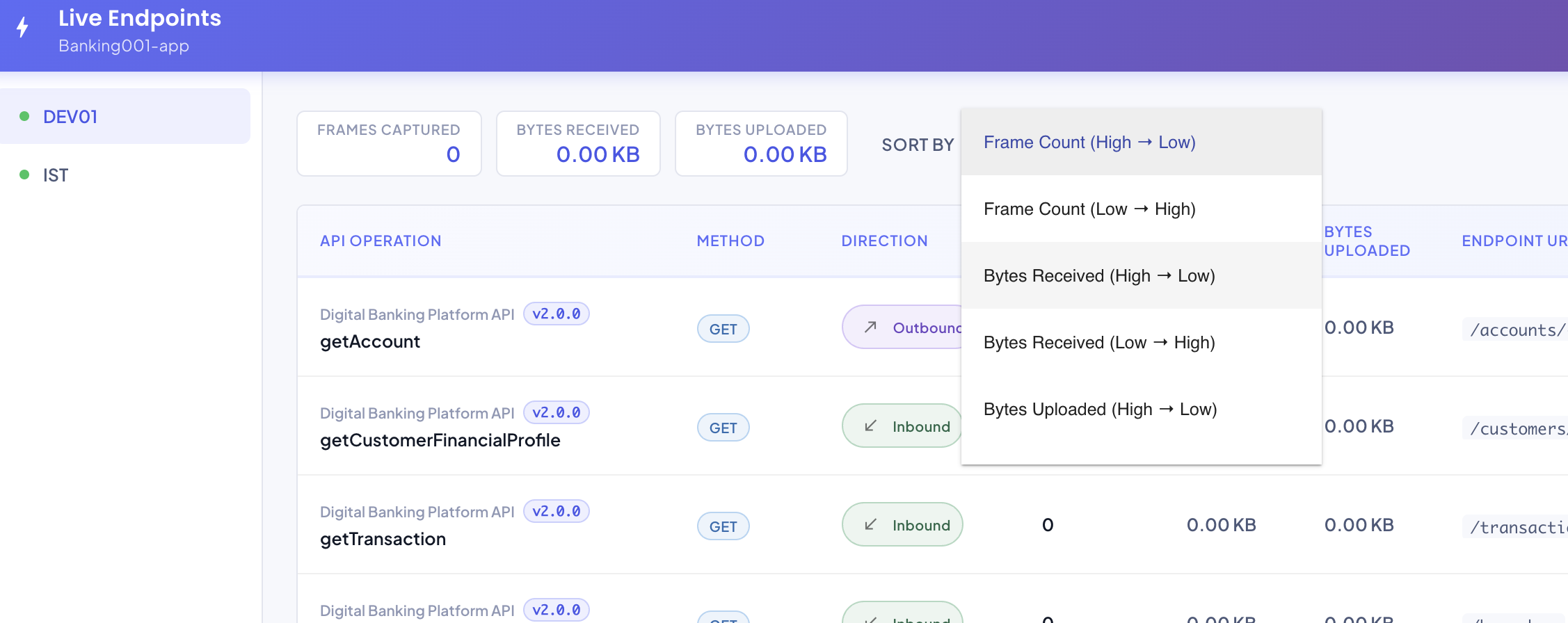
- Frame Count (High → Low / Low → High)
- Bytes Received (High → Low / Low → High)
- Bytes Uploaded (High → Low / Low → High)