Live Discovery Mode
Normally, a Biz Interceptor only captures the API operations its Business Events are mapped to. Live Discovery Mode widens that view: while it's on, the interceptor also captures the rest of the application's HTTP traffic, so you can see which APIs the application actually serves and calls, whether they're registered in BizMetry, and whether any Business Event picks them up.
What Discovery Is For
Use Discovery Mode when you need to understand an application's real API traffic before, or while, instrumenting it:
- Find unregistered APIs. Endpoints that aren't part of any API Collection are flagged as New API, a good signal that a Swagger contract is missing or out of date.
- Check coverage. See which registered operations are receiving traffic and which ones already feed a live Business Event.
- Validate an installation. Right after injecting the interceptor into an application, Discovery confirms that traffic is reaching it, even before any Business Event is published.
- Track contract drift. When an application ships a new API version in an environment, Discovery shows the new or changed endpoints before the Swagger contract is updated in BizMetry.
Discovery traffic does not reach live metrics
Frames captured in Discovery Mode are uploaded to BizMetry into a staging area, where they can be reviewed. They don't affect live metrics or KPIs, which are only fed by PUBLISHED Business Events. See Biz Event Lifecycle Management.
Turning Discovery On
Discovery is configured per environment, from the Edit Biz Interceptor dialog:
- Open the interceptor's Edit dialog and select the Tuning tab.
- Select the environment on the left. It must be enabled.
- Open the Discovery sub-tab.
- Turn on Live Discovery Mode.
- Choose the HTTP methods to capture. GET, POST, PUT, PATCH and DELETE are selected by default; HEAD, OPTIONS, TRACE and CONNECT are available too.
- Click Apply Changes.
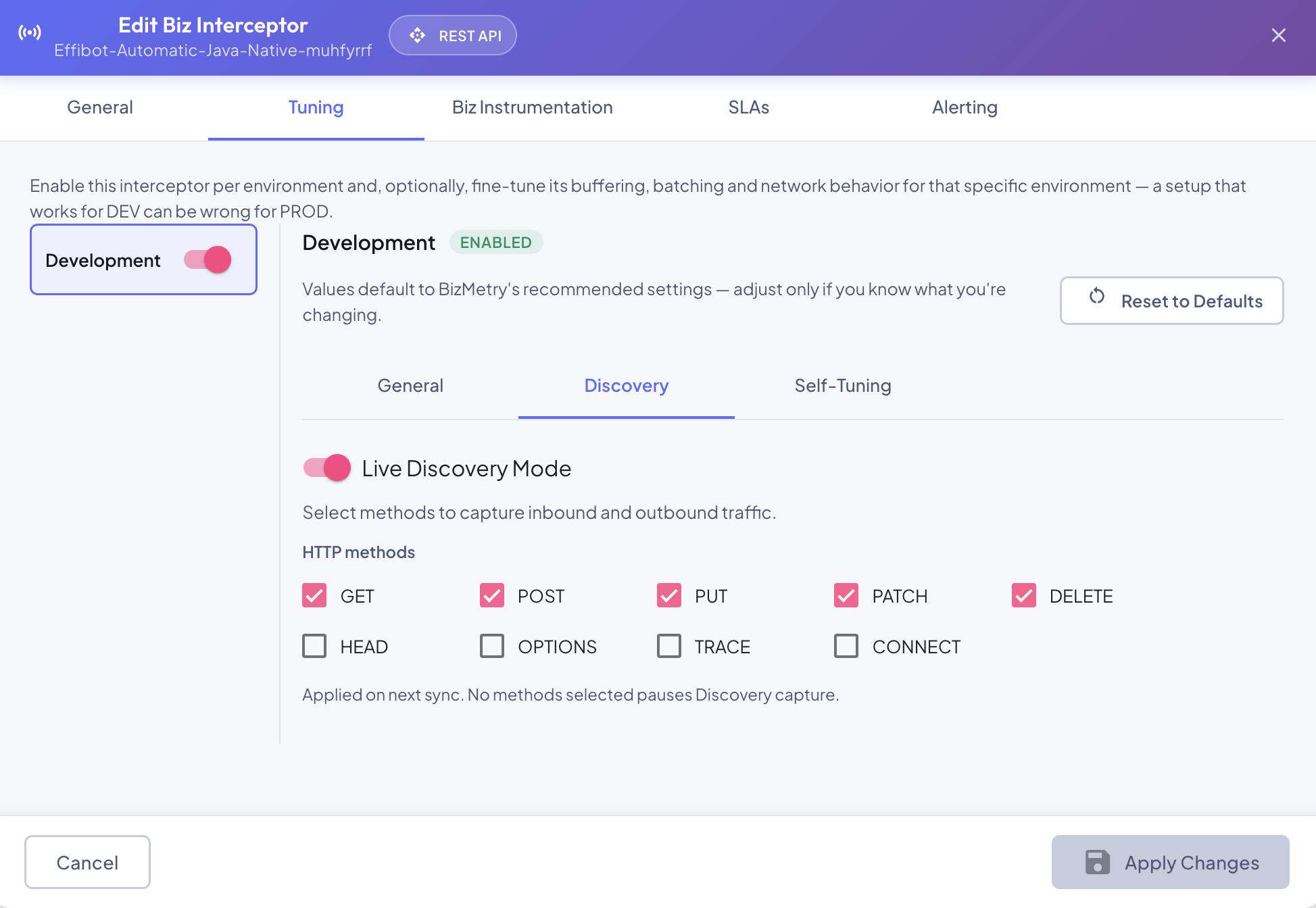
Both inbound traffic (requests the application receives) and outbound traffic (requests it sends to other services) are captured for the selected methods.
When the change applies
Discovery settings are picked up by the running interceptors on their next synchronization; no restart is needed. Clearing every HTTP method pauses Discovery capture without turning the mode off.
New interceptors are created with Discovery off. Turn it on from the Edit dialog once the interceptor is deployed.
Use it where you need it
Discovery captures much more traffic than regular Business Event capture. Turn it on in the environments where you're exploring (typically DEV or test), and off once you have the information you need.
How Discovery Shows Up in BizMetry
Once Discovery is on for an environment, three places start showing Discovery information. When it's off, they're hidden.
Environment Status
Clicking the environment's status dot in the Biz Interceptor Summary opens the Environment Status dialog, which gains a Discovery section at the top:
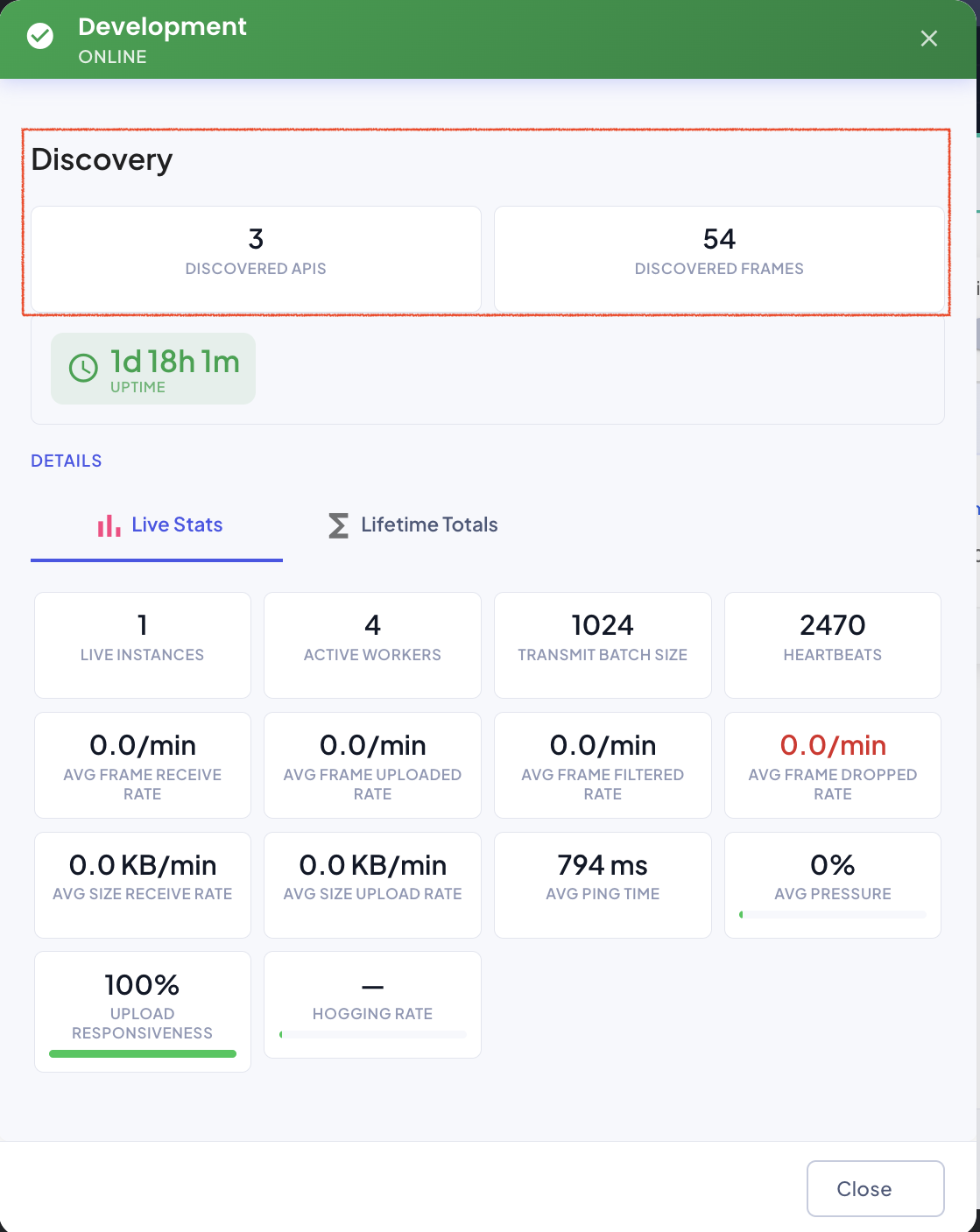
| Counter | Meaning |
|---|---|
| Discovered APIs | Distinct APIs that weren't registered in any API Collection when they were captured. |
| Discovered Frames | Every frame captured by Discovery, whether its API is new, known or live. |
Consolidated Stats — Discovery Counters
In Consolidated Stats, the Stats tab shows the same two counters in a Discovery section, for the selected scope: all environments combined, or a single environment.
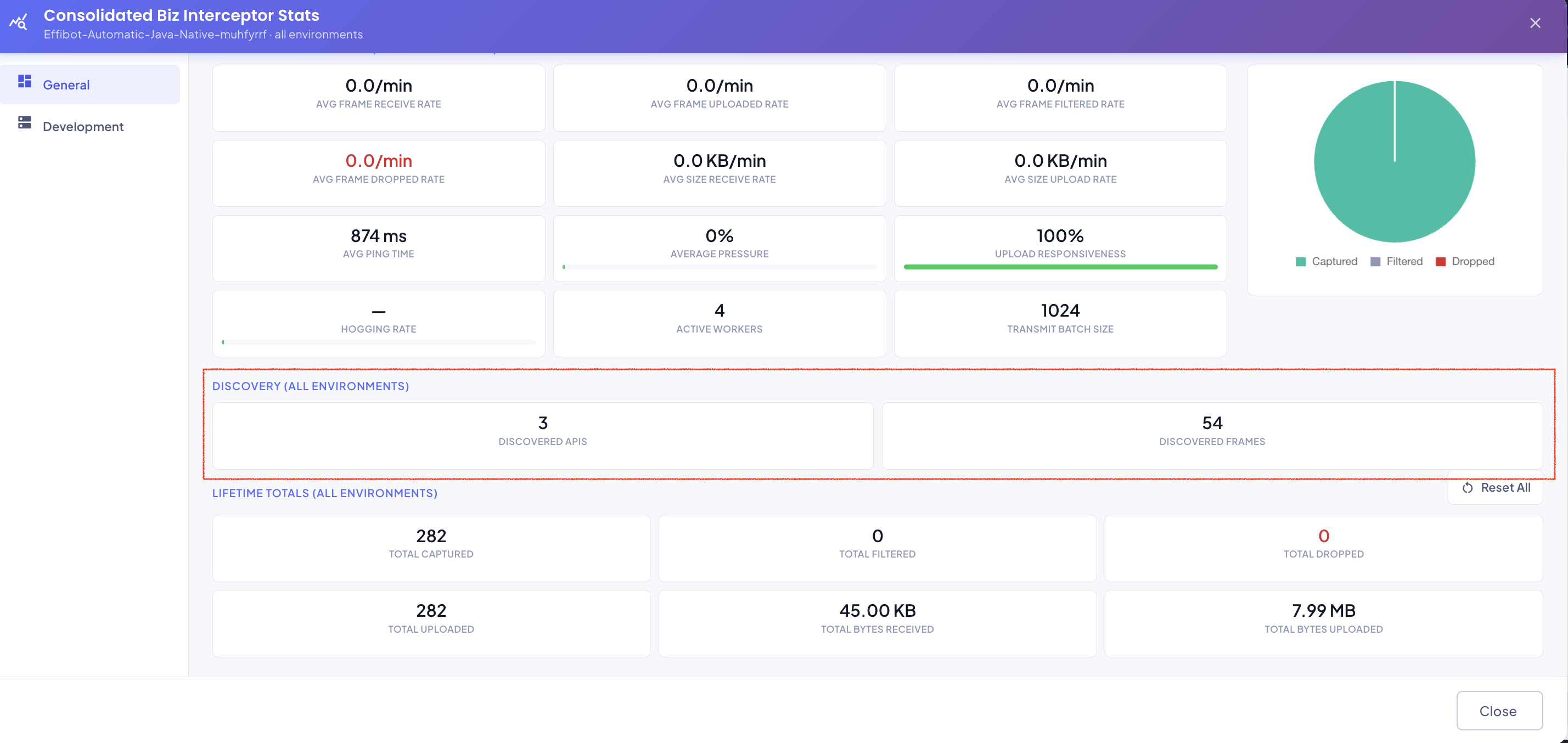
Counters restart with each Discovery capture
Both counters start from zero every time Discovery is turned from off to on, so they always describe the latest Discovery capture.
Consolidated Stats — Discovery Tab
Consolidated Stats also adds a Discovery tab, next to Operations, with one row per endpoint captured during the latest Discovery capture. New APIs are listed first.
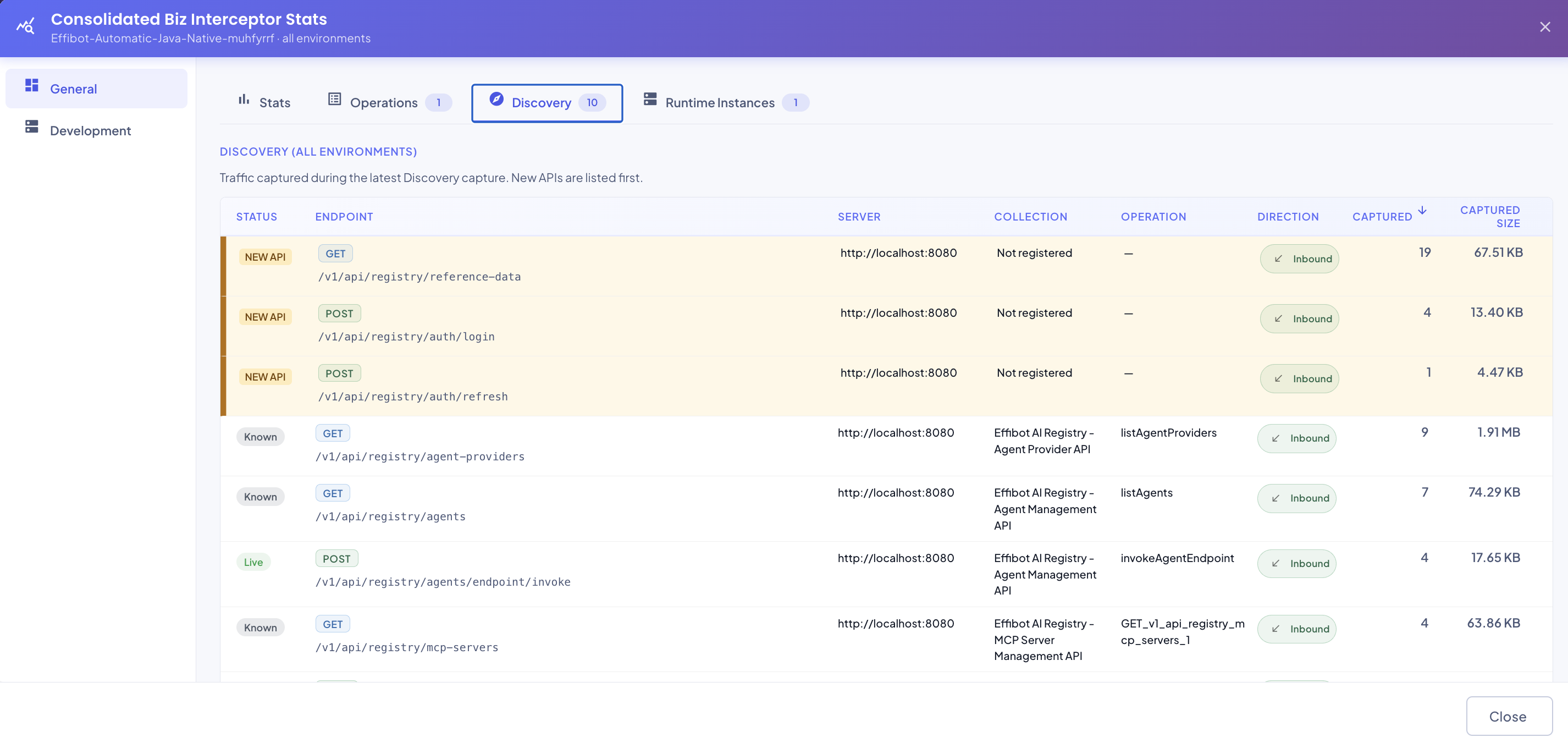
| Column | Description |
|---|---|
| Status | How the endpoint relates to what's registered in BizMetry (see below). |
| Endpoint | HTTP method and path. |
| Server | The server the request was addressed to. |
| Collection | The API Collection the endpoint belongs to, or Not registered. |
| Operation | The matching operation in that collection, if any. |
| Direction | Inbound or Outbound. |
| Captured | Number of frames captured for the endpoint. |
| Captured Size | Total size of those frames. |
Click a column header to sort by it.
Endpoint Status
| Status | Meaning | What to do |
|---|---|---|
| NEW API | Not registered in any API Collection when captured. | Register or update the API Collection that should contain it. |
| Known | Registered in an API Collection, but no active Business Event uses it. | Create a Business Event for it if it represents a business transaction worth tracking. |
| Live | Matched an active Business Event when captured. | Nothing: this traffic is already being instrumented. |