Interceptor Fine-Tuning and Auto-Tuning
Every Biz Interceptor has two layers of performance tuning working together: General Tuning Parameters set once per environment, and Self-Tuning Parameters — a floor/ceiling pair the built-in backpressure auto-tuner floats between on its own, in real time, as pressure rises and falls. Both live on the same Tuning tab, as sub-tabs, so a setup that's right for a low-traffic DEV environment can still be wrong for PROD.
Timeouts and proxy settings are configured on the Agent
How interceptors connect to BizMetry — their connection timeouts and any HTTP proxy — is configured once per environment on the environment's Agent, and shared by every interceptor of that environment. See Agent Tuning — Network.
General Tuning Parameters
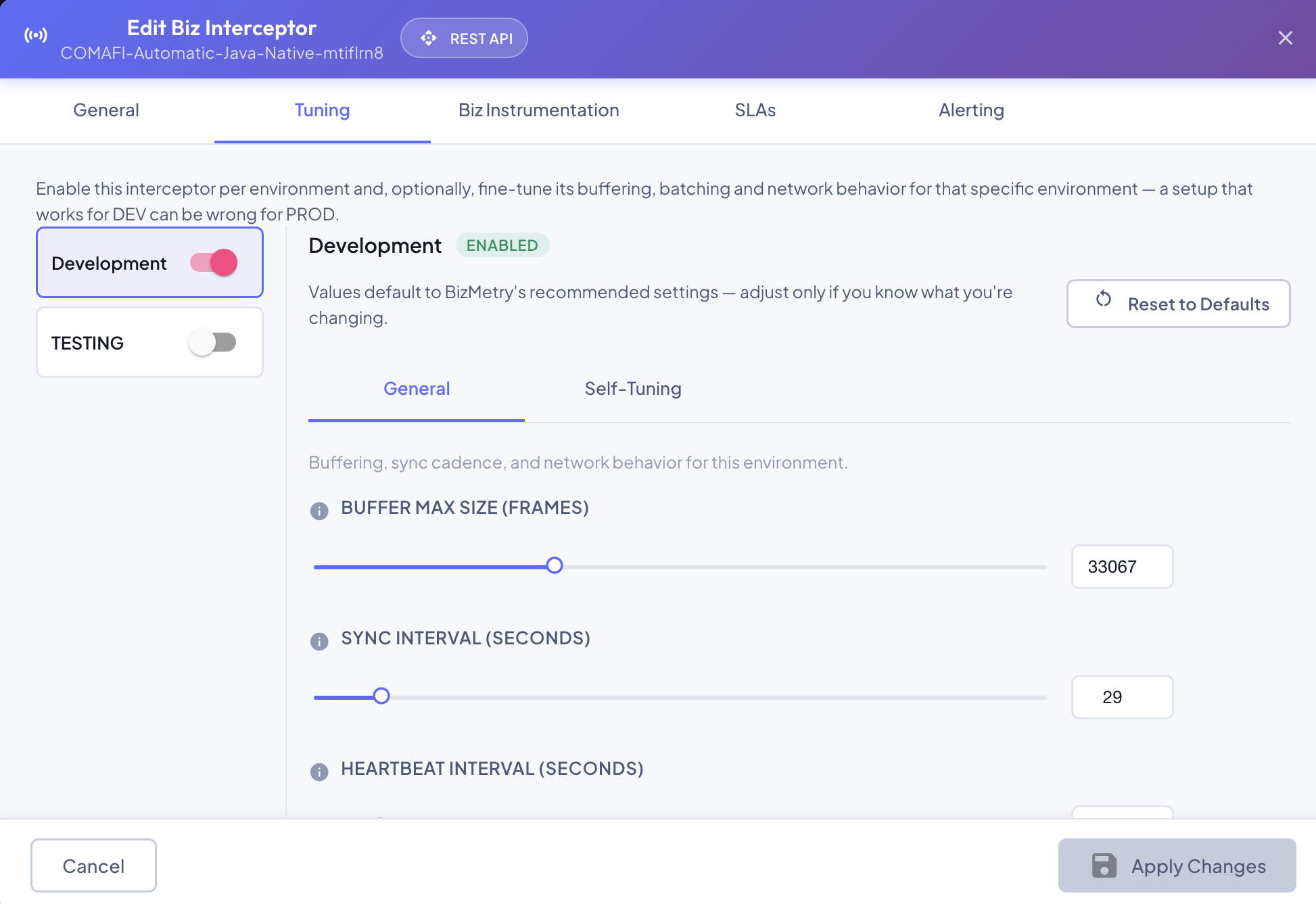
Configured per environment, either at Step 3 — Tuning when creating an interceptor, or on the Edit dialog's Tuning tab afterward. All values default to BizMetry's recommended settings — Reset to Defaults discards any changes for the selected environment and restores them.
| Parameter | Description | Default |
|---|---|---|
| Buffer Max Size (Frames) | Max number of frames the in-memory store-and-forward buffer holds while the Agent is unreachable. | 10,000 |
| Sync Interval (seconds) | Time between syncs with the Agent. | 60 |
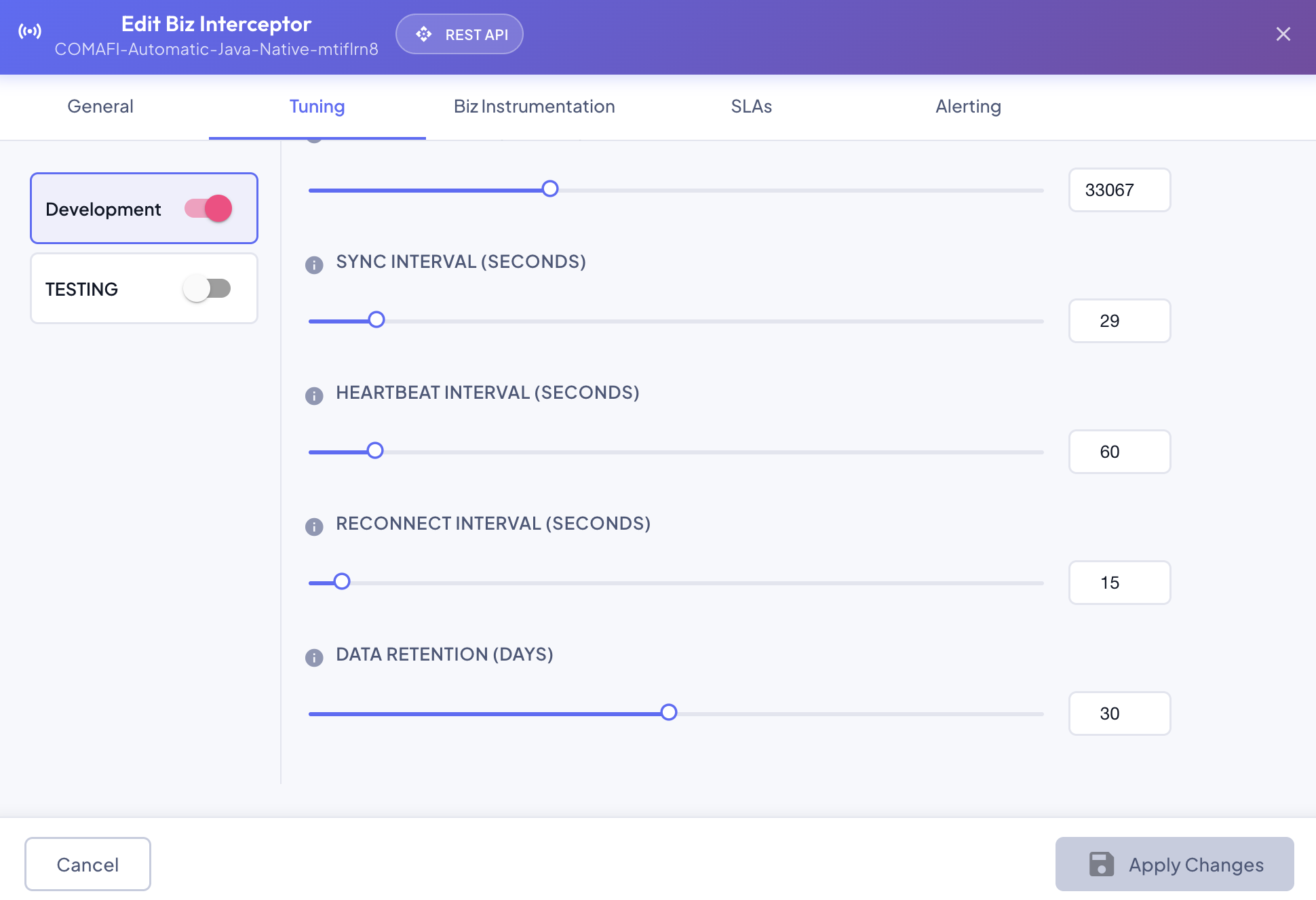
| Heartbeat Interval (seconds) | Time between heartbeats sent to the platform to signal this interceptor is alive. | 60 |
| Reconnect Interval (seconds) | Time between reconnection attempts to the Agent after a disconnect is detected. | 15 |
| Data Retention (days) | How long time-series capture stats (frames dropped/processed/uploaded and request sizes) are kept for this environment before being purged. | 30 |
Each parameter can be set either by dragging its slider or typing an exact value directly into the number field next to it — both stay in sync.
Hot-change vs. cold-start
Most of these apply on the fly, from the next sync cycle onward. Buffer Max Size is the one exception on this tab — see Hot-change vs. cold-start parameters for which ones need an actual restart to take effect, and why.
Self-Tuning Parameters
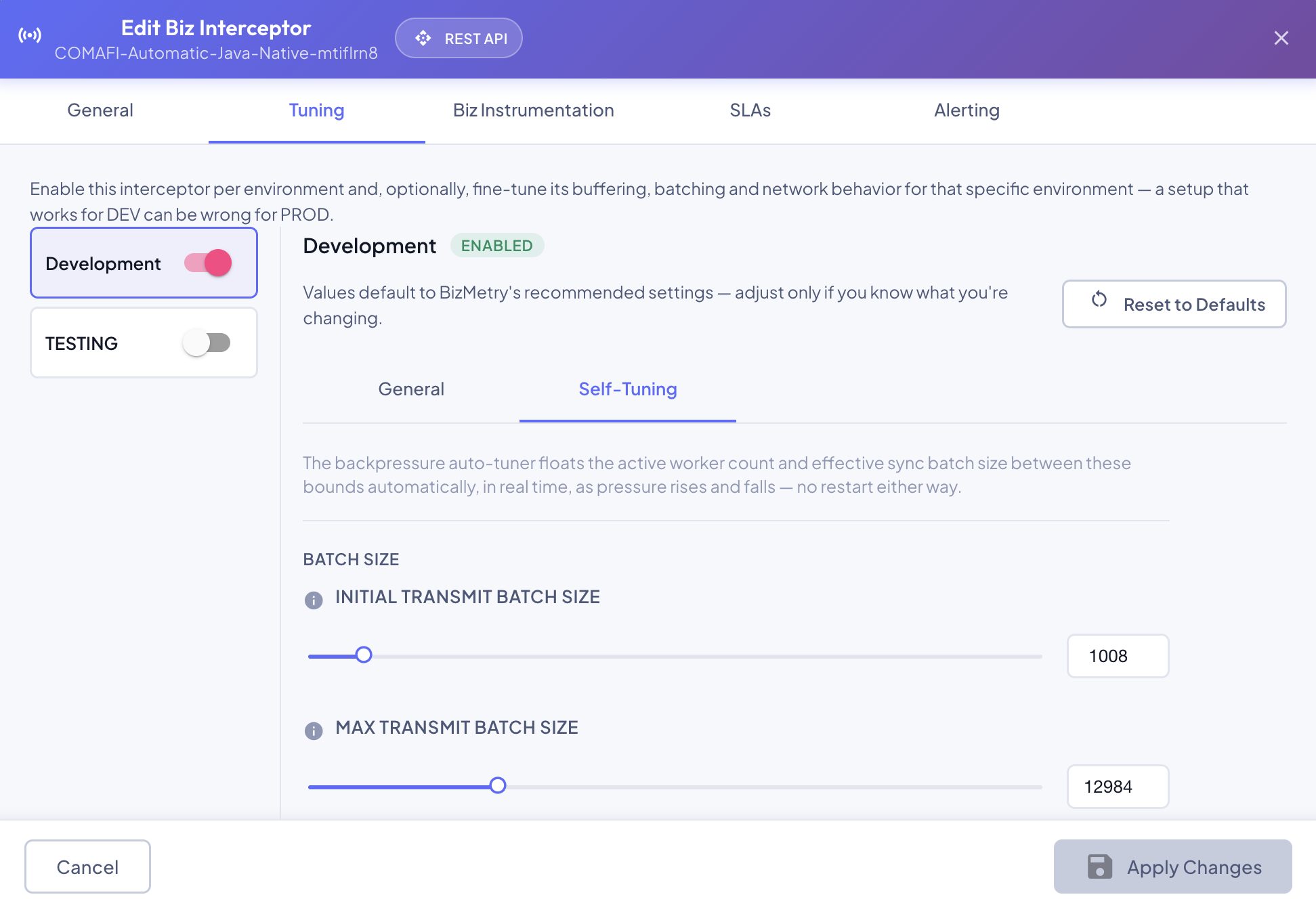
Also per environment, on the same Tuning tab, grouped separately from the General parameters above because these six feed the backpressure auto-tuner directly rather than being applied as-is:
| Parameter | Description | Default |
|---|---|---|
| Initial Sync Batch Size (Frames) | Starting number of frames sent per batch on each sync with the Agent. Can't exceed Buffer Max Size. The auto-tuner floats this up toward Max Sync Batch Size under sustained load, and back down here once load recovers. | 1,024 |
| Max Sync Batch Size (Frames) | Ceiling the auto-tuner won't scale the effective sync batch size past. Can never be set below Initial Sync Batch Size. | 10,240 |
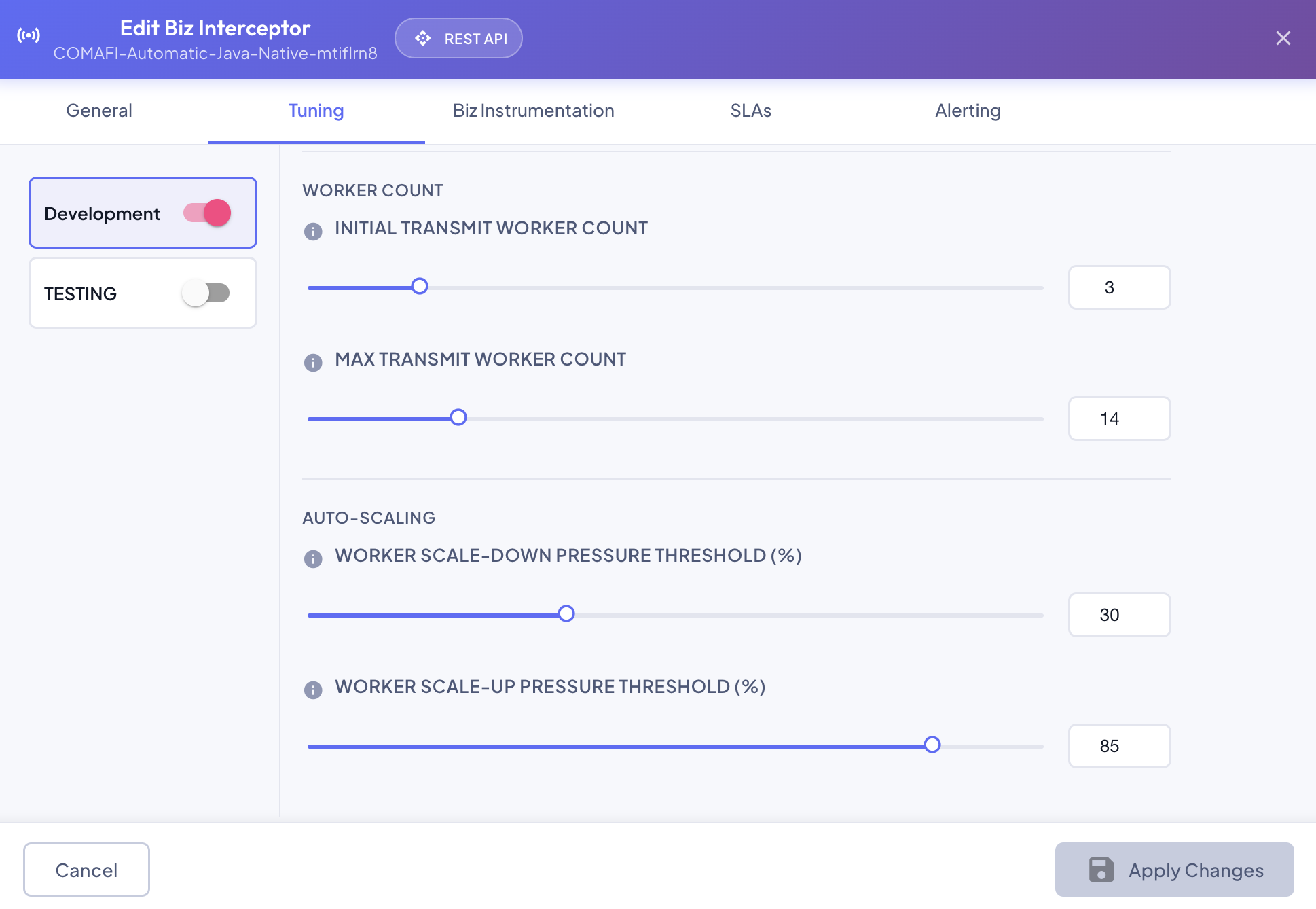
| Initial Transmit Worker Count | Number of parallel workers transmitting batches to the Agent when the interceptor process starts — also the auto-tuner's floor. | 4 |
| Max Transmit Worker Count | Ceiling the auto-tuner won't scale the active worker count past. Can never be set below Initial Transmit Worker Count. | 16 |
| Worker Scale-Down Pressure Threshold (%) | Pressure level (P1) at or below which the auto-tuner targets its floor — Initial Transmit Worker Count workers, and Initial Sync Batch Size. | 20 |
| Worker Scale-Up Pressure Threshold (%) | Pressure level (P2) at or above which the auto-tuner targets its ceiling — Max Transmit Worker Count workers, and Max Sync Batch Size. Can never be set below the scale-down threshold. | 70 |
The three \"max ≥ initial\" pairs are enforced automatically
Max Transmit Worker Count, Max Sync Batch Size, and the Scale-Up threshold can never be dragged or typed below their paired floor — the UI clamps the pair back into a valid range immediately (lowering the ceiling pulls the floor down with it, same as raising the floor pushes the ceiling up), and the platform re-clamps the same way server-side on save regardless of what the UI sent.
Backpressure Auto-Tuning
Between the floor and ceiling configured above, each running instance's own backpressure auto-tuner — logic built into the interceptor SDK itself, always on, nothing to enable — watches its own buffer pressure and continuously adjusts two things, entirely in-memory, with no restart in either direction:
- The active worker count — between Initial Transmit Worker Count and Max Transmit Worker Count.
- The effective sync batch size — between Initial Sync Batch Size and Max Sync Batch Size.
It's a continuous function of pressure, not a step
The auto-tuner doesn't wait for pressure to cross a single "too high" line and then ramp capacity up a step at a time — it continuously recomputes exactly how many workers and how large a sync batch should be right now, as a straight-line linear extrapolation of current pressure between the two configured thresholds:
- At or below the Worker Scale-Down Pressure Threshold (P1), the target is the floor: Initial Transmit Worker Count workers, and Initial Sync Batch Size.
- At or above the Worker Scale-Up Pressure Threshold (P2), the target is the ceiling: Max Transmit Worker Count workers, and Max Sync Batch Size.
Between P1 and P2, the target slides proportionally — pressure a third of the way from P1 to P2 targets a worker count and batch size a third of the way from floor to ceiling, not a fixed step. The same fraction drives both numbers together, so they always move in lockstep with each other and with pressure itself. Falling pressure is handled by the identical formula, not a separate "scale down" path — there's only ever one target the tuner chases, from whichever direction pressure is currently moving.
In practice:
- Worker count — as pressure rises toward P2, BizMetry ensures greater throughput by increasing the number of parallel workers uploading to the Agent; as pressure falls back toward P1, BizMetry reduces the number of parallel workers again.
- Sync batch size — the same rising pressure also grows the size of each batch sent from the interceptor to the Agent, for the same reason: bigger batches mean more throughput per sync. As pressure falls, the batch size shrinks back down along with it.
Workers retired on the way down have whatever they were still holding safely redistributed to the survivors first — nothing is ever dropped just because a worker went away.
Growing is skipped while the Agent's own queue is full
High pressure has two different causes, and only one of them is helped by adding capacity: this interceptor genuinely not having enough upload parallelism for its own traffic (more workers helps), or the environment's Agent being unable to accept any more uploads right now regardless of how many workers ask (more workers just means more rejected attempts — see Upload Failing). Whenever the computed target calls for more workers or a larger batch than currently active, the tuner checks the Agent's queue first and clamps the target back down to whatever's already running when it's full — piling on more workers wouldn't relieve anything, and would waste cycles on uploads that were never going to succeed. A target that calls for less than what's currently active is always applied regardless — shrinking can only help an Agent-side bottleneck, never hurt it.
Why this reacts locally instead of waiting on the platform
Scaling decisions happen entirely inside the interceptor process, reacting to its own buffer occupancy on a fast, independent schedule — not by asking the platform what to do. A struggling interceptor is exactly the situation where waiting on a round-trip would be too slow to actually help before the buffer filled up.