Deleting an Existing Interceptor
Click the Delete icon on any row of the Biz Interceptor Summary to remove that interceptor permanently.
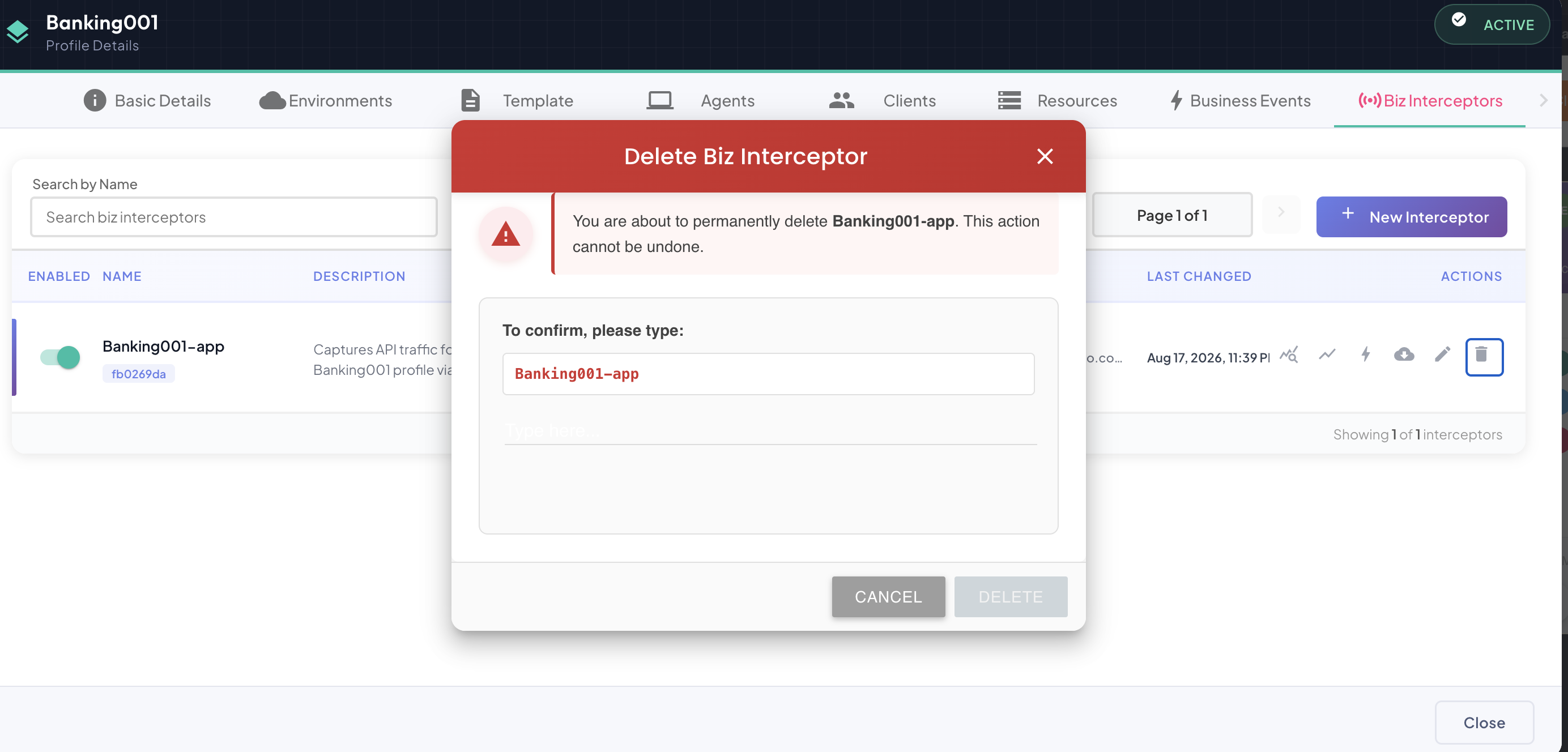
Type-to-Confirm
Deleting an interceptor opens a confirmation dialog that requires you to type the interceptor's exact name into the field provided before the Delete button becomes enabled — a stronger safeguard than a simple "are you sure" prompt, given the action is permanent and affects every environment the interceptor was configured for at once.
- Click the Delete icon on the row you want to remove.
- In the dialog, type the interceptor's name exactly as shown in the warning banner.
- Once the typed text matches, Delete becomes clickable — click it to confirm.
Clicking Cancel, or closing the dialog, aborts the deletion with no changes made.
Impact of Deleting an Interceptor
Destructive and Immediate Action
Deleting an interceptor is irreversible and takes effect instantly, across every environment it was configured for — not just the one you happen to be viewing.
Deleting an interceptor has the following consequences:
- The interceptor stops being able to authenticate against the platform — its service-account credentials are invalidated, so any deployed copy still running will fail its next sync and eventually be marked Offline.
- Any operations it was the sole source for become unreachable through it — a Business Event sourced only from this interceptor's captured traffic stops receiving new frames going forward.
- Historical stats and time-series data already captured remain in the system and are not deleted along with the interceptor.
Because the effect on already-deployed copies is not instant on their end (they simply stop being able to sync, rather than being remotely shut down), it's good practice to first stop or uninstall any running instance of the interceptor before deleting its configuration from the platform.