Step 4 — Biz Instrumentation
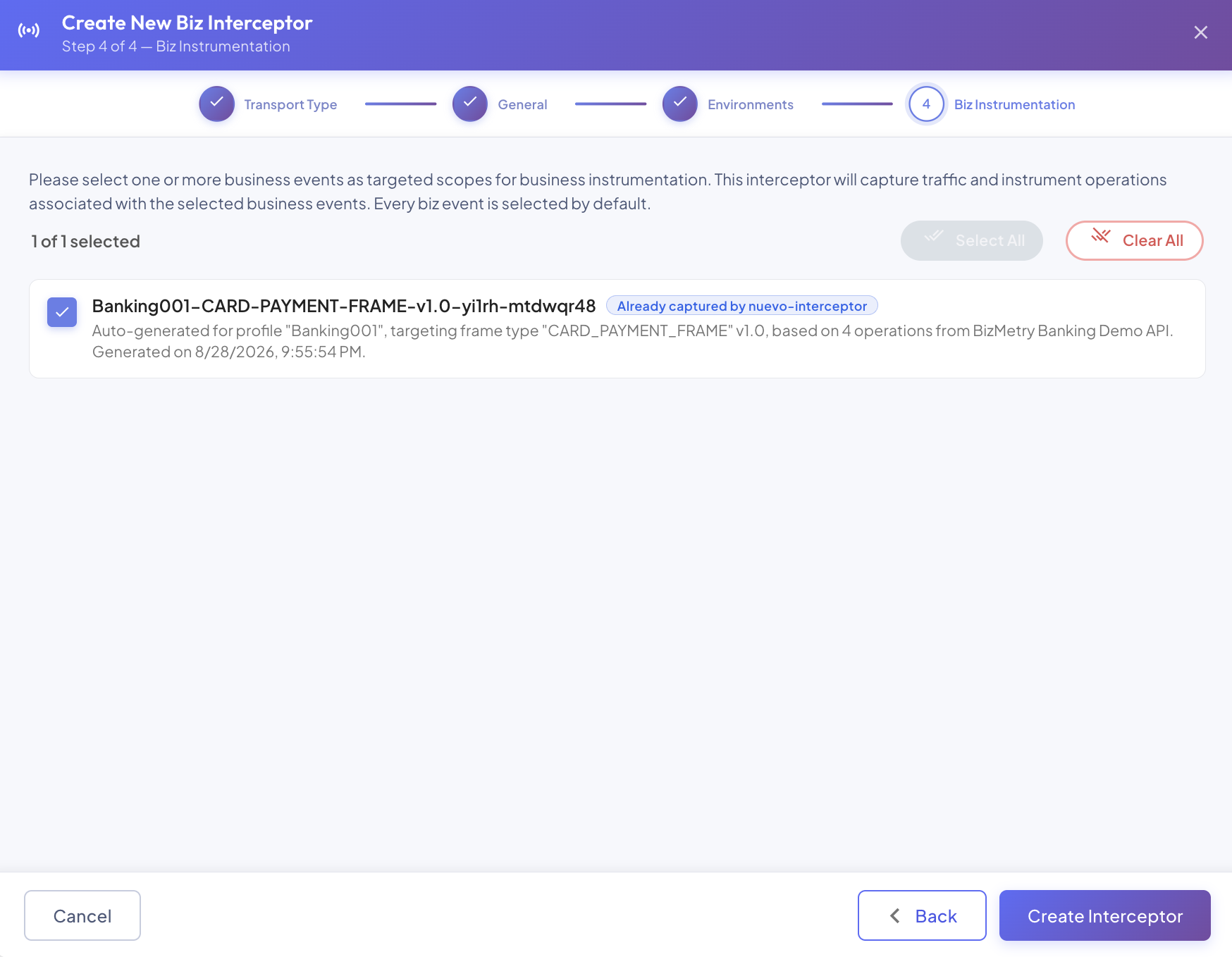
Choose which of this Profile's Business Events this interceptor should actually capture traffic for.
Why This Step Exists
By default, a Biz Interceptor captures traffic for every Business Event defined on its Profile — there's no scoping to think about, and this step can simply be left as-is. But on a Profile with many Business Events, or where different interceptors are meant to specialize in different parts of the traffic (e.g. one interceptor per application module), that "capture everything" default is broader than intended.
This step lets you restrict the interceptor to exactly the Business Events you pick here. Anything not selected is simply invisible to this interceptor — its operations are never resolved as live for it, no matter how the Business Event itself is configured. See Live Endpoints for exactly how this scoping factors into whether a given operation shows up as live.
Selecting Business Events
Every Business Event currently defined on this Profile is listed as a checkbox row, with its name and description:
- Every Business Event is selected by default — this preserves today's "capture everything" behavior unless you deliberately narrow it down.
- Business Events already selected on another interceptor of this same Profile are shown, but not pre-checked for this new one — each one displays an "Already captured by \<interceptor name>" tag so you can see at a glance where it's currently sourced from. Nothing stops you from selecting it here too if you actually want more than one interceptor capturing the same Business Event's traffic; it's just not the default.
- A disabled Business Event is still shown (and selectable) — it's tagged Disabled for visibility, since a currently-disabled Business Event may still be re-enabled later without ever needing to revisit this interceptor's scope.
Use Select All / Clear All in the toolbar above the list to quickly set every row at once, rather than clicking through them individually.
This Profile has no Business Events yet?
The step shows an empty state instead of the checkbox list. That's fine — this interceptor will simply have nothing to capture until at least one Business Event exists and is selected here, which you can always come back and do later from the Edit dialog.
Selecting Nothing
Leaving every checkbox unselected is a valid, if unusual, state — the interceptor is created but scoped to capture nothing at all until you go back and select at least one Business Event. There's no "must pick at least one" requirement blocking you from finishing the wizard this way.
Finishing the Wizard
This is the last step — click Create Interceptor to finish. There's no further confirmation dialog: the interceptor is created immediately with everything configured across all four steps, the wizard closes, and the new interceptor appears as a new row in the Biz Interceptor Summary list right away, enabled for whichever environments were turned on in Step 3.
At this point the interceptor exists only as configuration on the platform — it isn't capturing anything yet, since nothing has actually been deployed into your business application. See Downloading a Biz Interceptor for how to get the deployable artifact and put it to work.