Cloning an Interceptor
The Copy action creates a new Biz Interceptor with the same configuration as an existing one. It's useful when you need another interceptor for a similar application, want to try different tuning without touching the original, or want to start from a configuration that already works.
How to Clone an Interceptor
- Open the profile and go to the Biz Interceptors tab.
- Find the interceptor you want to copy in the Biz Interceptor Summary.
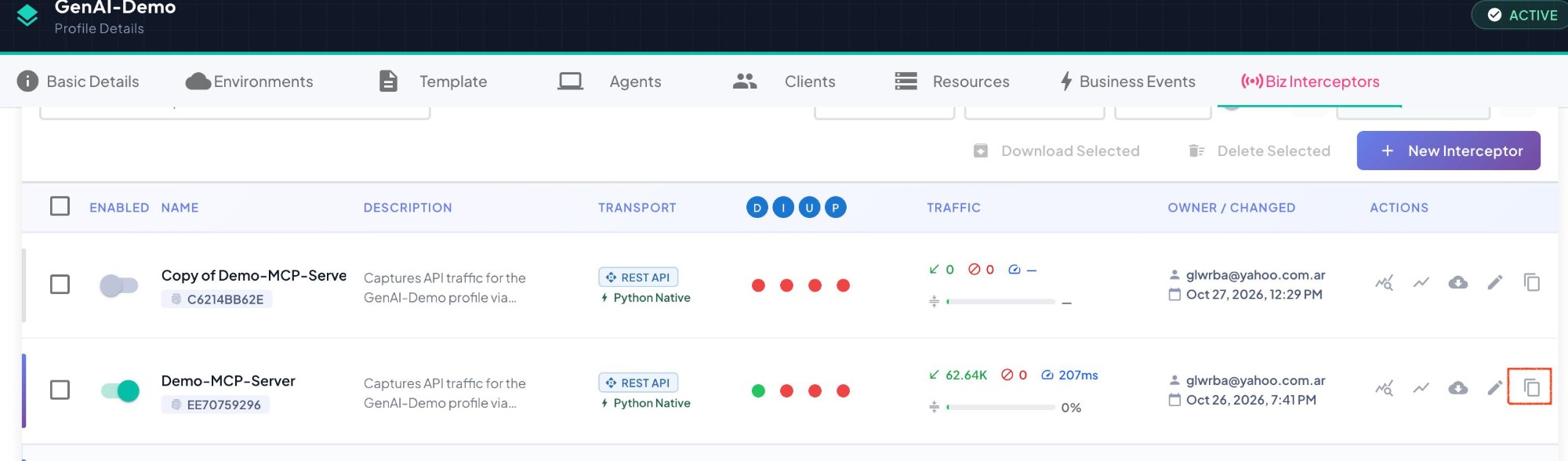
- Click the Copy interceptor icon () in its Actions column, next to the delete icon.
The copy appears in the list right away, disabled, with its stats at zero.
What the Clone Contains
| Clone | |
|---|---|
| Name | Copy of <original name>. If that name is taken, a number is added: Copy of <original name> (2), (3), … |
| Description | Same as the original. |
| Transport Type, Instrumentation Type and Interceptor / SDK Type | Same as the original. |
| Tuning | Same per-environment settings: each environment's enable flag and every tuning parameter, Live Discovery Mode included. |
| Biz Instrumentation | Same Business Events. |
| SLAs and Alerting | Same thresholds, notification channels and recipients. |
| Credentials | Its own service account, created for the clone. The original's credentials are never copied. |
| Enabled | Off, always. |
What the clone does not take from the original, since it belongs to the original's running instances:
- Stats, Lifetime Totals, runtime instances and time-series data — the clone starts with every environment Offline and its stats at zero.
- Raised SLA alerts — the clone starts with no alert active.
- The current Live Discovery session and what it found — where Live Discovery Mode is on, the clone gets a new session of its own.
The clone is fully independent: editing, downloading or deleting it never affects the original, and vice versa.
Before Enabling the Clone
The clone has its own credentials, so the original's deployed artifact can't run as the clone. To put it to work:
- Change what makes it different from the original — see Reconfiguring (Editing) an Existing Interceptor.
- Download its artifact for each environment and deploy it with the application it will instrument.
- Turn on its Enabled toggle.