Managing Versions
This page covers all version-level actions available from the Business Events tab — editing, submitting for review, approving/rejecting, publishing, retiring, reinstating, and deleting a Business Event version.
Accessing Version Actions
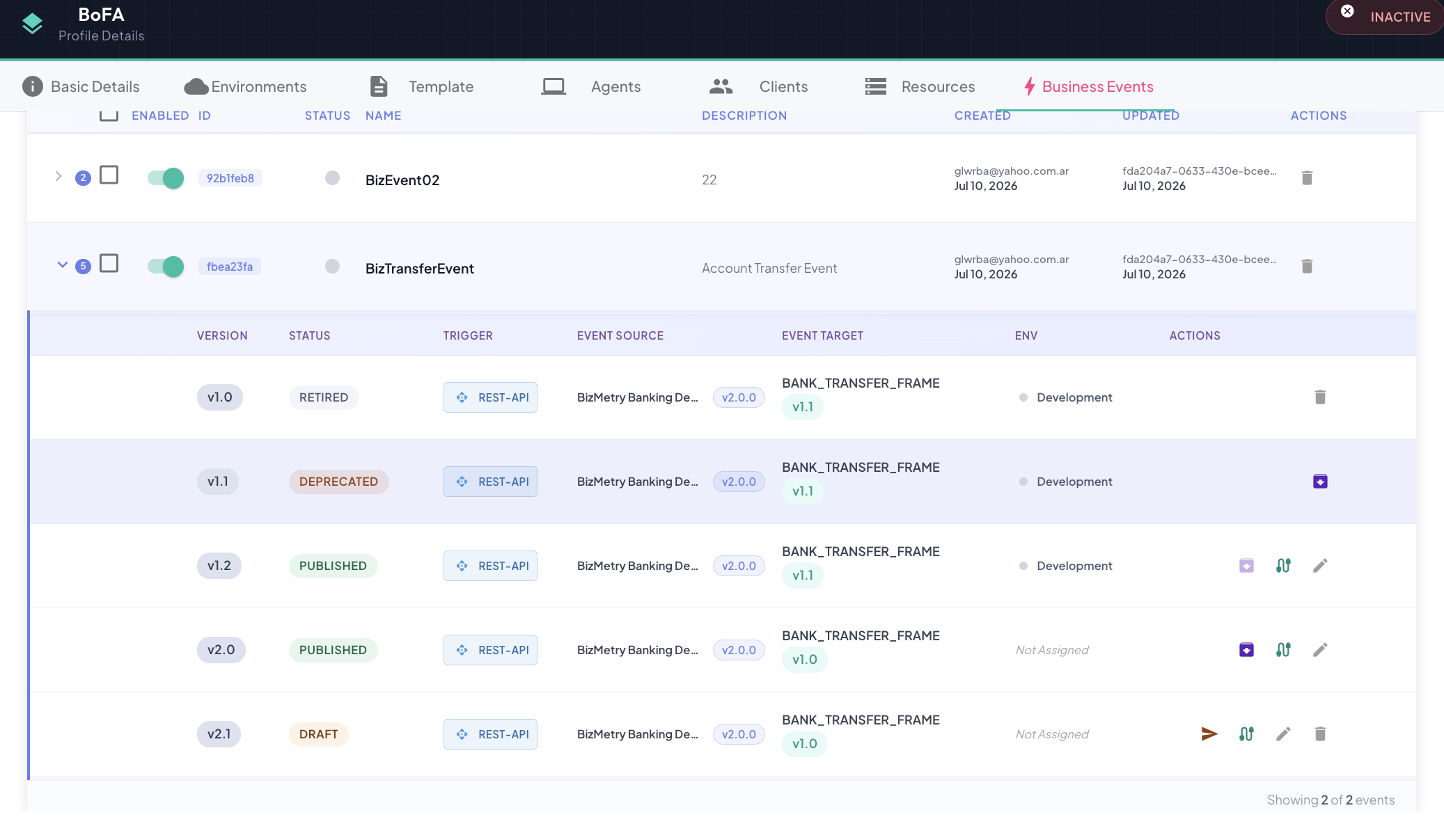
From the Business Events tab, expand an event row to see its full version list. Each version row shows its status badge plus whichever action buttons are valid for that status.
Editing a Version
Any version except DEPRECATED and RETIRED can be edited — click the Edit icon on the version row to reopen it in the wizard.

For a DRAFT, PENDING_REVIEW, APPROVED, or REJECTED version, saving updates that version in place and moves it back to DRAFT. For a PUBLISHED version, saving instead forks a new DRAFT version with the same configuration, leaving the original PUBLISHED version untouched and still live — see Editing a Business Event for the full walkthrough and Editability for the state rule.
Jumping straight to mapping
If all you need to change is the field mapping, use Edit Mappings instead of the full wizard — it opens directly on Step 6 — Configure Mapping, skipping the identity/source/target/operations steps.

Submitting for Review
From DRAFT, click Submit to send the version for review.

The version transitions to PENDING_REVIEW and becomes read-only until a reviewer acts on it.
Approving or Rejecting
From PENDING_REVIEW, a reviewer can Approve or Reject the version.

- Approve → the version moves to
APPROVED, ready to be published. - Reject → the version moves to
REJECTED. From there, Reopen as Draft sends it back toDRAFTfor another round of edits and re-submission.
Publishing
From APPROVED, click Publish to activate the version for telemetry capture.

After publishing:
- The version transitions to
PUBLISHED. - Connected agents receive the updated event configuration on their next sync and begin intercepting the configured operations immediately.
- If another version of the same Business Event is currently
PUBLISHEDtargeting the same Frame Type + Version, that version is automatically deprecated — see Auto-deprecation on publish.
Retiring a Version
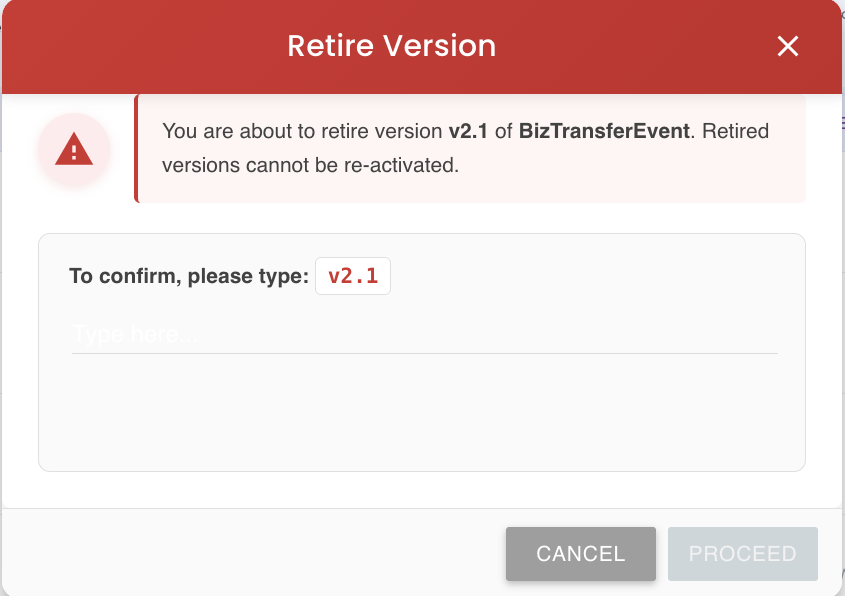
Retiring permanently decommissions a version — telemetry capture for it stops immediately and cannot be resumed.
From a PUBLISHED or DEPRECATED version, click Retire:

A confirmation dialog lists the environments that will lose telemetry capture as a result:
Irreversible
Retiring a version is permanent — there's no undo. To restore capture, you'll need to publish a different version.
Reinstating a DEPRECATED Version
A DEPRECATED version shows a Reinstate button, which transitions it directly back to PUBLISHED:

Reinstating only succeeds if no other version of the same Business Event is currently PUBLISHED for that same Frame Type + Version — see Reinstating a DEPRECATED version for the full precondition.
Deleting a Version
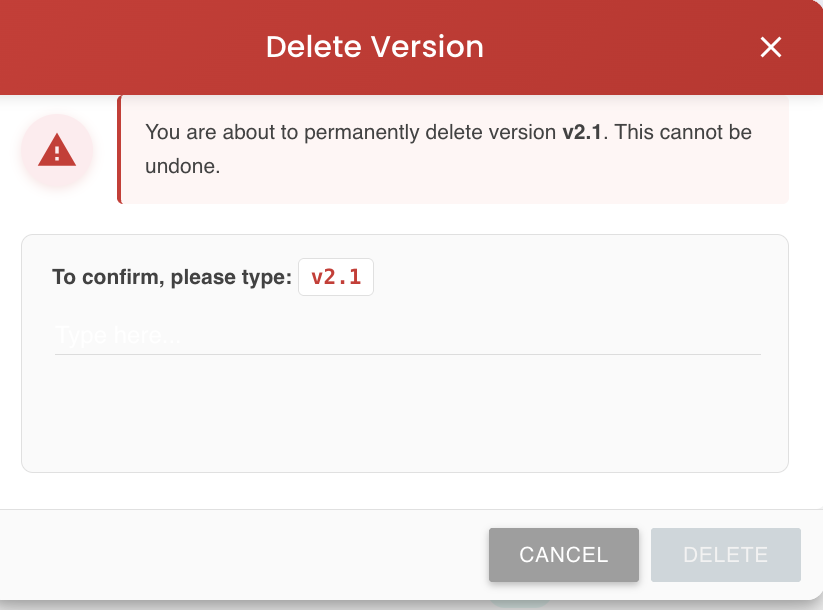
Any version in DRAFT, PENDING_REVIEW, APPROVED, REJECTED, or RETIRED can be deleted directly. PUBLISHED and DEPRECATED versions cannot — see Deletion rules for the full state-by-state breakdown.
Deleting the last version deletes the Business Event
If the version you delete is the only one the Business Event has, the entire Business Event is removed along with it.
Live Indicator and Filtering
A small colored dot next to a version marks it as live — currently capturing telemetry in at least one environment (i.e. PUBLISHED or DEPRECATED with an active environment scope):
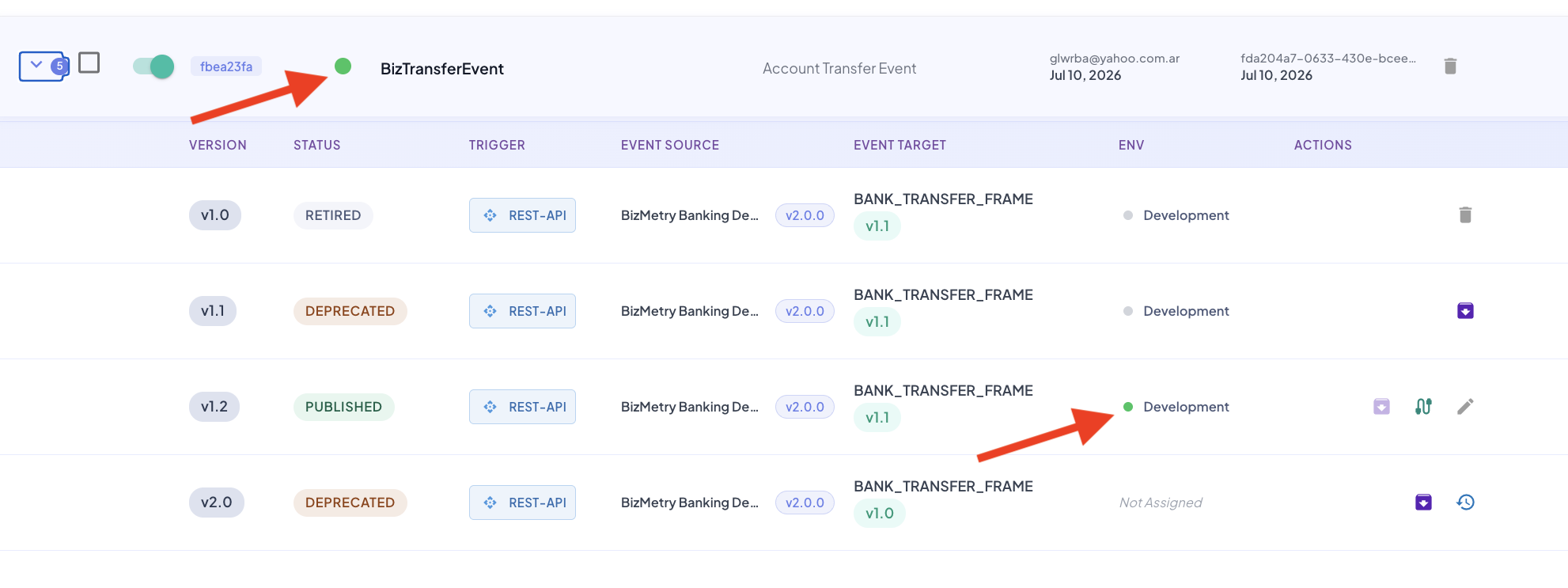
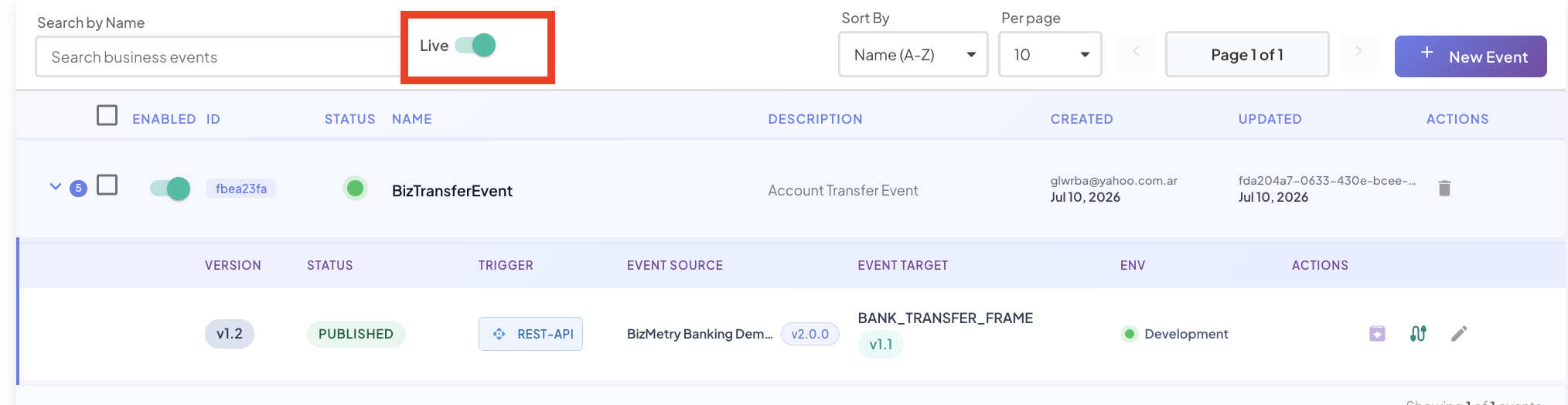
Use the Live toggle on the Business Events tab to filter the list down to only events that currently have a live version:
Version Actions by State
| State | Submit | Approve | Reject | Reopen as Draft | Publish | Retire | Reinstate | Delete | Edit |
|---|---|---|---|---|---|---|---|---|---|
DRAFT | |||||||||
PENDING_REVIEW | |||||||||
APPROVED | |||||||||
REJECTED | |||||||||
PUBLISHED | |||||||||
DEPRECATED | |||||||||
RETIRED |
Note
"Edit" here includes both the full wizard and the Edit Mappings shortcut — both are available on exactly the same states (any state except DEPRECATED and RETIRED). For DRAFT, PENDING_REVIEW, APPROVED, and REJECTED, both save back to that same version in DRAFT. For PUBLISHED, both instead fork a new DRAFT version — see Editing a Business Event.