Capture States
A Business Event version has two independent kinds of state:
- its lifecycle status —
DRAFT,PUBLISHED,DEPRECATED… — which says where the version is in its review and release cycle (see Lifecycle & States); - its capture state in each environment —
DISABLED,UNBOUNDED,BOUNDED,CAPTURING_STAGING_TRAFFIC,CAPTURING_LIVE_TRAFFIC— which says whether traffic for it is actually being captured right now in that environment, and where those metrics go.
This page covers the capture state.
Where you see it
Expand a Business Event in the Business Events tab: each version row has an Env column listing every environment the version's target Template version is assigned to. Each environment carries a colored dot — its capture state — and hovering the environment shows what that state means.
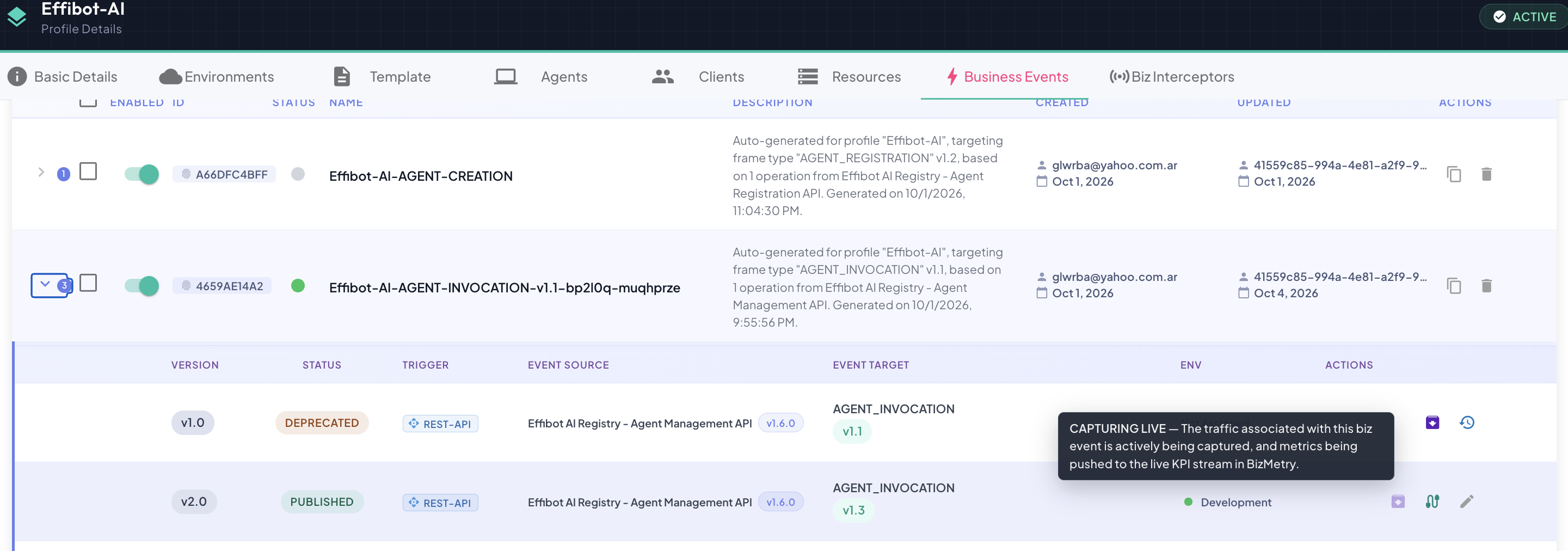
The capture state is computed live every time the list loads — it isn't stored. It reflects the current state of the event's toggle, the profile and environment, the Template assignment, the interceptors running in that environment, and the version's lifecycle status. If any of those change, the dot changes with them.
States Reference
| Dot | State | Traffic captured? | Metrics go to |
|---|---|---|---|
DISABLED | — | ||
UNBOUNDED | — | ||
BOUNDED | — | ||
CAPTURING_STAGING_TRAFFIC | Staging only | ||
CAPTURING_LIVE_TRAFFIC | The live KPI stream |
DISABLED
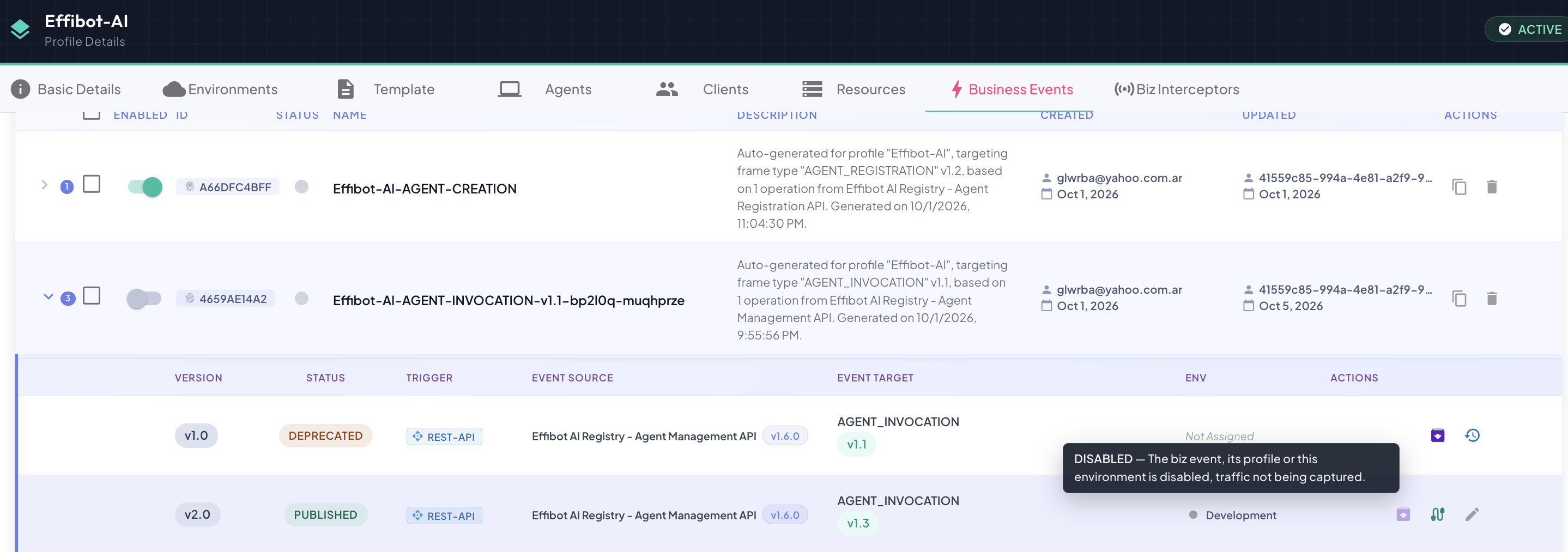
The biz event, its profile or this environment is disabled — traffic is not being captured.
The Business Event's Enabled toggle is off, or the profile or the environment itself is disabled. Nothing is captured for this version in this environment, whatever its lifecycle status and whatever interceptors are running there. Turn the toggle (or the profile / environment) back on and the state is re-evaluated immediately.
UNBOUNDED
The Template associated with the target frame and version is not active in the given environment.
The version targets a Template version that this environment doesn't have assigned — so no interceptor in this environment could ever produce traffic for it. When the version's Template version isn't assigned to any environment, the Env column shows Not Assigned instead of a list.
To bind it, assign that Template version to the environment (see Environments), or edit the version to target the Template version the environment already uses.
BOUNDED
The Template associated with the target frame and version is active in the given environment; however, there is no active interceptor capturing traffic for this biz event.
The binding is in place — the environment runs the Template version this version targets — but nothing is capturing for it yet, because either:
- no interceptor in this environment instruments this Business Event, or the interceptor that does isn't live (its agent is offline); or
- the version is
DEPRECATEDorRETIRED— those versions never capture traffic, even if an interceptor instruments the event.
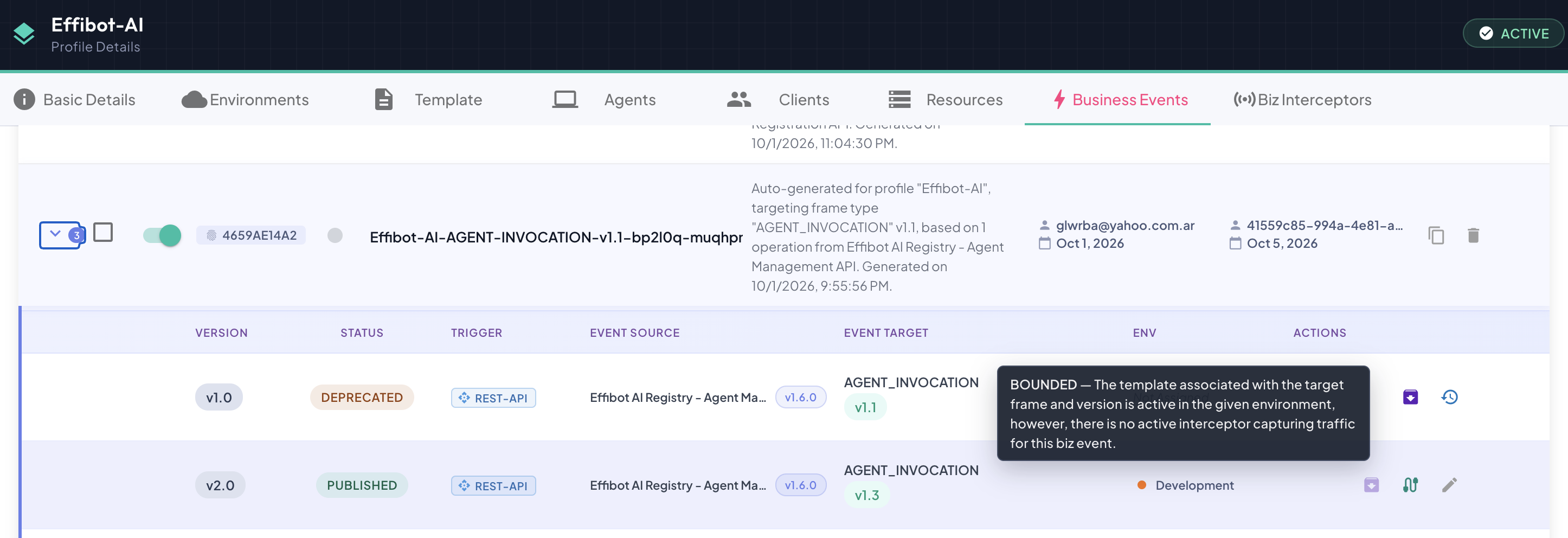
To start capturing, make sure a live Biz Interceptor in this environment instruments the Business Event.
CAPTURING_STAGING_TRAFFIC
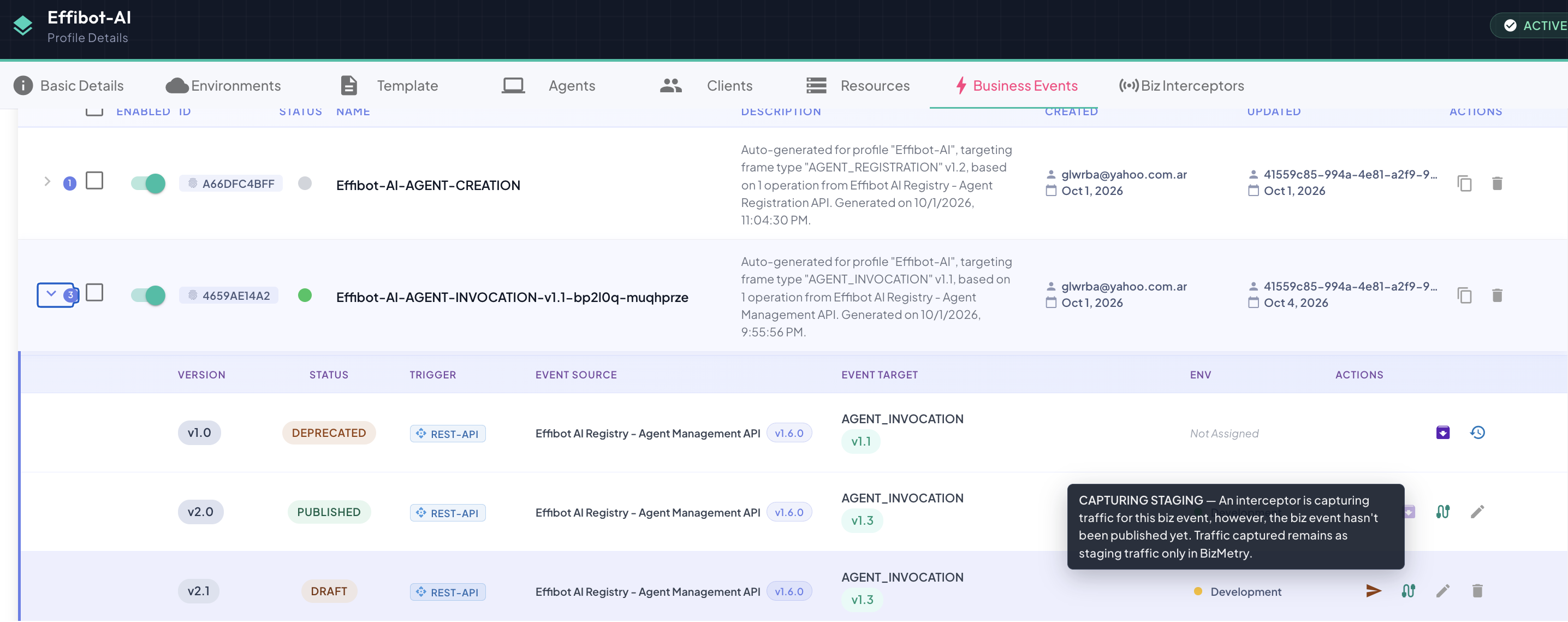
An interceptor is capturing traffic for this biz event; however, the biz event hasn't been published yet. Traffic captured remains as staging traffic only in BizMetry.
A live interceptor in this environment instruments the Business Event, and the version is not yet PUBLISHED — it's DRAFT, PENDING_REVIEW, APPROVED or REJECTED. Real traffic is being captured and processed with this version's configuration, but its metrics are kept as staging traffic: they don't feed the live KPIs.
This is the state for testing a version against real traffic before publishing it — check its mappings and the frames it produces, then publish it once it behaves as expected.
CAPTURING_LIVE_TRAFFIC
The traffic associated with this biz event is actively being captured, and its metrics are pushed to the live KPI stream in BizMetry.
The version is PUBLISHED and a live interceptor in this environment instruments the Business Event. This is the production state: every captured invocation becomes a telemetry frame that feeds the live KPIs.
How the state is resolved
The capture state of a version in an environment is resolved in this order — the first rule that applies wins:
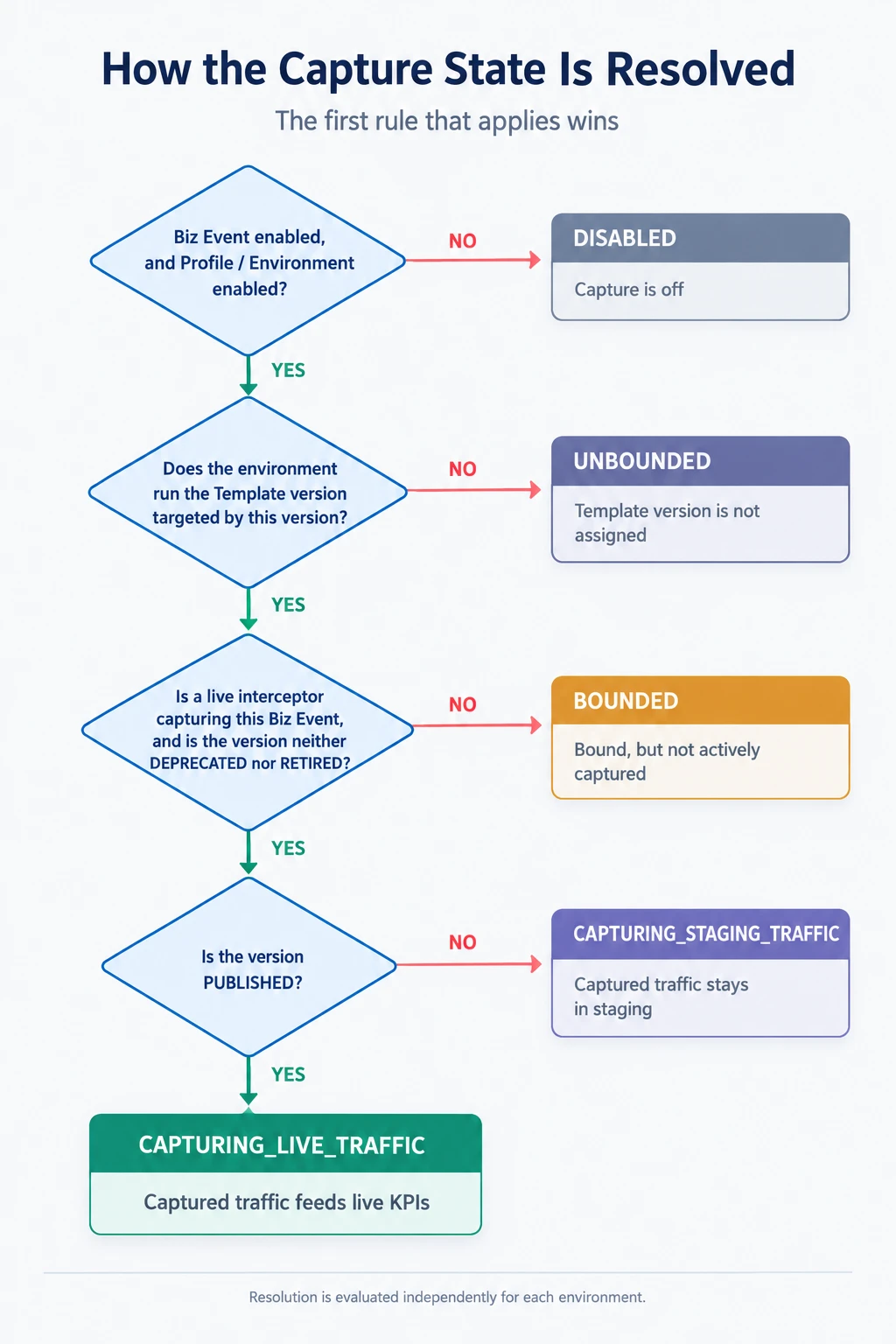
Same version, different environments
A version is evaluated per environment, so it can show different states side by side — e.g. CAPTURING_LIVE_TRAFFIC in Development, where an interceptor is running, and BOUNDED in Production, where the Template version is assigned but no interceptor instruments the event yet.
Lifecycle status vs capture state
PUBLISHED doesn't by itself mean "capturing": a PUBLISHED version can be BOUNDED (no interceptor yet), UNBOUNDED (its Template version isn't assigned to the environment) or DISABLED (the event is switched off). Conversely, a DRAFT version can already be capturing — as staging traffic — which is how you validate it before publishing.
The Live indicator
The colored dot next to a Business Event row summarises its versions: it's green when at least one of its versions is capturing traffic — CAPTURING_STAGING_TRAFFIC or CAPTURING_LIVE_TRAFFIC — in at least one environment. The Live filter on the Business Events tab narrows the list to exactly those events. See Managing Versions.