Security External Configuration
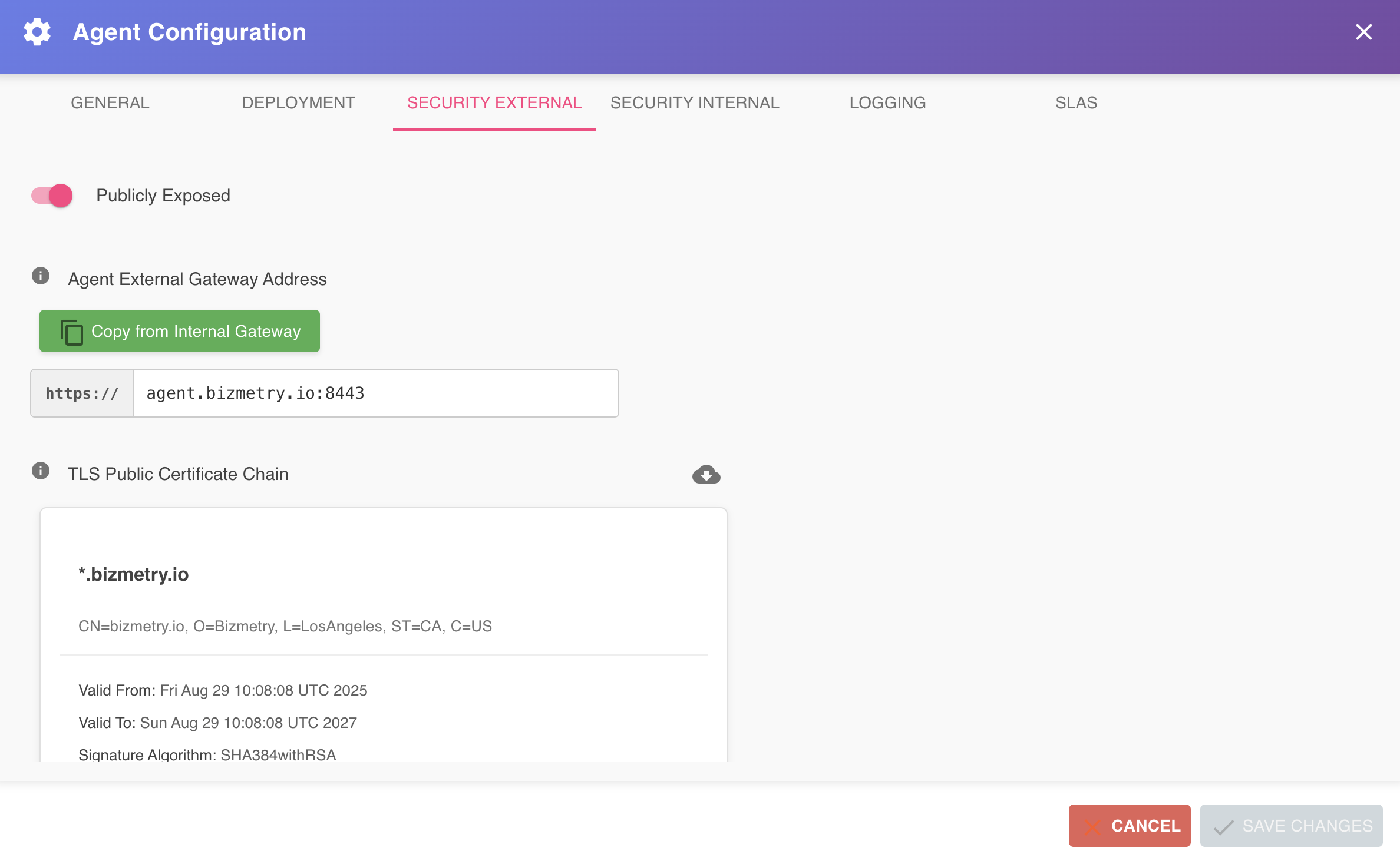
The Security External tab allows you to configure the TLS settings associated with the external load balancer that exposes the agent to the outside world. This configuration is used by the agent installer when creating the external ingress load balancer, and enables secure, bidirectional communication between the BizMetry platform and the agent.
To access this tab, open the Agent Configuration dialog and select Security External from the tab bar.
Ingress Architecture
The diagram below depicts the ingress architecture, where the blue lines represent the inbound traffic that flows from the external load balancer, through the ingress load balancer, and into the agent Pod via the external agent ingress.
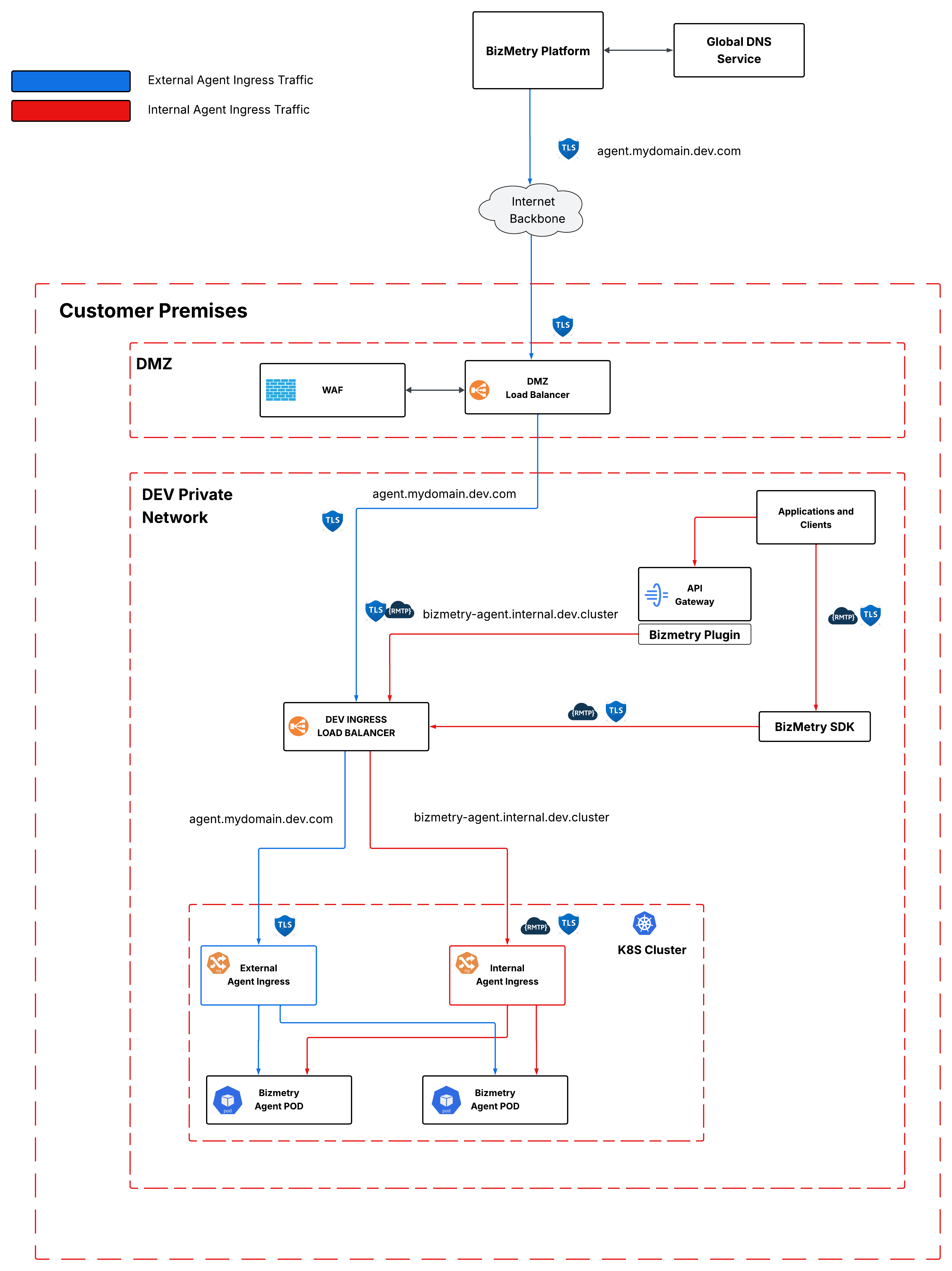
The external certificate is exposed on both the external load balancer and the external agent ingress, and is used to encrypt the communication end-to-end — from the BizMetry platform all the way down into the agent Pod.
Enabling External Exposure
When accessing this tab for the first time on a newly configured agent, the Publicly Exposed toggle is off by default. While disabled, the agent is not reachable from outside the private network and cannot communicate with the BizMetry platform.
The first step is to enable this toggle. Once activated, the rest of the configuration form becomes visible.

The agent cannot sync with BizMetry until this is configured
Until the external exposure is properly configured and saved, the BizMetry platform has no way to reach the agent. The agent will remain in a disconnected state regardless of its local operational status.
Agent External Gateway Address
The first field to configure after enabling the toggle is the Agent External Gateway Address — the public URL through which BizMetry reaches the agent. This URL typically corresponds to the external load balancer or border gateway sitting in the DMZ (for on-premises deployments), or the cloud-facing load balancer (for cloud deployments).
If you have already configured an address in the Security Internal tab, you can populate this field automatically by clicking Copy from Internal Gateway. This copies the internal gateway address into the external gateway address field, which is useful when both gateways share the same hostname — for example, in deployments where a single endpoint handles both internal and external traffic.
Requirements
The URL provided here must satisfy all of the following conditions:
Internet reachability The endpoint must be publicly accessible from the internet. BizMetry will attempt to connect to it from outside your network.
DNS resolution The hostname must be registered in an external DNS and resolve to a public IP address that BizMetry can reach.
Load balancer forwarding The external load balancer must be configured to listen on this URL and forward incoming traffic to the ingress load balancer of the Kubernetes cluster where the agent will be deployed. This is what enables the agent — running inside a private network — to receive traffic originating from the BizMetry platform, making the communication truly bidirectional.
TLS with a CA-signed certificate The external load balancer must be configured to serve traffic over TLS, protected by a certificate signed by a recognized Certificate Authority.
Do not use self-signed certificates
Self-signed certificates are not supported and can compromise the security of the communication channel between BizMetry and the agent. Always use a certificate signed by the CA corresponding to your organization's certificate infrastructure.
URL Validation
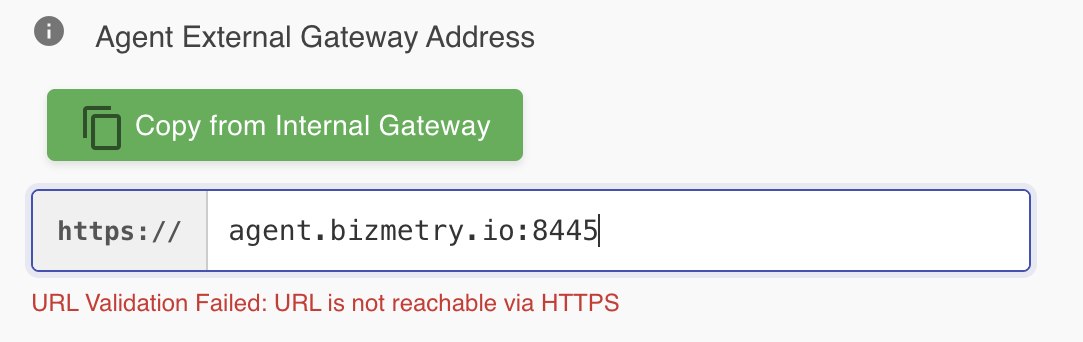
Once you enter the URL, BizMetry automatically validates that the endpoint is reachable and that its TLS certificate is valid and appropriately signed. If validation fails, an error message is displayed below the field indicating the reason.
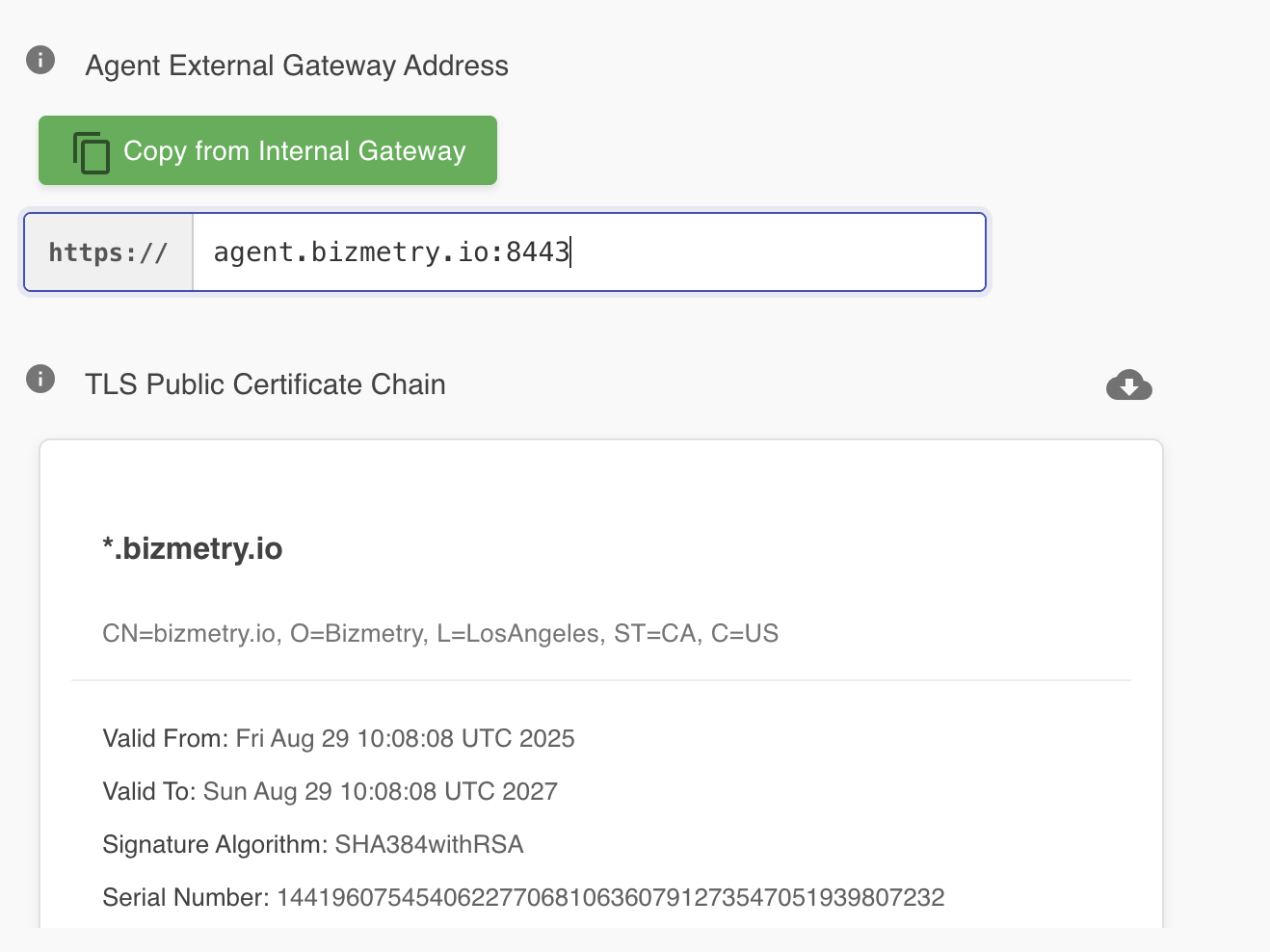
If validation succeeds, a green confirmation message is shown and the TLS Public Certificate Chain section is populated automatically with the certificate chain retrieved from the endpoint.
TLS Private Key
Once the URL has been validated successfully, you must provide the TLS Private Key that corresponds to the public certificate retrieved from the endpoint.
This key is typically managed by DevOps — it is the private key of the key pair used to configure TLS on the external load balancer. It is recommended to contact your DevOps team at this step to obtain the private key associated with the certificate currently in use on the endpoint.
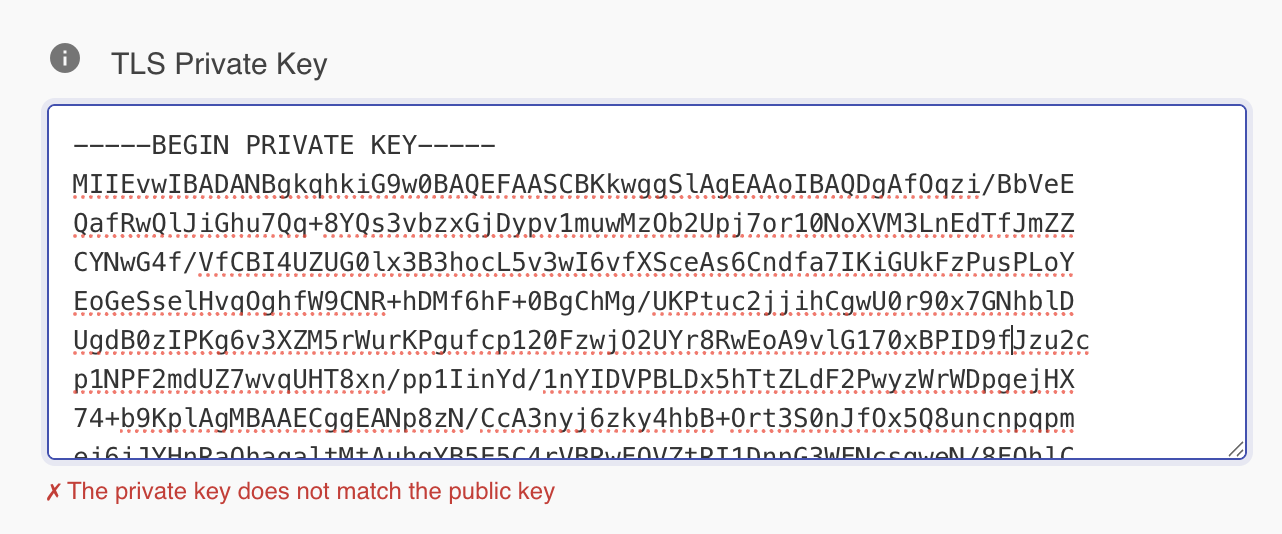
Copy and paste the private key into the TLS Private Key field. BizMetry will validate that the key matches the public certificate. If validation fails, an error message is shown in red below the field.
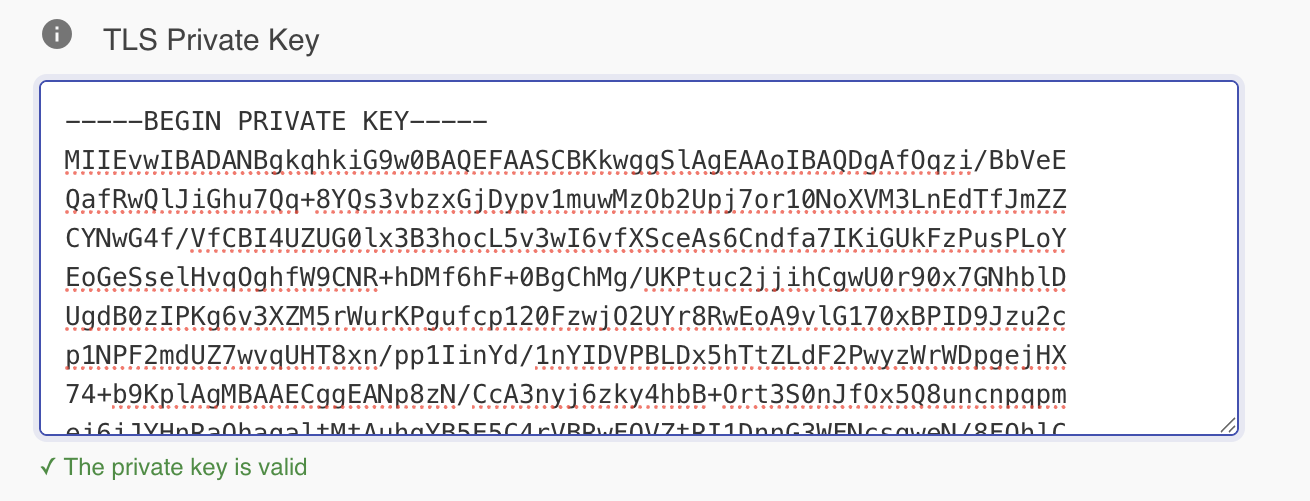
Once the private key is accepted, a green confirmation message appears and the Save Changes button becomes enabled, allowing you to persist the external security configuration.
Downloading the certificate chain
Once the private key has been successfully validated, the full certificate chain can be downloaded using the Download Certificate Chain button, visible in the TLS Public Certificate Chain section.

Clicking this button downloads the complete chain — including all certificates (public, intermediate, and root) in the trust path as well as the private key — as a single PEM file to your local machine.
General Recommendations
Configuring external agent exposure is an operation that inherently involves your DevOps team. Before starting this configuration, it is strongly recommended to coordinate with DevOps in advance to have the following ready:
- A public URL provisioned and registered in the external DNS.
- A TLS key pair generated and applied to the external load balancer.
- The external load balancer configured to listen on that URL and forward traffic to the Kubernetes ingress load balancer.
With all of the above confirmed and in place, proceed with the configuration. Keeping DevOps involved throughout the process ensures that any network-level issue is caught early and that the agent remains correctly visible to the BizMetry platform at all times.
Protecting the external endpoint
The external URL represents a publicly reachable surface that must be hardened against malicious traffic. The following policies are recommended for the load balancer handling this endpoint:
CORS Configure the load balancer to allow inbound traffic from bizmetry.io and block all other browser-originated cross-origin requests.
Rate limiting and spike arrest Implement rate limiting policies aligned with your organization's security standards to block DDoS attempts and absorb traffic spikes before they reach the agent.
IP whitelisting BizMetry communicates with agents from a fixed, well-defined pool of IP addresses. Restricting access to these pool IPs is the most effective way to eliminate unauthorized traffic at the network level. While not always feasible in every deployment, this option is strongly recommended when the network topology allows it. Contact us at contact@bizmetry.io to learn more about the origination pool IPs.
Authentication and authorization The agent enforces both authentication and authorization on every inbound request through BizMetry's built-in security filter. This filter guarantees that:
- The caller belongs to the same account as the agent.
- The caller has sufficient permissions to perform the requested operation.
- The session token presented is valid and has not expired.
This means that even if an unauthorized party reaches the agent endpoint, they cannot gain access to the agent or the associated BizMetry account without valid credentials.
Defense in depth
The agent's built-in authentication provides a strong last line of defense, but it should not be the only one. Implementing complementary controls at the load balancer level — such as OWASP Top 10 filtering via ModSecurity, or a managed border protection service such as AWS Shield or equivalent — adds the layers of defense necessary to protect the agent against sophisticated external attacks.