Capacity Configuration
The Capacity tab of the Agent Configuration dialog controls how much processing power and buffering room the agent has once it is deployed: how many replicas run, how much metric data each replica can hold while waiting to be delivered to BizMetry, and how much CPU and memory each replica may use. Together, these settings determine the agent's headroom under load.
To access this tab, open the Agent Configuration dialog and select Capacity from the tab bar. It is split into two sub-tabs: General and CPU / Memory Resources.
Changes on this tab require a reinstall
Every setting on the Capacity tab shapes how the agent is installed in your cluster. After saving a change, the agent shows the Redeploy Required indicator: download a fresh installer and reinstall the agent for the change to become active. Restarting the agent is not enough. See Breaking vs Non-Breaking Changes.
General
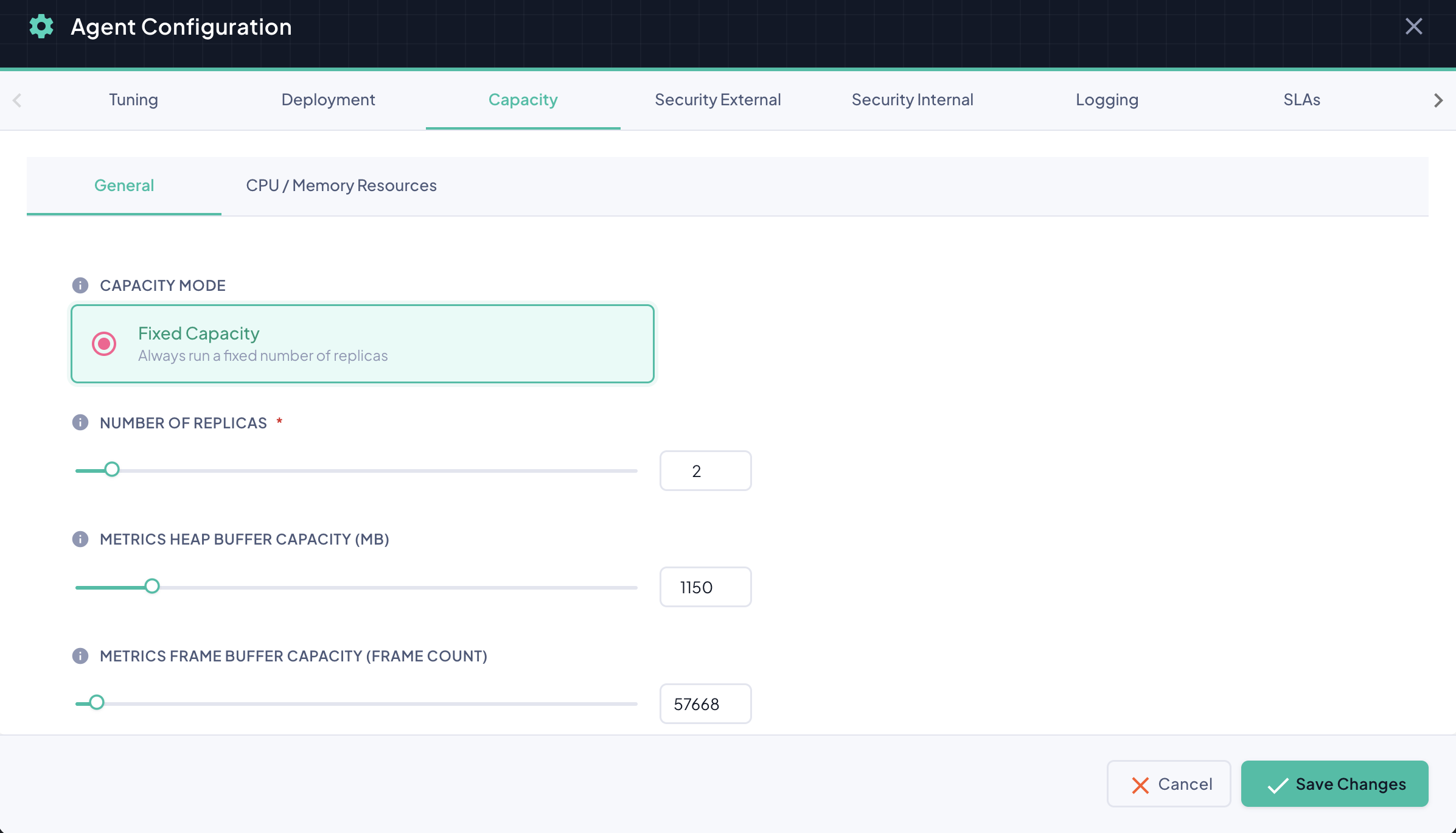
Capacity Mode
Fixed Capacity always runs the exact number of replicas configured here, regardless of load. This is the only capacity mode currently available.
Number of Replicas
The number of agent replicas to deploy (default: 2). Every replica runs an identical copy of the agent, all sharing the same configuration and reachable through the same gateway address — traffic is distributed across whichever replicas are currently running.
More replicas means more throughput and resilience
Increasing the replica count lets the agent absorb higher instrumentation volume and tolerate an individual replica restarting without a gap in coverage — the remaining replicas keep serving traffic while one comes back up. Each additional replica also consumes its own CPU, memory, and storage.
Metrics Heap Buffer Capacity (MB)
The total amount of storage, in megabytes, that each agent replica can use to hold captured metrics until they have been delivered to BizMetry (default: 1024 MB).
| Value | Behavior |
|---|---|
| High | A larger buffer. Greater resilience during connectivity loss — the agent can keep storing metrics for longer before any are lost. Uses more storage. |
| Low | A smaller buffer. Uses less storage, but if the agent loses connectivity with BizMetry and the buffer fills up, newly captured metrics are dropped and permanently lost. |
Metrics Frame Buffer Capacity (Frame Count)
The maximum number of metric frames each agent replica can hold while waiting for delivery. It works alongside the Heap Buffer Capacity above: the buffer is considered full as soon as either limit is reached, depending on the size of the frames being captured.
| Value | Behavior |
|---|---|
| High | More frames can be held before new ones are rejected. Greater resilience, higher resource usage. |
| Low | Fewer frames can be held. Lower resource usage, but the buffer fills — and starts rejecting — sooner under sustained load. |
CPU / Memory Resources
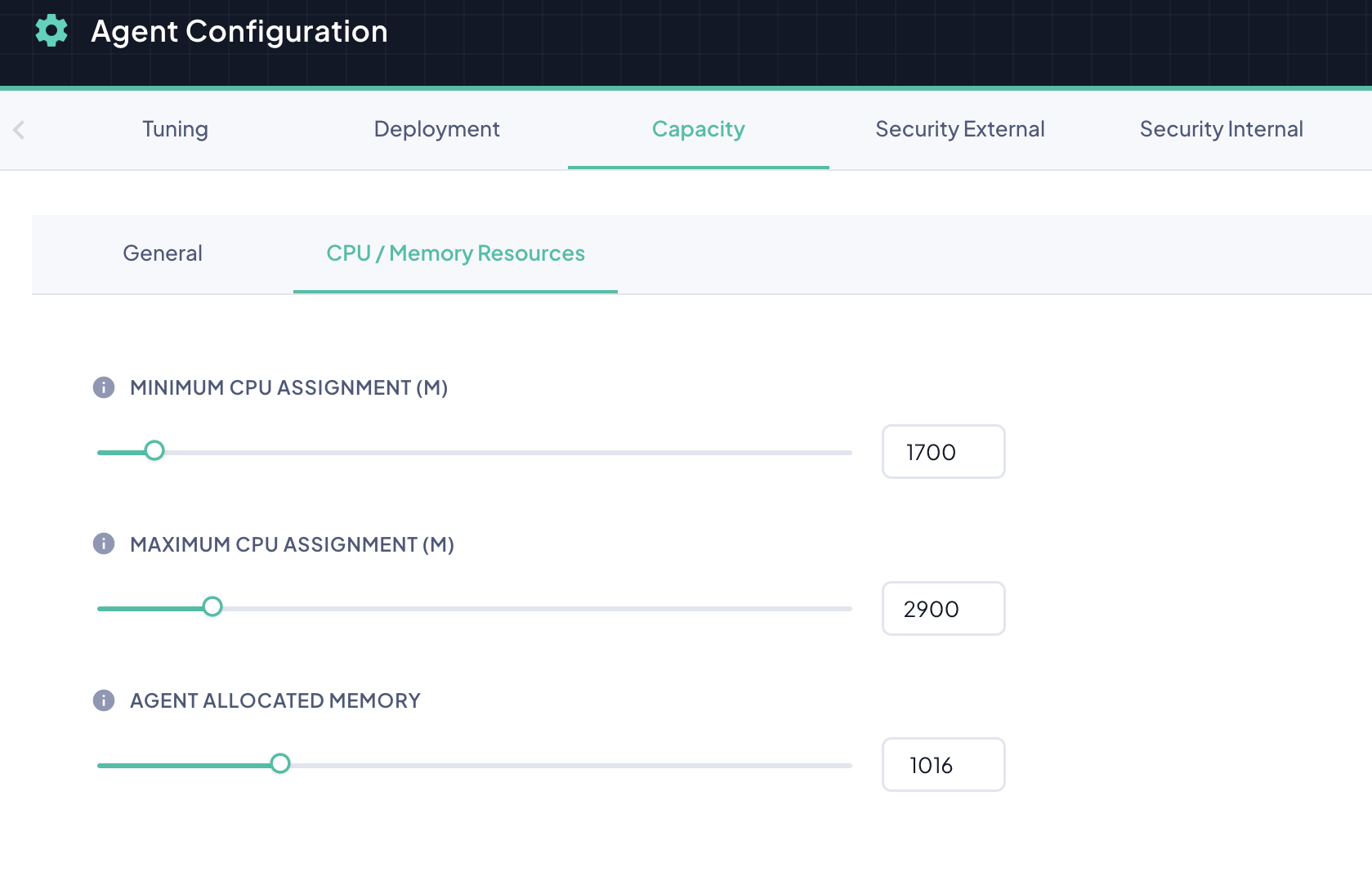
These values set how much CPU and memory each agent replica is given in your Kubernetes cluster, applied identically to every replica.
| Field | Description | Default |
|---|---|---|
| Minimum CPU Assignment (m) | The guaranteed CPU allocation for each replica, in millicores. The cluster reserves at least this much for the replica. | 500 |
| Maximum CPU Assignment (m) | The upper bound on the CPU each replica can use, in millicores. Usage above this value is throttled by the cluster. | 2000 |
| Agent Allocated Memory | The total memory, in megabytes, made available to each agent replica for its own operation. | 1648 |
Millicores
1000m equals one full CPU core. A value of 650 reserves roughly two-thirds of a core; 2450 caps usage at just under two and a half cores.
Set the maximum CPU high enough for real traffic spikes
A Maximum CPU Assignment set too close to the Minimum leaves no headroom for the agent to handle a burst in instrumentation traffic. It will be throttled exactly when it needs the extra capacity most, which shows up as rising Log Pressure and slower sync cycles.
Planning Resources
Buffer sizes and resource assignments determine the footprint of every agent replica in your cluster. Take them into account when planning, especially where cluster resources are constrained or shared:
- Storage — each replica claims storage sized from its Metrics Heap Buffer Capacity. Oversizing this value across several agents can exhaust the storage available in the cluster.
- Memory and CPU — the values on the CPU / Memory Resources sub-tab are reserved for every replica, multiplied by the number of replicas.
Start conservative — tune incrementally
Begin with the default values and increase capacity only when there is a demonstrated need, evaluating the effect of each change before making the next one. Avoid raising buffers beyond what your workload actually requires.
Factors that influence the right configuration
Profile complexity Profiles with many frames, business events, and complex APIs to trace produce metrics that are larger and/or more numerous, which may justify larger buffers.
Application throughput Applications with higher transaction throughput generate proportionally more instrumentation data. High-throughput environments put more pressure on the agent, making capacity sizing more important.
Storage speed The performance of the storage in your cluster affects how quickly buffered data can be written and read. Fast, SSD-backed storage classes allow the agent to work efficiently with smaller buffers.