Users Tab
The Users tab is the default view of the User Management dialog. It lists all users registered under the current organization and provides tools to filter, manage, and create them.
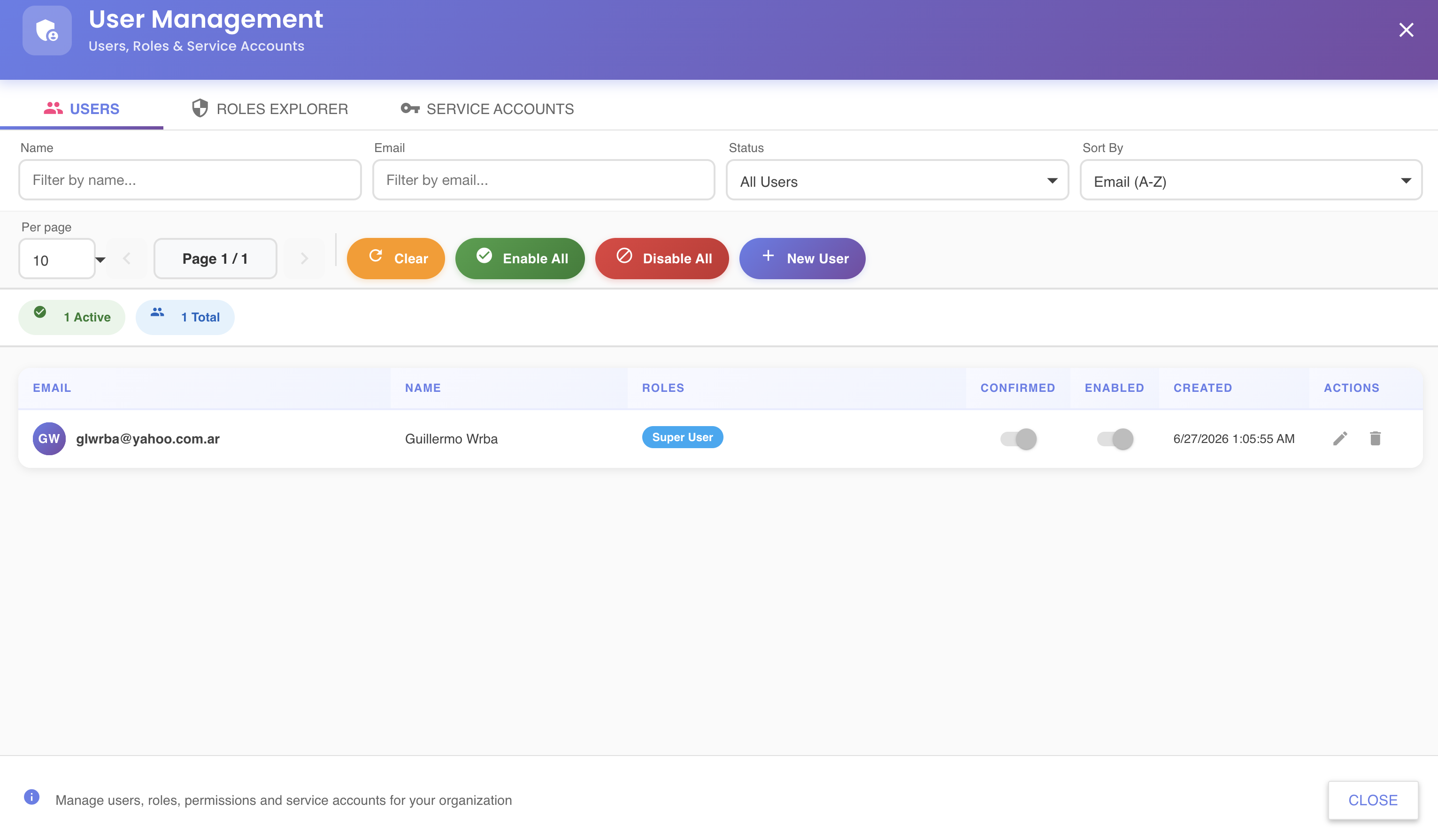
User List
Each row in the list represents a user account and displays the following columns:
| Column | Description |
|---|---|
| Login identifier and contact address | |
| Name | Full display name |
| Roles | Role badges assigned to the user (e.g. Super User) |
| Confirmed | Toggle showing whether the user has confirmed their email and completed activation |
| Enabled | Toggle showing whether the user's access is currently active |
| Created | Timestamp when the user account was created |
| Actions | Edit () to modify the user, Delete () to remove them |
Filtering
The filter bar at the top of the tab narrows the list in real time:
| Filter | Description |
|---|---|
| Name | Free-text search on the user's display name |
| Free-text search on the email address | |
| Status | Filter by account state: All Users, Active, Disabled |
| Sort By | Control the sort order (e.g. Email (A-Z)) |
Toolbar Actions
| Button | Description |
|---|---|
| Clear | Resets all active filters to their default values |
| Enable All | Enables all users currently matching the active filter |
| Disable All | Disables all users currently matching the active filter |
| + New User | Opens the Create New User wizard |
Summary Badges
Below the toolbar, summary badges display a live count of the current result set — for example 1 Active and 1 Total — reflecting the current filter state.
Pagination
Use the Per page selector to control how many users are shown per page (default: 10). Navigate between pages using the ◀ / ▶ controls next to the page indicator (Page 1 / N).
Enabling and Disabling Individual Users
Each user row has an Enabled toggle. Flipping it off temporarily suspends the user's access without deleting their account — useful for offboarding or temporary suspension. Flipping it back on restores access immediately.
Last administrator
You cannot disable the last administrator account in the organization. Assign another user as administrator before making changes.