Roles Explorer
The Roles Explorer is the Roles tab inside the User Management dialog. It's where administrators browse, build, and maintain the Role-Based Access Control (RBAC) model for the account: which roles exist, what permissions each one grants, and how roles nest inside one another.
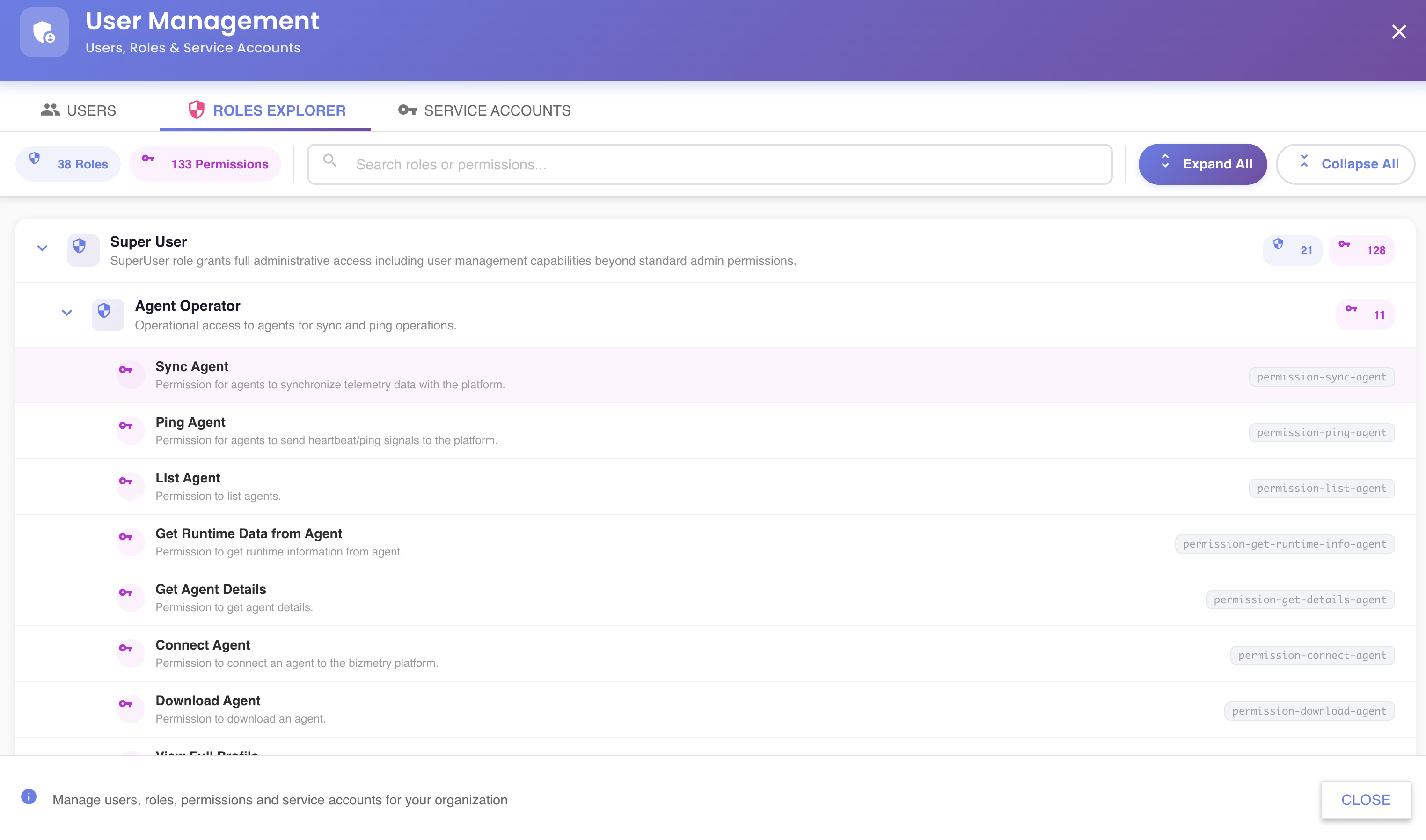
Layout
The tab is organized into three areas:
| Area | Description |
|---|---|
| Fixed action bar (top) | Summary badges (role/permission/match/unsaved-change counts), the search box, the sort selector, and Expand All / Collapse All |
| Tree (middle, scrollable) | Every role in the account, each showing its own permissions and any nested child roles |
| Fixed bottom bar | + Add Role on the left, unsaved-changes indicator and Save Changes on the right |
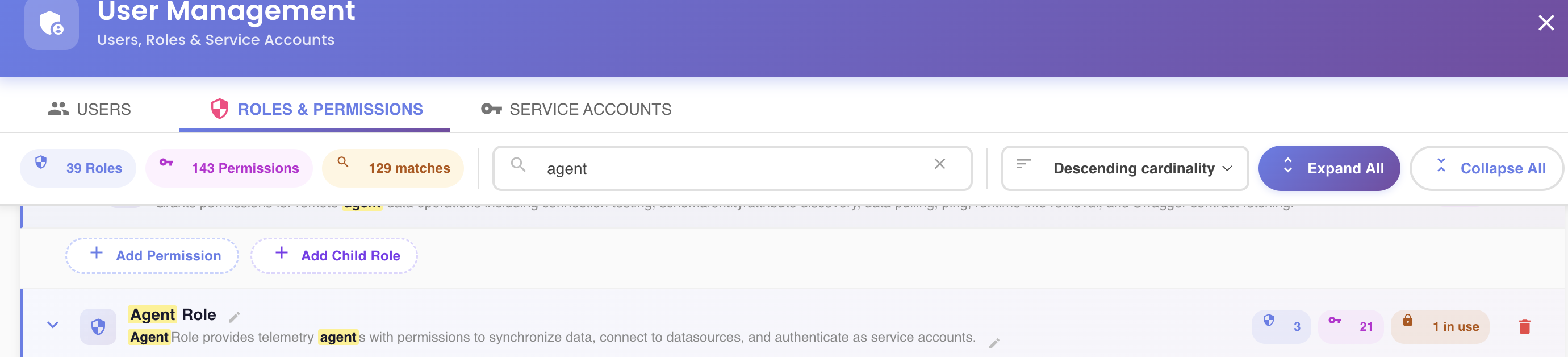
Each role row shows:
- Its name and description
- A count badge for its child roles () and its total permission count ()
- An N in use badge () when at least one user or service account has it assigned
- Action buttons: edit name/description, add permission / add child role, remove a permission, unlink a nested role, delete
The Unsaved-Changes Model
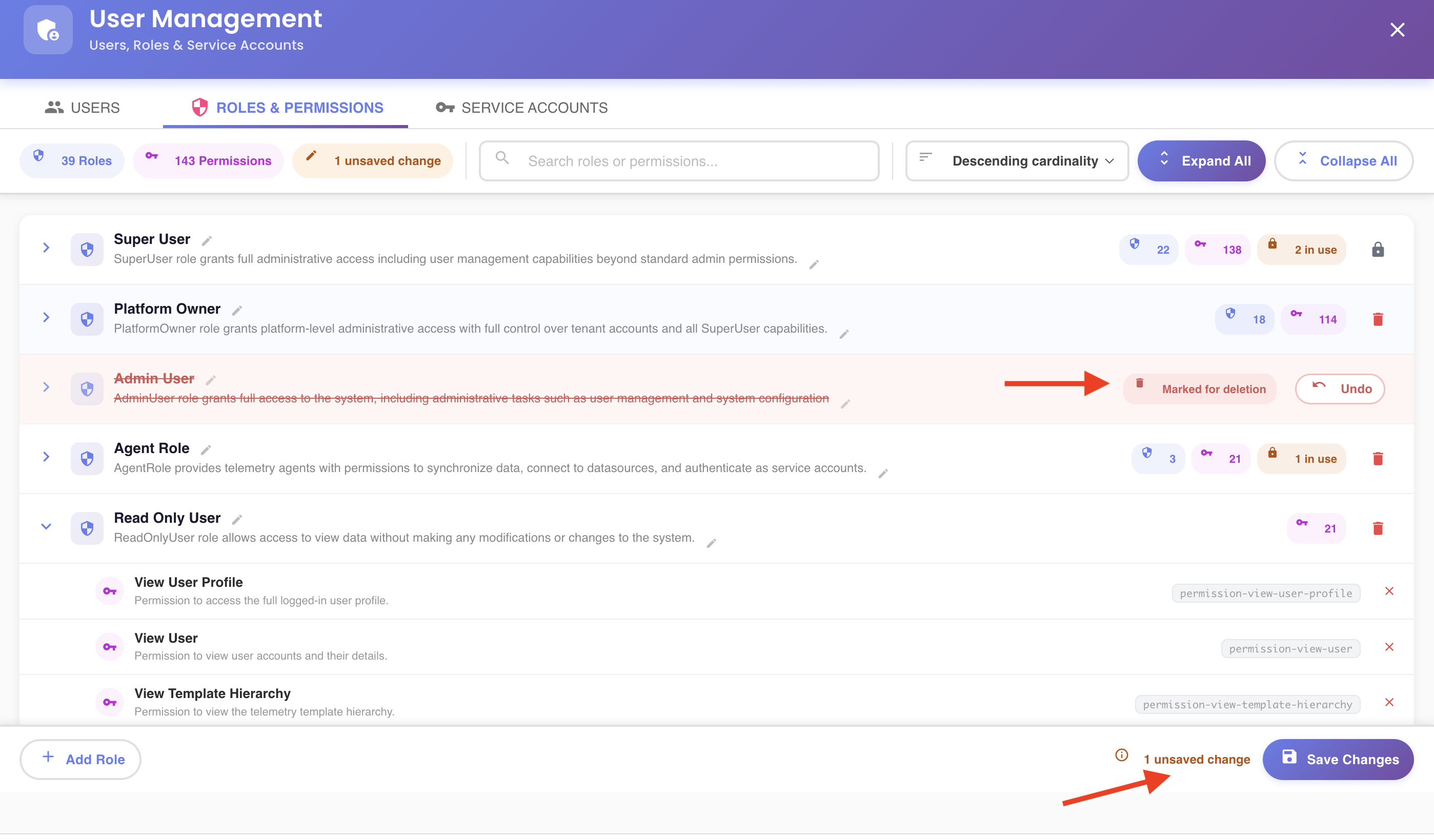
Nothing in the Roles Explorer is saved as you go. Every edit — adding or removing a permission, nesting or unlinking a child role, renaming a role, marking one for deletion, creating a new one — is staged locally in the tree and counted in the N unsaved changes badge at the bottom.
Nothing reaches the server until you click Save Changes. Leaving the tab (or the dialog) without saving discards every pending change. After a save, the tree reloads from the server to resync with whatever actually persisted — including for partial failures, so you can see exactly what did and didn't go through.
Changing the sort order also reloads the tree
Picking a different option from the sort dropdown re-fetches the hierarchy from the server, the same as Save Changes does. If you have unsaved edits, save them first — switching sort order discards them. See Sorting Roles.
In This Section
- Sorting Roles
- Searching Roles and Permissions
- Creating a New Role
- Editing a Role's Name and Description
- Adding a Permission to a Role
- Removing a Permission from a Role
- Adding a Child Role
- Unlinking a Nested Role
- Navigating to a Nested Role's Root Entry
- Deleting a Role
- Expanding and Collapsing the Tree
Related Topics
- User Management
- Roles and Permissions Picker — assigning roles to a specific user
- Service Accounts — assigning roles to a service account