Removing a Permission from a Role
Each permission listed under a role in the Roles Explorer has a small × () button.
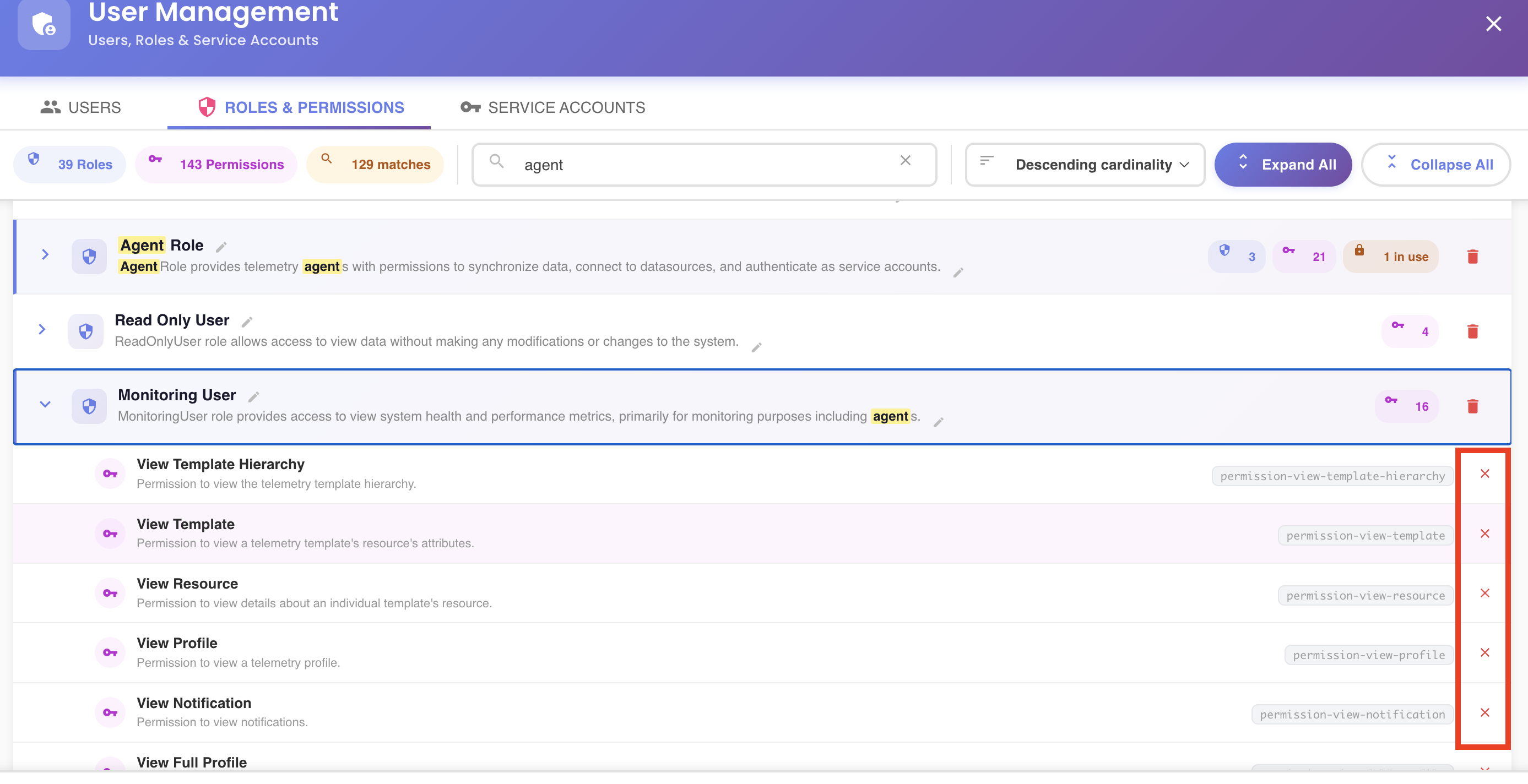
Clicking it removes the permission from the role immediately — there's no confirmation step. If you remove one by mistake, use Add Permission to put it back before saving.
Root-level roles only
Like adding a permission, this only appears on a role's own top-level entry. A role shown nested under another one is read-only there — see Navigating to a Nested Role's Root Entry.
Staged Until Saved
The removal is staged in the tree — the role's permission count badge updates right away — but nothing is sent to the server until you click Save Changes. See the unsaved-changes model.