Expanding and Collapsing the Tree
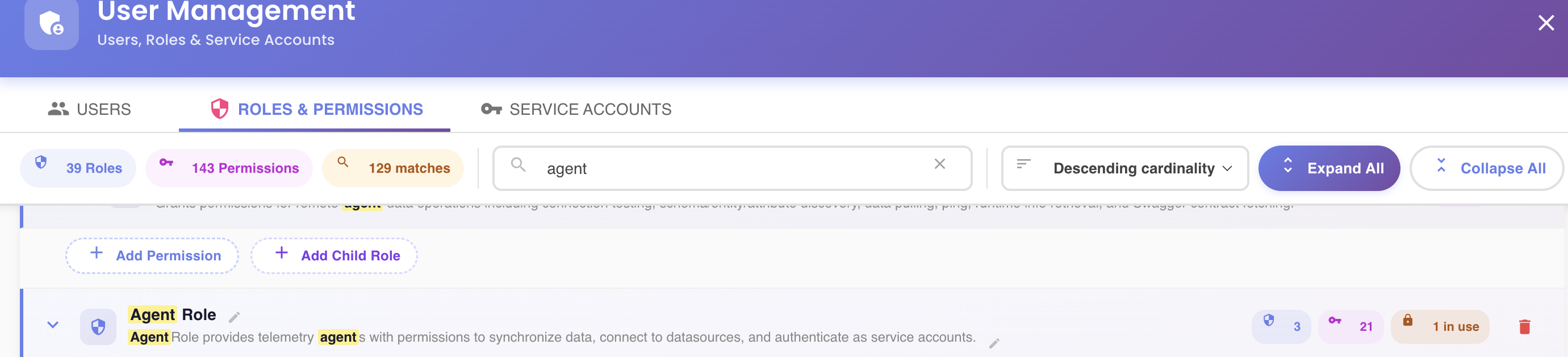
Two buttons in the fixed action bar of the Roles Explorer, next to the sort selector, control how much of the tree is open at once:
| Button | Effect |
|---|---|
| Expand All () | Opens every role at every level, permissions and nested child roles included |
| Collapse All () | Closes every role back down to just its header row |
Toggling a Single Role
Click anywhere on a role's header row (not on one of its action buttons) to expand or collapse just that role. This works independently of the all-or-nothing buttons above — you can expand everything and then collapse a few branches you're not interested in, or vice versa.
Automatic Expansion
- When the tree first loads, every top-level role starts expanded; nested child roles start collapsed until you open them.
- Searching automatically expands whatever's needed to reveal every match, regardless of the current expand/collapse state.