Deleting a Role
Every role's top-level entry in the Roles Explorer has a delete button () in its header.
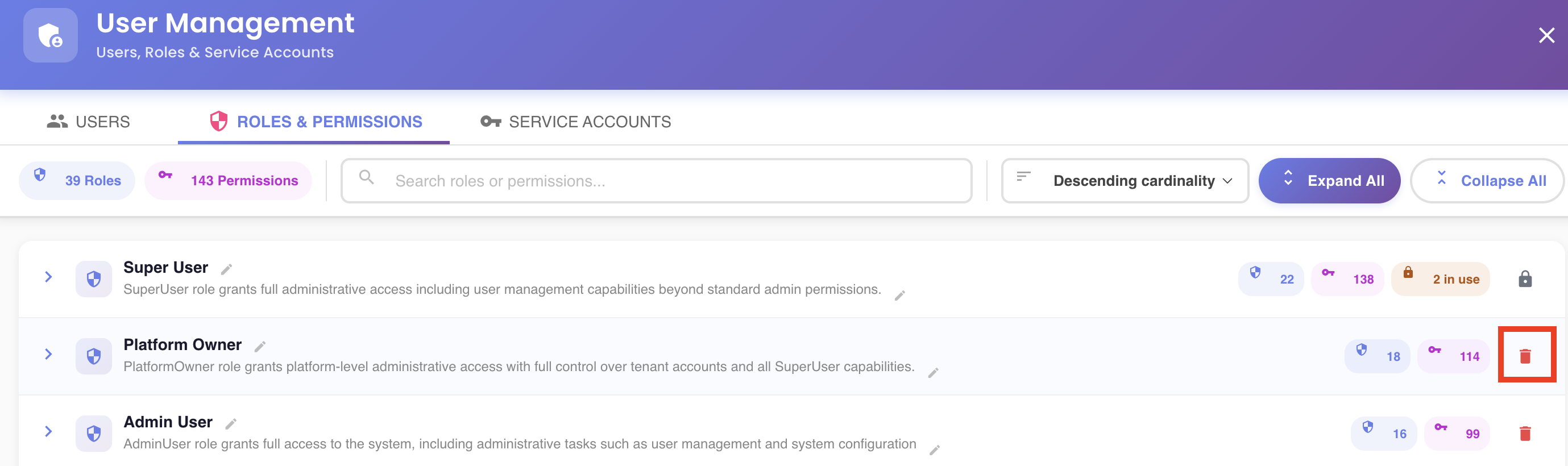
Root-level roles only
You can only delete a role from its own top-level entry — see Navigating to a Nested Role's Root Entry if you're looking at a nested occurrence. To remove a role from one particular parent without deleting it outright, see Unlinking a Nested Role instead.
What happens when you click it depends on whether the role is currently assigned to anyone.
A Role Nobody Has Assigned
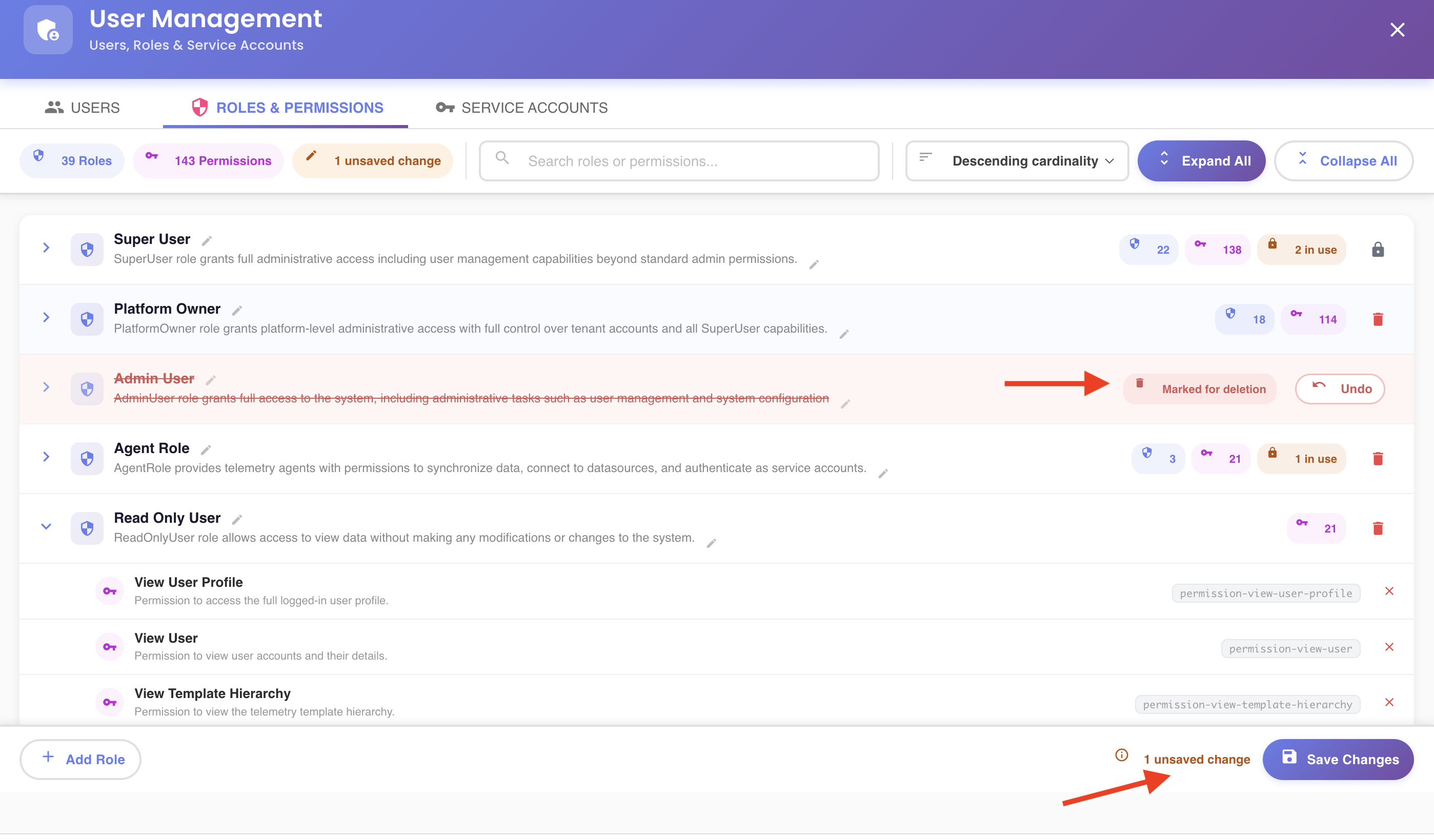
Click the delete button once — it turns into a pulsing warning icon for a few seconds. Click it again in that window to confirm; otherwise it reverts to normal on its own. Once confirmed, the row shows a "Marked for deletion" chip with an Undo button, which stays available until you save. The delete itself only happens when you click Save Changes — see the unsaved-changes model.
Roles That Are In Use
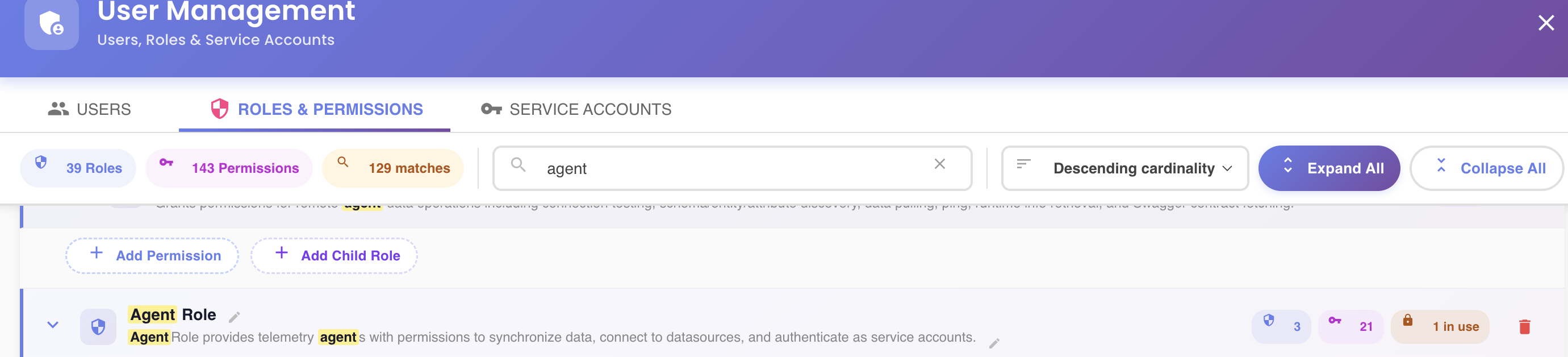
If a role is currently assigned to at least one user or service account — either directly, or inherited, because it's nested under a role that's assigned to someone — it carries an N in use badge () next to its permission/child-role counts. Hovering the badge, or the delete button itself, shows who: up to a handful of names, with a "+N more" if there are more than that.
Clicking delete on a role like this opens a Role In Use warning dialog instead of arming the two-click confirm. It lists everyone currently assigned the role (name and whether they're a User or a Service Account) and warns that deleting it will unassign it from all of them — and that, depending on what other roles they hold, they may lose access to critical BizMetry functionality, or lose the ability to access the platform entirely.
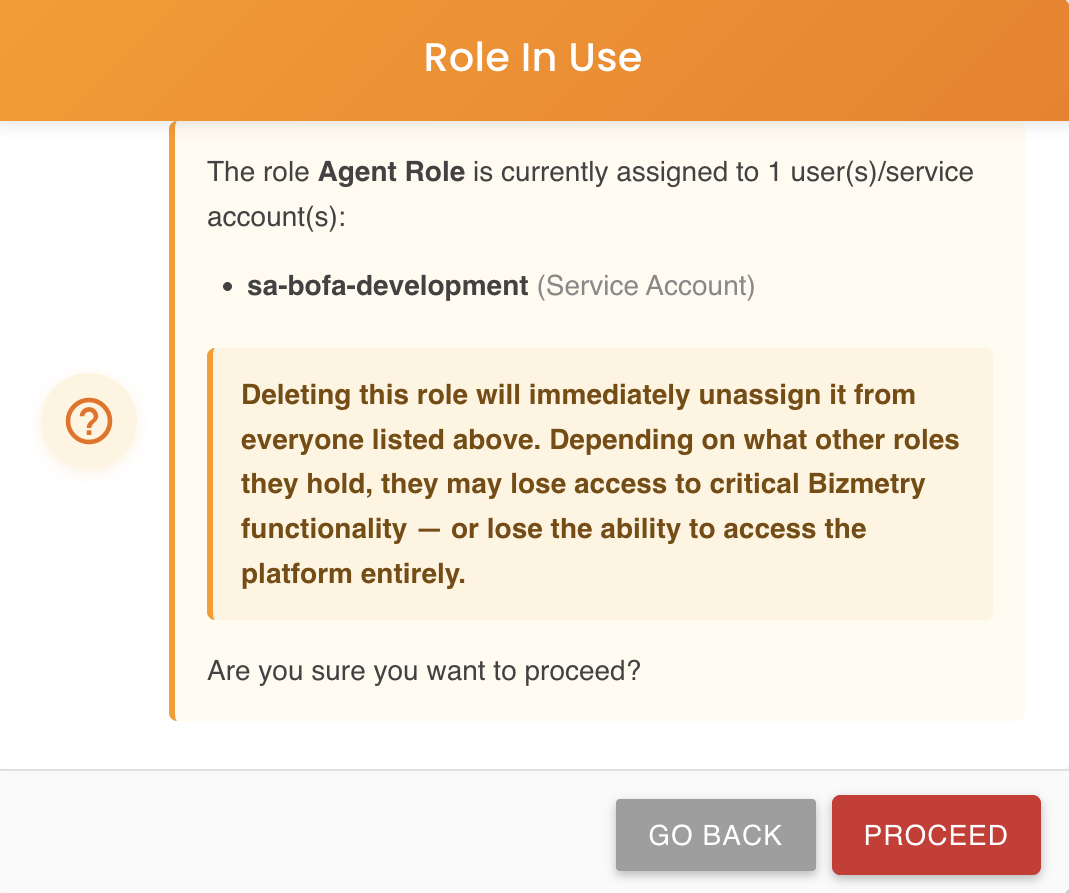
- Go Back — closes the dialog, nothing happens.
- Proceed — arms the deletion exactly like the two-click flow above ("Marked for deletion" chip, Undo available, applied on Save Changes). Once saved, the role is unassigned from every user and service account that had it, in addition to being deleted.
A Role Assigned to the Account's Super User
A role assigned to the account's Super User — again, directly or inherited from a parent — can't be deleted at all. Its delete button shows a plain lock icon instead of the trash icon, and clicking it does nothing. Hovering shows a tooltip explaining why: the Super User must always keep full access to the tenant, even if every other user's permissions are reduced or removed, so any role tied to that account is permanently protected from deletion — enforced on the server as well, not just hidden in the UI.