Clone from an Existing Profile
This flow creates a new profile by copying the full configuration of an existing profile in your account — including its template structure, frame types, classification, ASBO mappings, and resource type definitions. It is the fastest path when you need a new profile that closely mirrors one you have already configured and validated.
What cloning does not copy
Cloning copies the template structure and configuration. Agents, active datasource connections, and live environment data are not transferred — those must be set up independently in the new profile.
Step 1 — Profile Source
Select Clone from an existing profile and click Continue.
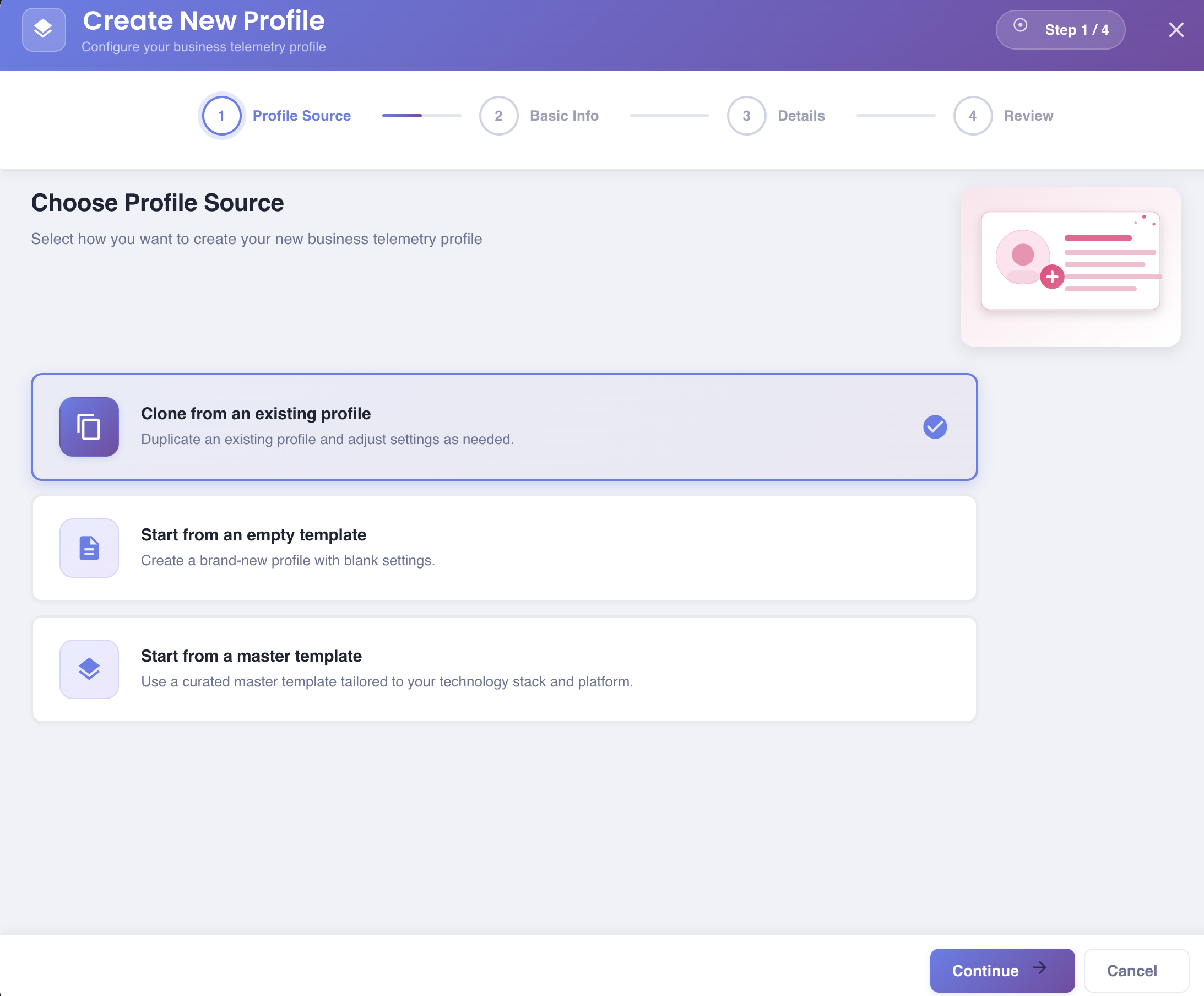
Duplicate an existing profile and adjust settings as needed.
Step 2 — Details: Select Profile to Clone
Choose the existing profile to use as the source for the clone.
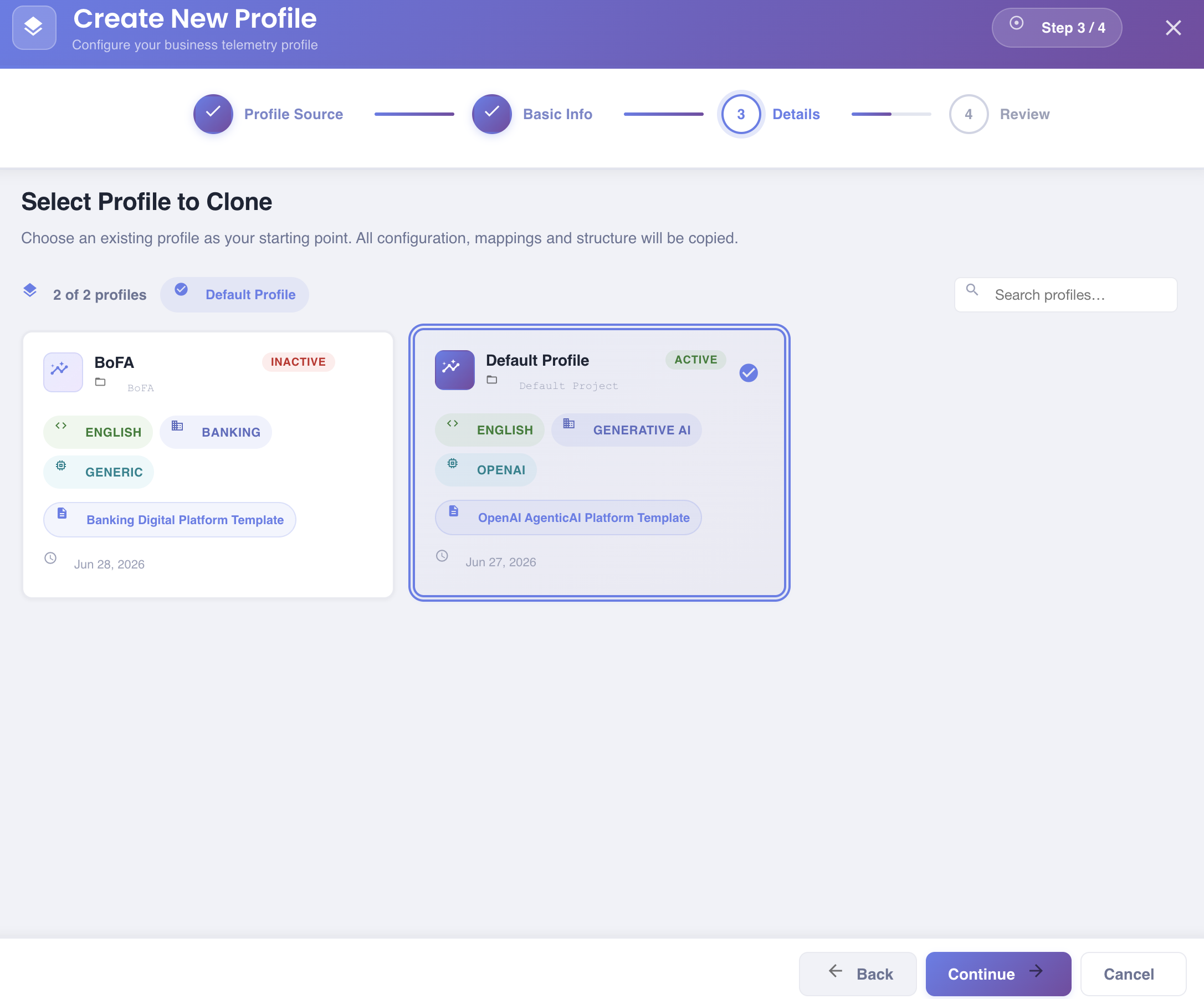
The screen displays a count of available profiles (e.g. 2 of 2 profiles) and a currently selected badge. A Search profiles… field on the right allows filtering by name when there are many profiles.
Each profile card shows:
- Profile name and project name
- Status badge:
ACTIVE(green) orINACTIVE(red) - Language tag (e.g.
ENGLISH) - Business domain tag (e.g.
BANKING,GENERATIVE AI) - Technology stack tag (e.g.
GENERIC,OPENAI) - Master template used as the source (e.g.
Banking Digital Platform Template,OpenAI AgenticAI Platform Template) - Creation date
Click a card to select it — it highlights with a blue border and a checkmark. A name badge also appears at the top showing the currently selected profile.
Click Continue to proceed.
Step 3 — Identity
By the time you reach this step, BizMetry already knows which profile you're cloning, so instead of asking you to type a name, project, and description from scratch, it inherits them from the source profile the first time you land on this step.
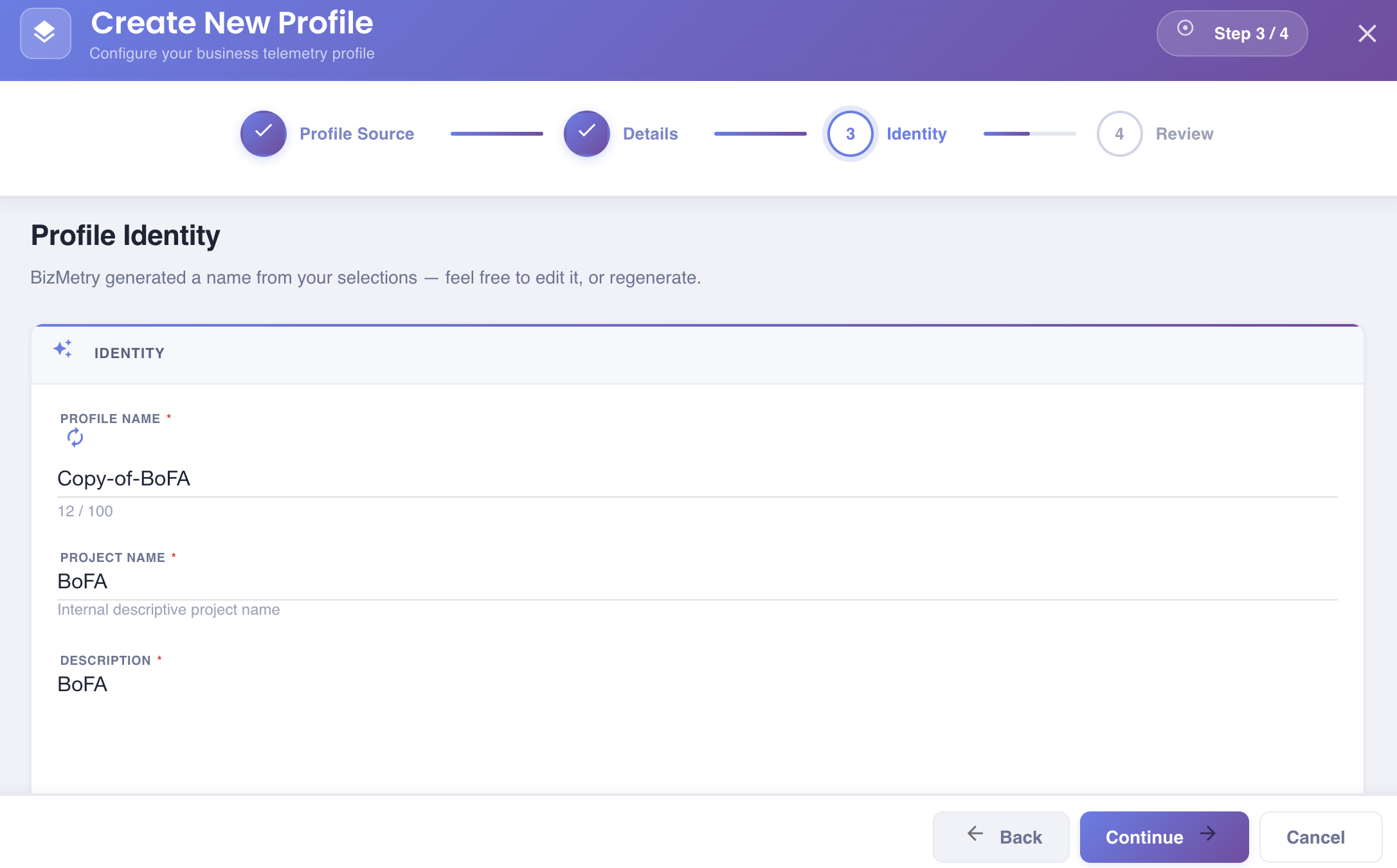
What gets generated
| Field | How it's generated |
|---|---|
| Profile Name | Copy of <source profile name> — normalized (spaces and special characters become hyphens, trimmed). |
| Project Name | Copied as-is from the source profile's Project Name. |
| Description | Copied as-is from the source profile's Description. |
You can still edit it
All three fields are just a starting point — edit any of them the same way you would type any other value. Once you edit the Profile Name, BizMetry stops touching it: going back to an earlier step and forward again won't overwrite an edit you already made.
If you want to discard your edits and re-copy the identity from the source profile — for example after selecting a different profile to clone in Step 2 — click the Regenerate icon next to the Profile Name field. This re-copies all three fields from the currently selected source profile.
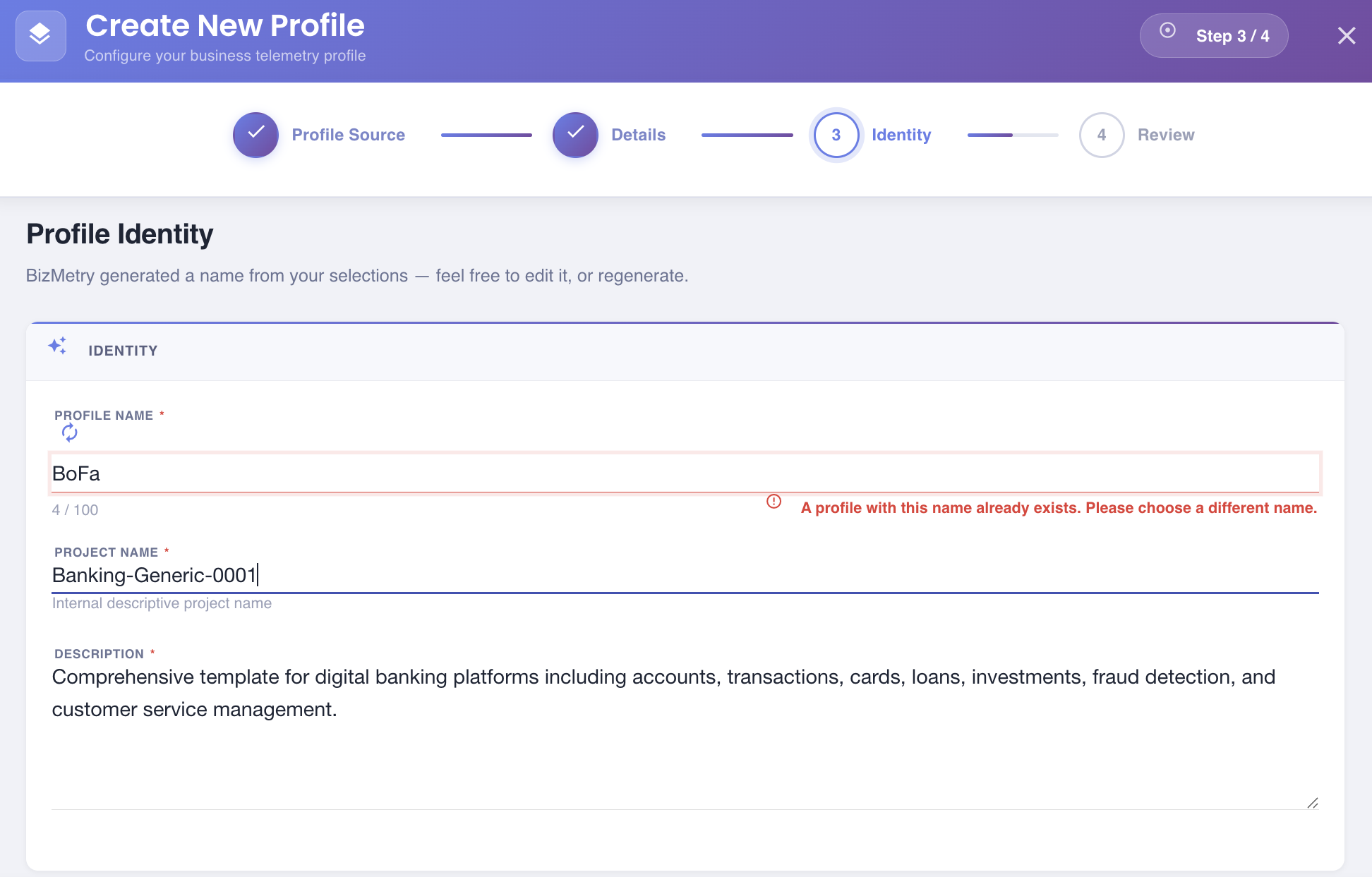
Unique name validation
The Profile Name must be unique across your account. This is checked continuously as you type (or immediately after clicking Regenerate); since the default value is Copy of <source name>, cloning the same profile more than once will trigger this check — rename the later clones to continue.
Click Continue to proceed.
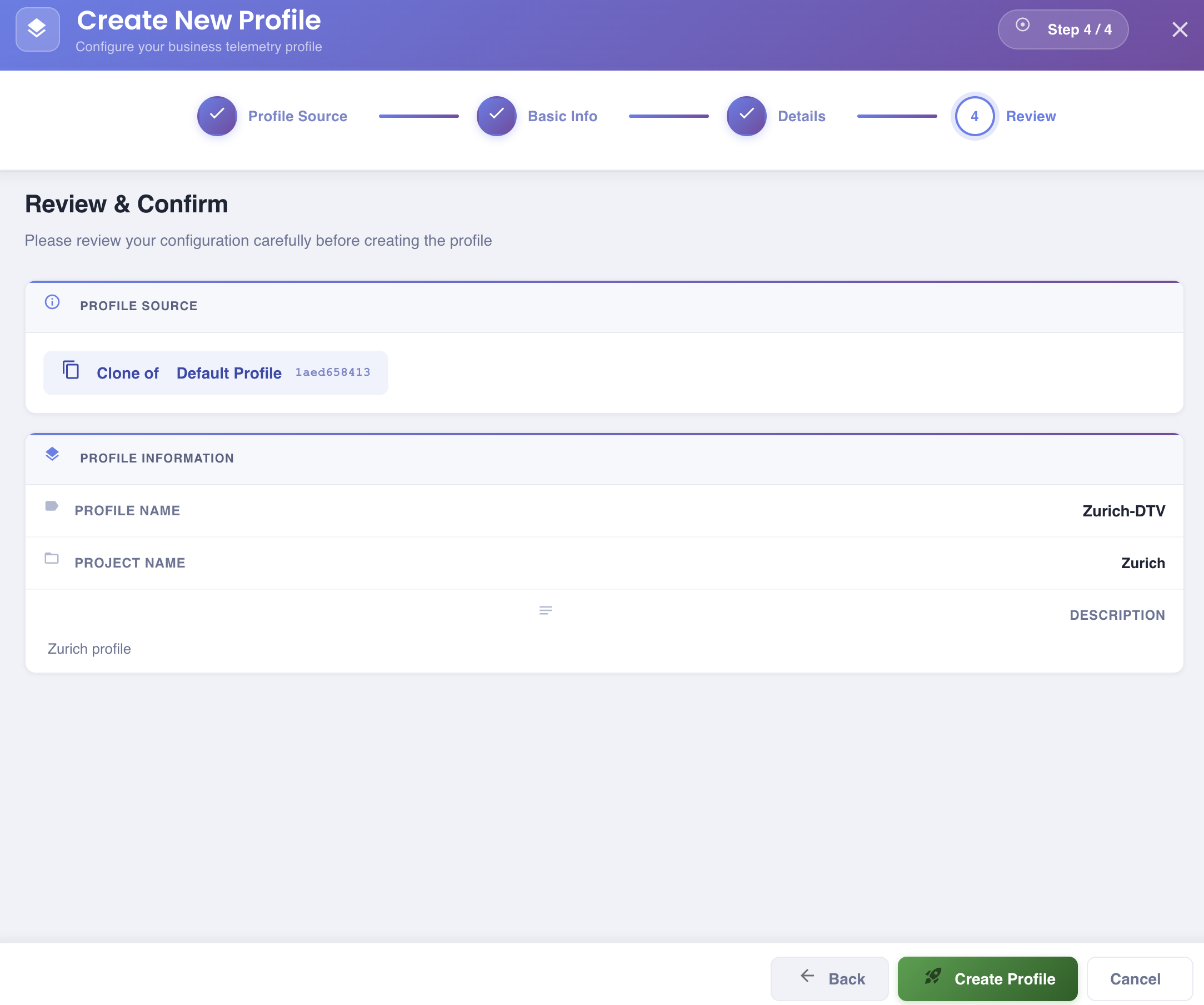
Step 4 — Review & Confirm
A read-only summary of all choices made in the previous steps.
| Section | Fields shown |
|---|---|
| PROFILE SOURCE | Name and ID of the profile being cloned. |
| PROFILE INFORMATION | Profile Name, Project Name, Description of the new clone. |
Review all values carefully. Use Back to return to any step and make corrections.
Click Create Profile to complete the setup.
Next Steps
After the clone is created, the new profile is an independent copy. Common post-clone tasks include:
- Reviewing and adjusting Environment names and types to reflect the new context.
- Deploying new Agents for the cloned profile's environments.
- Updating Resource and Client mappings as needed.
- Publishing a new Template version if structural changes are required.